
Now the address is also getting passed through but we don't print it to the screen, so let's do that. Right after the configuration, let's use console.log to print the entire argv variable to the screen. This will include everything that got parsed by yargs:
  .help()
  .alias('help', 'h')
  .argv;
console.log(argv);
Let's go ahead and rerun it in the Terminal, this time passing in an address. I'll use the a flag, and specifying something like 1301 lombard street, closing the quotes, and hitting enter:
node app.js -a '1301 lombard street'
When we do this we get our object, and as shown in the code output, we have 1301 Lombard St, Philadelphia, PA 19147, USA, the plain text address:
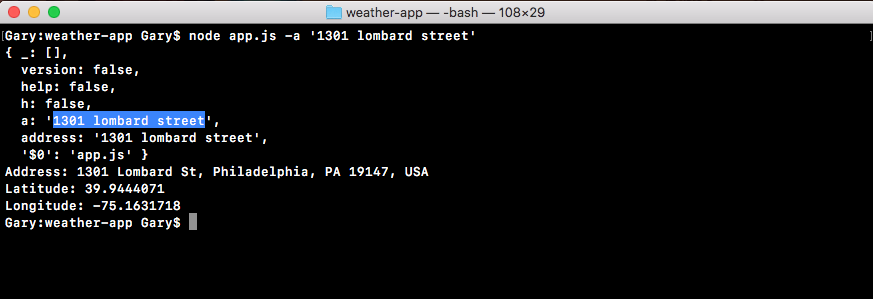
In the preceding screenshot, notice that we happen to fetch the latitude and longitude for that address, but that's just because we have it hard coded in the URL in app.js. We still need to make some changes in order to get the address, the one that got typed inside the argument, to be the address that shows up in the URL.