
In our case, we'll be taking the address and getting the latitude and longitude. To make our request, we'll call a method available on axios, axios.get:
var geocodeUrl = `https://maps.googleapis.com/maps/api/geocode/json?address=${encodedAddress}`;

axios.get
The get is the method that lets us make our HTTP get request, which is exactly what we want to do in this case. Also, it's really simple to set up. When you're expecting JSON data, all you have to do is to pass in the URL that we have in the geocodeUrl variable. There's no need to provide any other options, such as an option letting it know it's JSON. axios knows how to automatically parse our JSON data. What get returns is actually a promise, which means we can use .then in order to run some code when the promise gets fulfilled or rejected, whether things go well or poorly:
axios.get(geocodeUrl).then()
Inside then, we'll provide one function. This will be the success case. The success case will get called with one argument, which the axios library recommends that you call response:
axios.get(geocodeUrl).then((response) => {

});
Technically, we could call anything you like. Now inside the function, we'll get access to all of the same information we got inside of the request library; things such as our headers, response, and request headers, as well as the body information; all sorts of useful info. What we really need though is the response.data property. We'll print that using console.log:
axios.get(geocodeUrl).then((response) => {
  console.log(response.data);
});
Now that we have this in place, we can run our app-promise file, passing in a valid address. Also, we can see what happens when we make that request.
Inside command line (Terminal), we'll use the clear command first to clear the Terminal output. Then we can run node app-promise.js, passing in an address. Let's use a valid address, for example, 1301 lombard street, philadelphia:
node app-promise.js -a '1301 lombard street philadelphia
The request goes out. And what do we get back? We get back the results object exactly as we saw it when we used the other modules in the previous chapters:
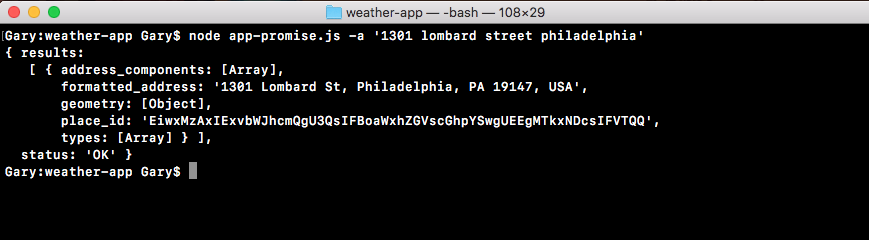
The only difference in this case is that we're using promises built in, instead of having to wrap it in promises or using callbacks.