
To fulfill most of our criteria, simple proximity analysis is enough. However, there are two types of criteria. Some of them state that our results have to exceed a distance, while the rest of them require the results to equal a certain distance. For the sake of simplicity, let's separate those requirements, and solve them one by one. The easiest way to do a proximity analysis with fixed distances is to buffer the features we want to compare our houses with, and use a spatial query to get matching results. We can delimit houses far enough from noise-polluted areas by the following (from now on, saving intermediate results as memory layers won't be emphasized):
- Open the roads and landuse layers.
- Apply a filter on the roads layer to show only relevant roads. The correct expression is "fclass" LIKE 'motorway%' OR "fclass" LIKE 'primary%'.
- Apply a filter on the landuse layer to show only industrial areas. Such an expression can be "fclass" = 'industrial' OR "fclass" = 'quarry'. If you have other types, which can be a source of noise pollution, don't hesitate to include them.
- Clip the layers to the town boundaries if they are too large (optional step).
- Buffer the roads with the Fixed distance buffer, tool and a buffer distance of 200 meters. If you have a projection in feet, the correct value is 656. If your CRS is using miles as the unit, it is 0.12.
- Buffer the landuse layer with a value of 500 in meters, or the equivalent value in other units.
- Get the union of the two buffered layers with QGIS geoalgorithms | Vector overlay tools | Union. The order does not matter. We need a union of the two layers, as neither of the buffer areas are suitable for us.
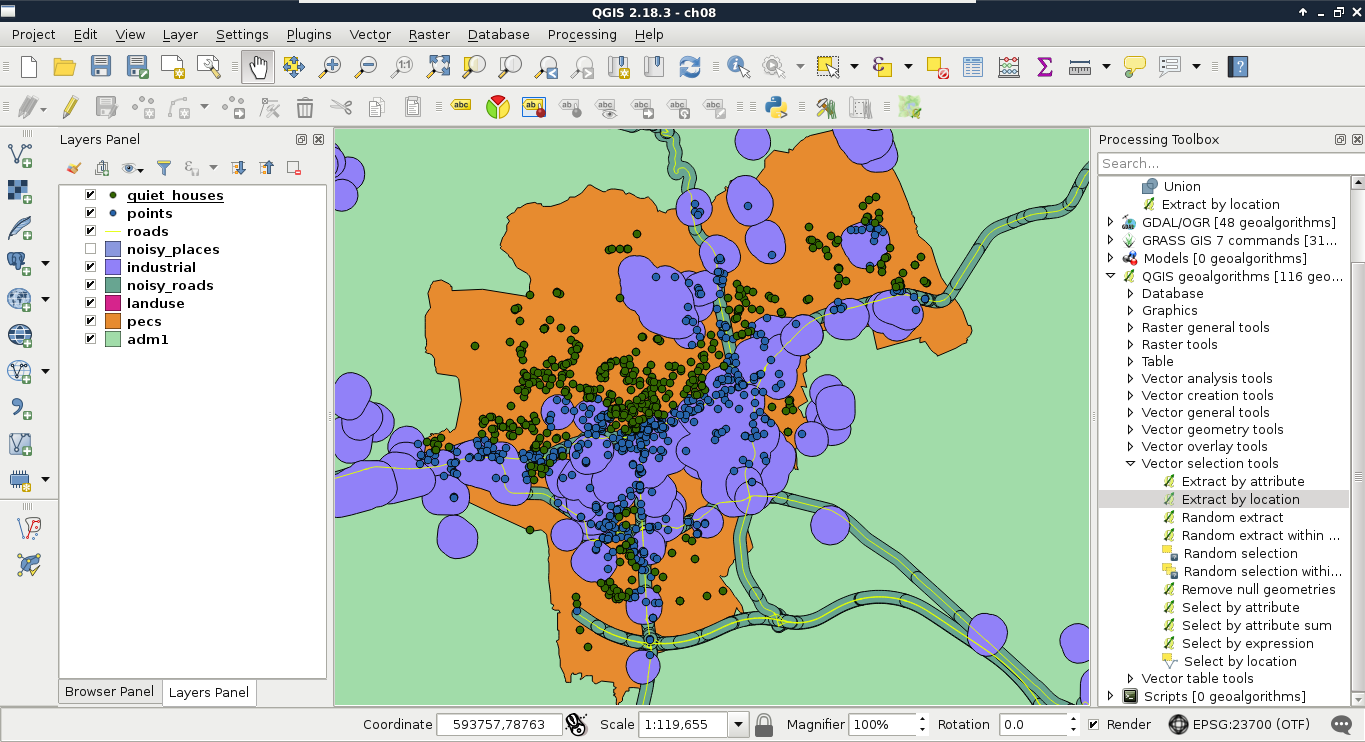
- Save the features outside of the result with the Extract by location tool. We should select from the house layer, use the noisy places layer as the intersection layer, and select disjoint as the spatial predicate.
- Remove the intermediate layers, and save the filtered houses if you plan to follow this chapter in multiple sessions:
The second part is to delimit the areas that the potential homes should reside in. The first criterion is parks with playgrounds. Let's prepare our data as follows:
- Apply a new filter on the landuse layer. The filter should be "fclass" = 'park'.
- Open the POI layer, and apply a filter which only shows playgrounds. The correct expression is "fclass" = 'playground'.
Now we could select or extract parks which have a playground in them. Before doing this, let's think it through again. Is this the correct method? What if there are some parks with playgrounds just outside of them?
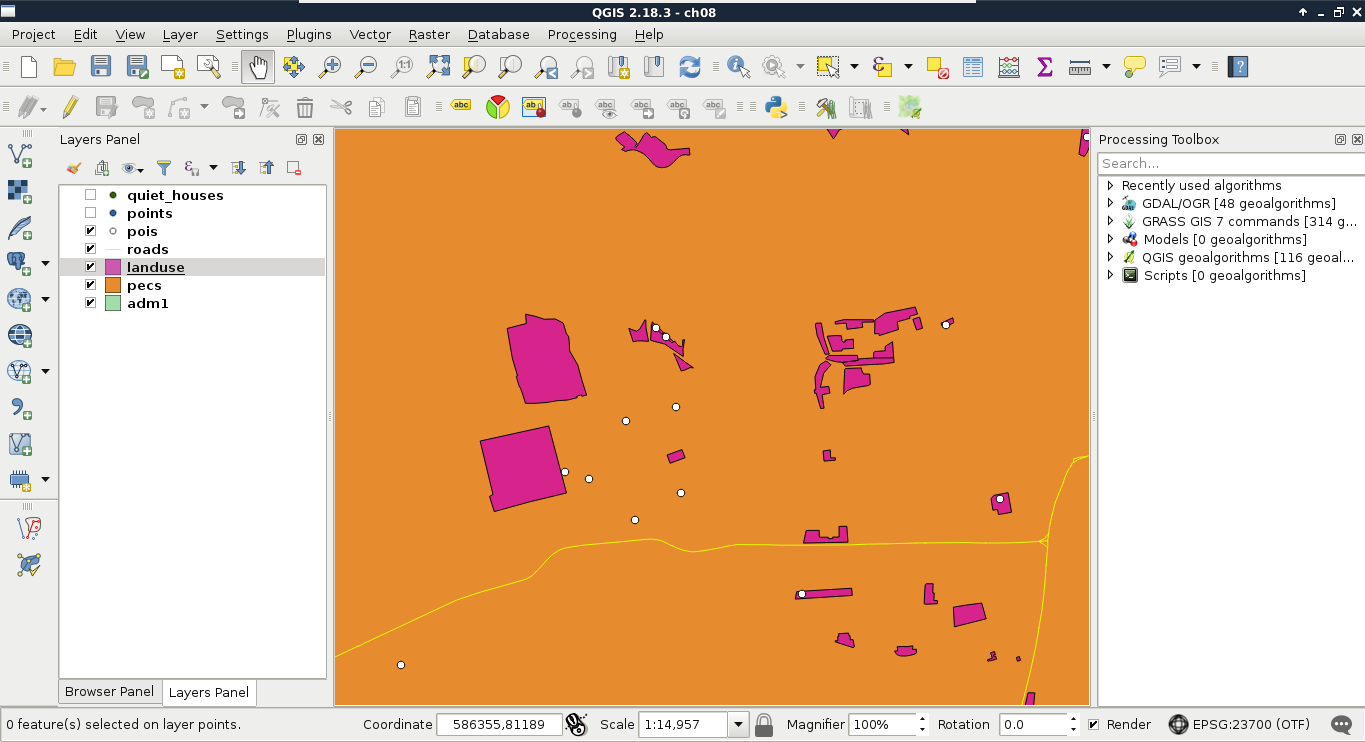
- In order to apply a more permissive extraction, use the Select by location tool, and select features from the landuse layer with respect to the POI layer. Select intersects as a spatial predicate, and include a Precision value somewhere between 100 and 200 meters.
- Buffer the landuse layer with the selected parks by 500 meters. Check the Dissolve result box. Remember that QGIS's geoalgorithms respect filters? Well, most of them also respect selections. Therefore, the result only contains buffered versions of the selected parks only.
- Remove the selection with the Deselect Features from All Layers button in the main toolbar.
- Apply a new filter on the POI layer considering only bars. I'll let you construct the correct expression this time. Think it through well; pubs, for example, can be considered bars in this case. Can cafes be considered bars as well? I'm going to leave this to you.
- Buffer the filtered POI layer with 500 meters, and dissolve the buffered features automatically.
- Apply a new filter on the POI layer which shows only restaurants. Such a filter expression is "fclass" = 'restaurant'.
- Buffer the filtered POI layer with 500 meters, and dissolve the buffered features automatically.
- Now that we have three buffered constraint layers, we only need areas which fulfill all the criteria. Therefore, we need the intersection of the three buffered layers. We can calculate the intersection of two layers with QGIS geoalgorithms | Vector overlay tools | Intersection. Let's create the intersection layer of the buffered bars and the buffered parks layers.
- As the Intersection tool only accepts two layers, we have to intersect the third layer (buffered restaurants) with the result of the previous step. Let's do that to get the final constraint layer:
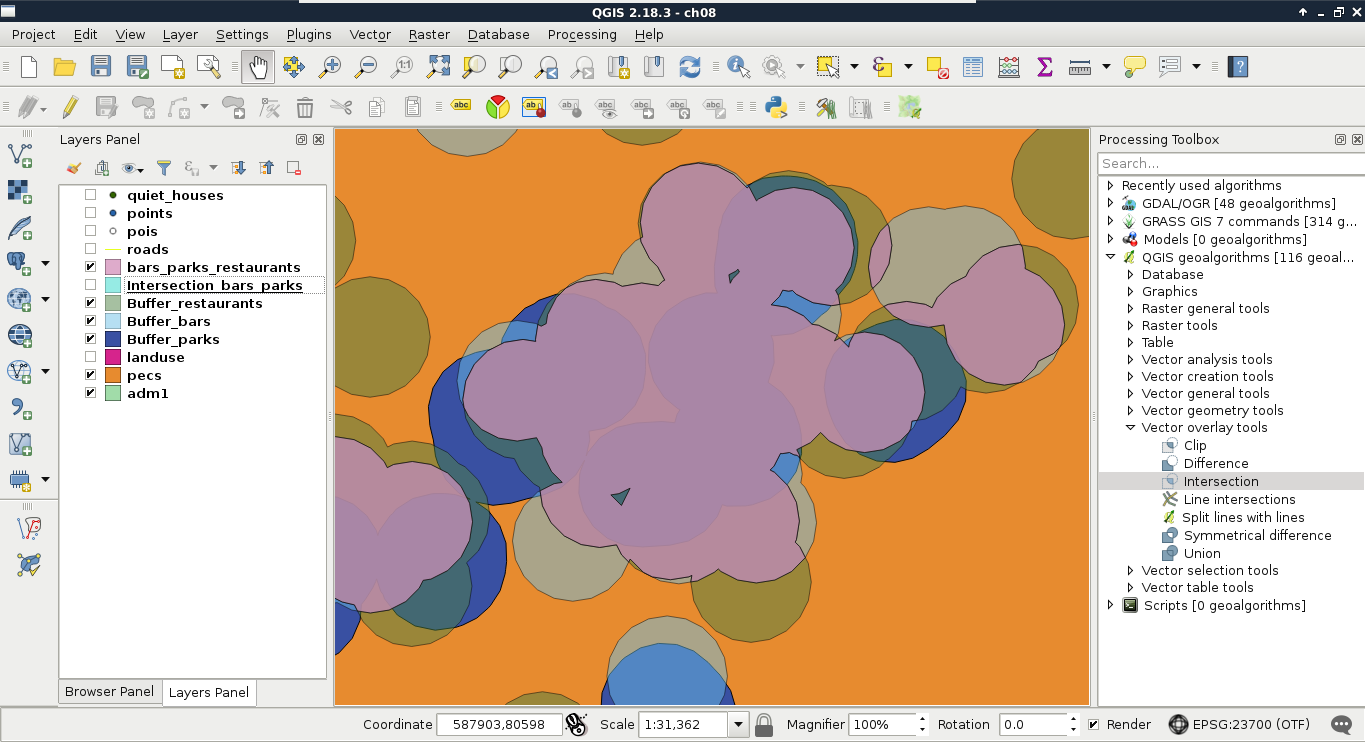
- As you can see in the preceding screenshot, the final intersection layer only contains areas which are present in every buffer layer. Now extract every house from the quiet houses layer, which intersects the constraint layer. Use the Extract by location tool.
- Remove every intermediate layer. Save the constrained quiet houses layer on the disk if you are planning to follow the rest of the chapter in another session.