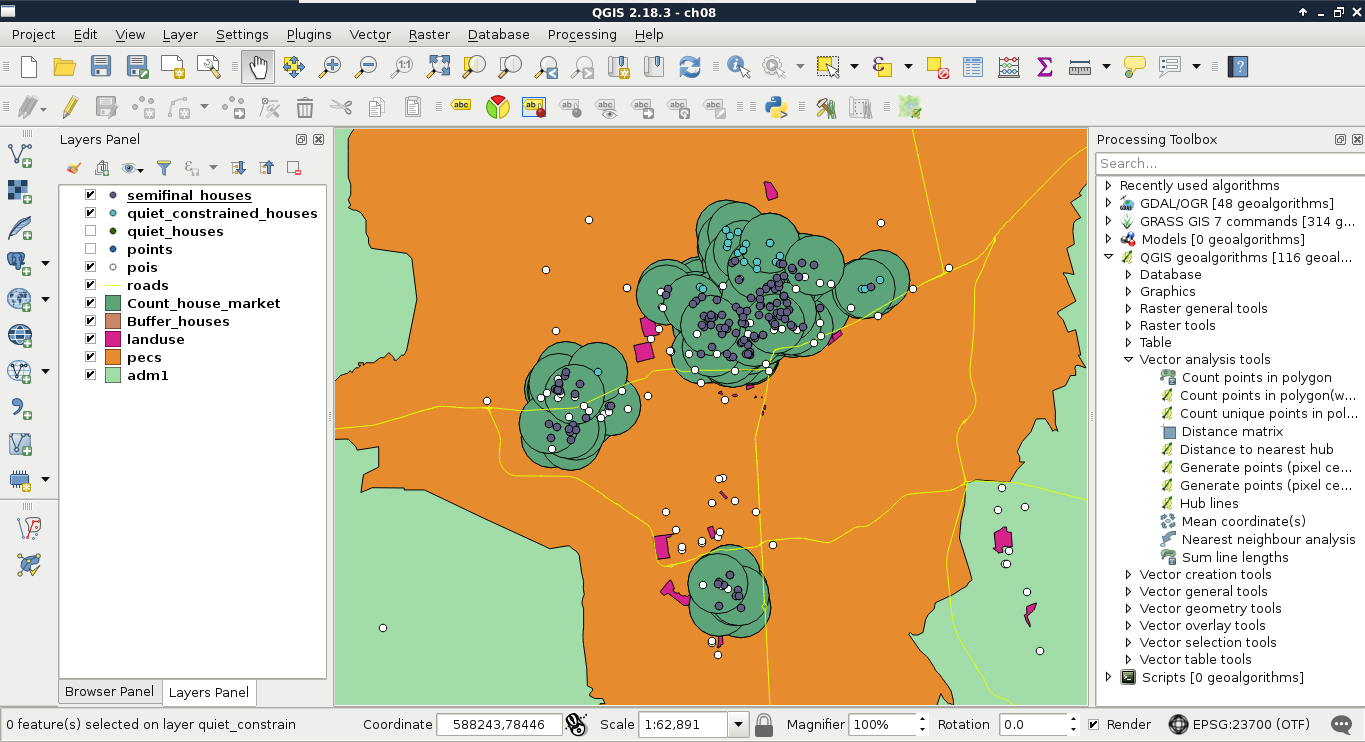
The last criterion that both customers need is that the number of markets in the vicinity of the house should be at least two. This is another type of proximity analysis, as we do not need a binary answer (it is in the proximity of the other feature, or it isn't), we need to count the number of features. Count is one of the most basic statistical indicators in GIS. In my opinion, this step is somewhere between proximity analysis and neighborhood analysis (where we do not even care about proximity, just the distance).
We have several ways to achieve this step. We can buffer the markets without dissolving them, and execute a spatial query with statistics. On the other hand, that is not a clear way to get only the number of markets, as the result would contain some other statistics we do not care about. To get only counts, we can do this in reverse:
- Apply a new filter on the POI layer to only show markets. There are a lot of shop types in OSM, therefore, the expression can vary from place to place. Such an expression is "fclass" = 'supermarket' OR "fclass" = 'convenience' OR "fclass" = 'mall' OR "fclass" = 'general'. You can read more about shop tags at https://wiki.openstreetmap.org/wiki/Key:shop.
- Buffer the extracted houses--on which we've already applied most of the constraints in the previous steps--with 500 meters. Do not dissolve the result.
- Count the number of markets in the individual buffer zones with QGIS geoalgorithms | Vector analysis tools | Count points in polygon. The count field name can be anything; I will name it count.
- Join the new polygon layer containing the number of markets back to the house layer with a regular join (Properties | Joins). Both the join and target fields should be id, while the joined columns should be restricted to the count column.
- Select and save houses which have at least two markets in their vicinity. Use the expression count >= 2, and either select them using Select features using an expression, then saving them with Save As, or use the tool Extract by attribute.
- Remove intermediary layers (including quiet houses and constrained houses from the previous steps):