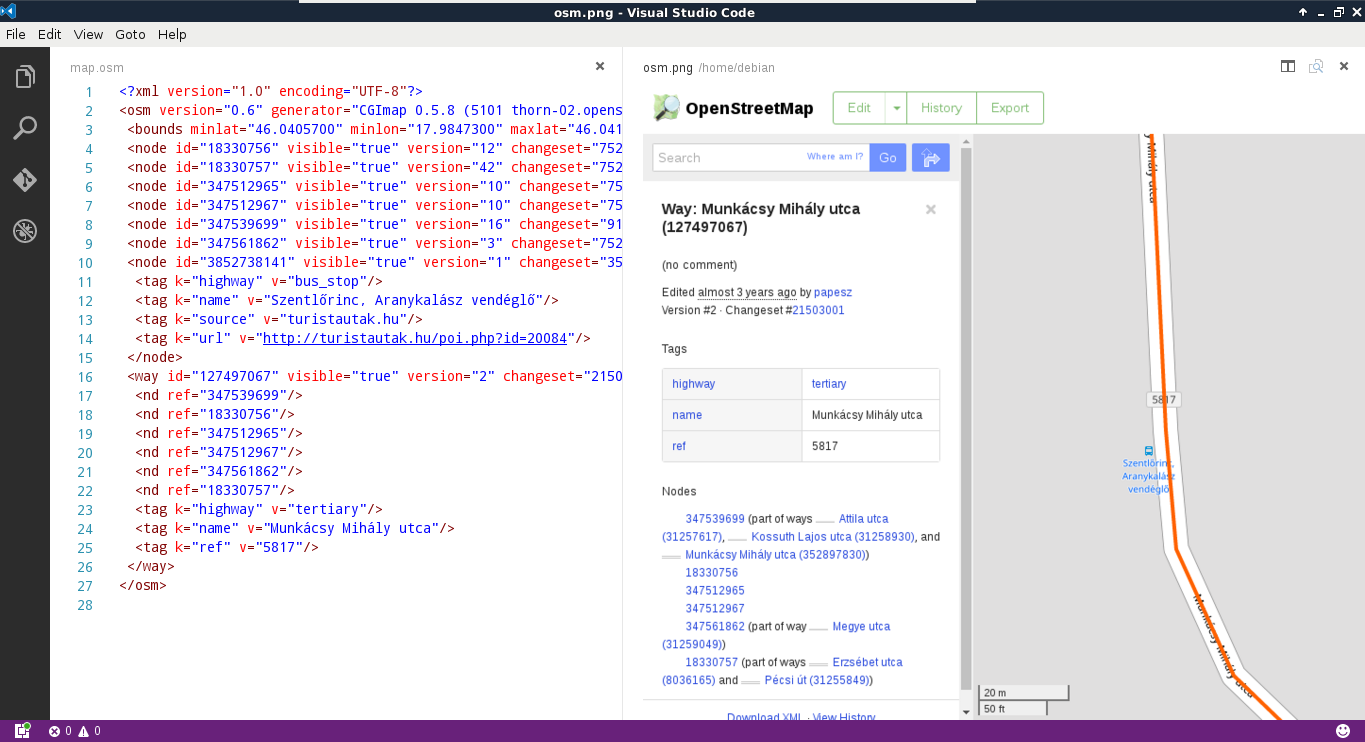
There are three notable spatial markup languages which use the XML (Extensible Markup Language) specification--GML (Geographic Markup Language), KML (Keyhole Markup Language), and OSM XML. All of them are XML-based formats, therefore, they are very verbose but also well-structured. Let's export our filtered GeoNames layer to GML and KML as discussed in the beginning of the chapter.
If we open the exported files with a text or code editor, we can see that they are structured according to the XML specification. There are tags enclosing geometries, properties, and other information. The main difference between the two files is the type handling. In the KML file, the type of every column is defined near the end of the file, while we cannot see any type definitions in the GML file. As the KML specification was popularized by Google to offer a data exchange format for Google Maps and Google Earth, those files are self-containing.
That is, all information is stored in a single file, which can be parsed by the desktop application Google Earth and the web application Google Maps in the same way:
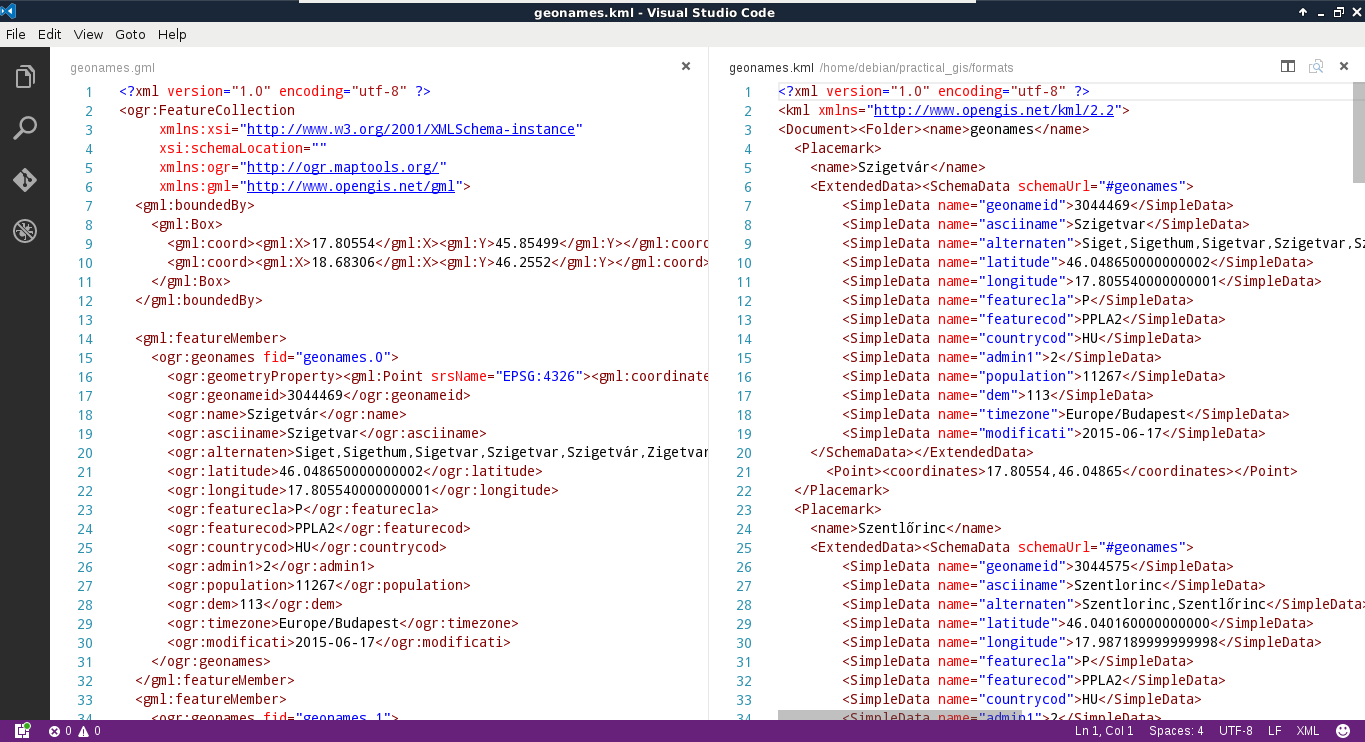
GML, on the other hand, was created to support web applications. Therefore, the intended (and most common) usage is via a server application (like MapServer or GeoServer) providing an XSD schema additionally linked in the GML response. The XSD schema contains metadata, like the bounding box of the layer, its projection, and the types of the columns. As we are now working in a sole desktop environment, we don't have such a server creating a schema for the exported layer. To overcome this issue, GDAL creates a gfs file containing this information.
The last one is a very unique format in multiple aspects. First of all, QGIS cannot write into OSM XML as it is used to export and hold a smaller amount of data from the OpenStreetMap database. We can get data in such a format directly from OpenStreetMap by zooming in on a sufficiently small area and using its Export tool. On the other hand, QGIS can read OSM XML, although the workflow is far from trivial. If we have an osm file, we can use the Vector | OpenStreetMap | Import Topology from XML tool to build an SQLite container from the OSM data. Next, we have to use the Vector | OpenStreetMap | Export Topology to SpatiaLite tool to build accessible layers from the OSM data in the SQLite container. We can only access the layers after the second step if we exported the data correctly.
We have to walk through this cumbersome workflow every time we process an OSM XML file due to its other peculiarity--OSM XML is the only markup language that stores topology. It reflects and inherits the OSM data model; it is fully topological. In the OSM database, every point is a node, lines and polygons (ways) consist of nodes, while other objects (relations) consist of ways and nodes (for example, multipart geometries). As a result, every vertex is only stored once, while every other occurrence refers to it. As OSM XML inherits this topological vector model, we have to build the topology in the first step in an SQLite container, while we also have to build layers with geometries accessible by QGIS in the second step: