
Unlike raster data, which can be styled by their individual raster values, vector data can be styled statically, or by their attributes. Basic styling includes a simple style for a layer. For polygons, it is a simple fill with an outline, a simple line for lines, while for points, it is a scale independent circle with an outline. If we open the Properties window of a vector layer, and navigate to the Style tab, we can see the Single symbol method applied to the layer.
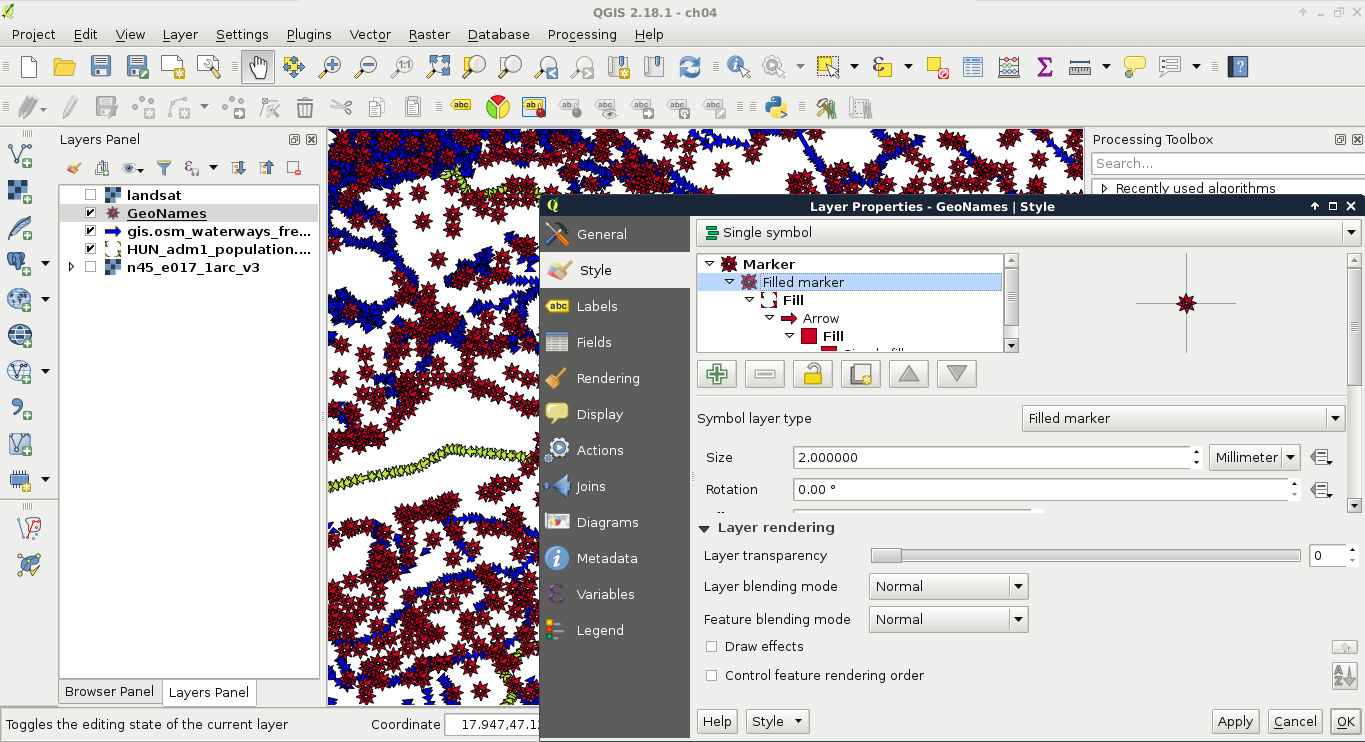
These are cascading styles, starting in a parent class, which is predefined for the geometry type and is unchangeable. These styles are truly cascading, therefore, if we change a global attribute, like the color on any member, the whole structure conforms. A parent class (bold font) can hold multiple children. By clicking on the first (and, by default, only) child, we can customize the attributes of the style. If we choose a different styling method, and it is a complex one, it will create its own parents and children, which can be parameterized individually. By doing this, or by adding more children to the main style, we can create more and more complex styles. For example, if we choose arrows wherever possible, we can make an unaesthetic, yet interesting, visualization. Consider the following screenshot:
These simple styles are often used to show the existence of a feature, or several features. The other common styling method is thematic mapping. With thematic styles, we can represent attributes visually. There are two distinct types of thematic styles--categorized, and graduated symbols.