
Now that we have included the modifications our map needs, we can export our map from the print composer. As we have a composer in our project, we can access it with the Composer Manager tool from the main toolbar. If the maps do not show anything, we can select their respective items and click on Update preview. The only thing we have to modify is the legend. The bad news is we need QGIS to recreate the whole legend with the legend item's Update all button and modify the result. Fortunately, this is quite an easy task:
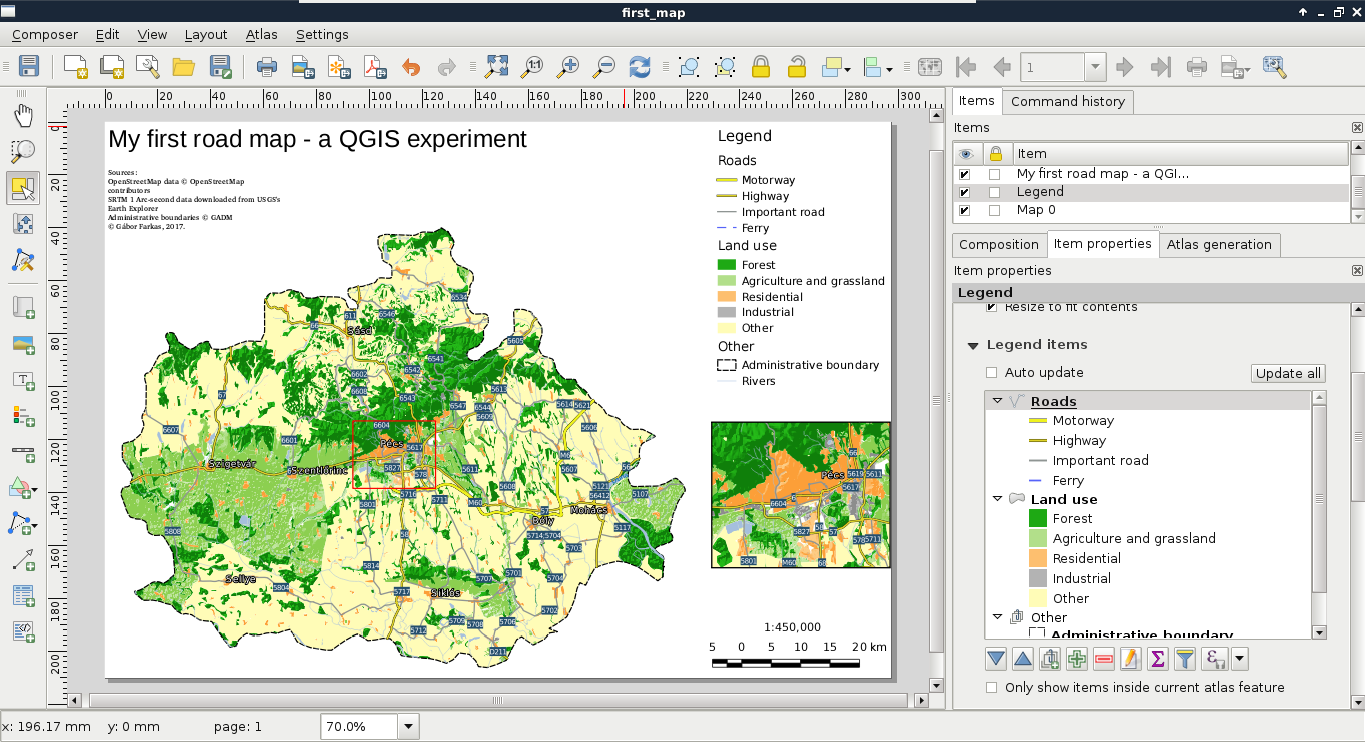
If the result looks good enough in its current form, we can export it directly to an image or PDF format. We can access the tools Export as image and Export as PDF from the main toolbar of the print composer.