
This recipe is the first to introduce an action hook that has a variable name. Instead of writing a specific action hook name when calling add_action, this hook name starts with the words admin_post_ and is followed by the name of an action that it expects to match with a hidden form field. In this case, the action name is save_ch2pho_options. Going back to the previous recipe, you can see that this text is the same as the one that was placed in the hidden form field called action:
<input type="hidden" name="action" value="save_ch2pho_options" />
When the configuration page form is submitted, it sends all data to the admin-post.php script, which checks for an action field and then sends the data that it received to the associated function, if present.
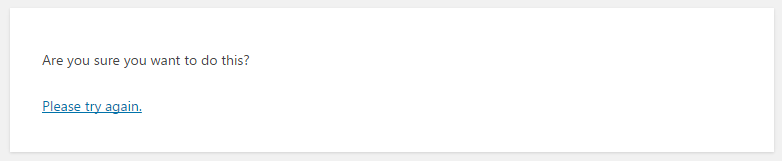
Once the processing function is executed, the calls to current_user_can and check_admin_referer are security measures where we check to see whether the user who is currently logged in has administrative rights and whether the nonce field that was part of the form is present. An error in these permission checks will result in a specific error message, letting the user know that he does not have the rights to perform this action, while the nonce check will display a vague error message to throw off potential hackers:
The rest of the function focuses on retrieving the current set of plugin options using the ch2pho_get_options function, processing the posted fields, and storing the updated values back in the site database. While using foreach loops might seem to be overkill to store two simple data fields, this approach can easily scale up to support large amounts of configuration fields.
The final step is a call to the wp_redirect function to send the browser back to the plugin options page after all the data has been stored. It is important to always call the exit PHP function after a call to wp_redirect, as shown in this recipe.