- Navigate to the ch5-post-source-link folder of the WordPress plugin directory of your development installation.
- Open the ch5-post-source-link.php file in a code editor.
- Add the following line of code to register a filter function to be called when the post and page content is prepared for display:
add_filter( 'the_content', 'ch5_psl_display_source_link' );
- Add the following code section to provide an implementation for the ch5_psl_display_source_link function:
function ch5_psl_display_source_link ( $content ) {
    $post_id = get_the_ID();

    if ( !empty( $post_id ) ) {
        if ( 'post' == get_post_type( $post_id ) ||
             'page' == get_post_type( $post_id ) ) {

            // Retrieve current source name and address for post
            $post_source_name =
                get_post_meta( $post_id, 'post_source_name',
                               true );
            $post_source_address =
                get_post_meta( $post_id, 'post_source_address',
                               true );

            // Output information to browser
            if ( !empty( $post_source_name ) &&
                 !empty( $post_source_address ) ) {
                $content .= '<div class="source_link">Source: ';
                $content .= '<a href="';
                $content .= esc_url( $post_source_address );
                $content .= '">' . esc_html( $post_source_name );
                $content .= '</a></div>';
            }
        }
    }
    return $content;
}
- Save and close the plugin file.
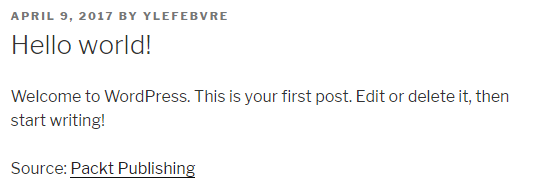
- Add source data to one of your site's posts and view it to see the new Source link displayed on the page.