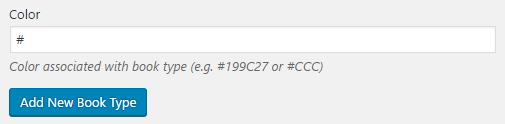
- Navigate to the ch4-book-reviews folder of the WordPress plugin directory of your development installation.
- Open the ch4-book-reviews.php file in a code editor.
- Add the following lines of code after the existing functions to assign a function to two action hooks that will be called when users create or edit taxonomy items:
add_action( 'book_reviews_book_type_edit_form_fields',
            'ch4_br_book_type_new_fields', 10, 2 );
add_action( 'book_reviews_book_type_add_form_fields',
            'ch4_br_book_type_new_fields', 10, 2 );
- Add the following code section to provide an implementation for the ch4_br_book_type_new_fields function:
function ch4_br_book_type_new_fields( $tag ) {
    $mode = 'new';

    if ( is_object( $tag ) ) {
        $mode = 'edit';
        $book_cat_color = get_term_meta( $tag->term_id,
                                         'book_type_color',
                                         true );
    }
    $book_cat_color = empty( $book_cat_color ) ?
                          '#' : $book_cat_color;

    if ( 'edit' == $mode ) {
        echo '<tr class="form-field">';
        echo '<th scope="row" valign="top">';
    } elseif ( 'new' == $mode ) {
        echo '<div class="form-field">';
    } ?>

    <label for="tag-category-url">Color</label>
    <?php if ( 'edit' == $mode ) {
        echo '</th><td>';
    } ?>

    <input type="text" id="book_type_color"
           name="book_type_color"
           value="<?php echo $book_cat_color; ?>" />
    <p class="description">Color associated with book type
                           (e.g. #199C27 or #CCC)</p>

    <?php if ( 'edit' == $mode ) {
        echo '</td></tr>';
    } elseif ( 'new' == $mode ) {
        echo '</div>';
    }
}
- Add the following lines of code at the end of the file to assign a function that will be called when users create or update taxonomy items:
add_action( 'edited_book_reviews_book_type',
            'ch4_br_save_book_type_new_fields', 10, 2 );
add_action( 'created_book_reviews_book_type',
            'ch4_br_save_book_type_new_fields', 10, 2 );
- Add the following code section to provide an implementation for the ch4_br_save_book_type_new_fields function:
function ch4_br_save_book_type_new_fields( $term_id, $tt_id ) {
    if ( !$term_id ) {
        return;
    }

    if ( isset( $_POST['book_type_color'] )
             && ( '#' == $_POST['book_type_color']
         || preg_match( '/#([a-f0-9]{3}){1,2}\b/i',
                        $_POST['book_type_color'] ) ) ) {
        $returnvalue = update_term_meta( $term_id,
                           'book_type_color',
                           $_POST['book_type_color'] );
    }
}
- Save and close the plugin file.
- Edit one of the Book Type entries created in the previous recipe to see the newly added Color field. Enter a color code and Update the entry to see the data saved: