- Navigate to the WordPress plugin directory of your development installation.
- Create a new directory called ch5-hide-custom-fields.
- Navigate to this directory and create a new text file called ch5-hide-custom-fields.php.
- Open the new file in a code editor and add an appropriate header at the top of the plugin file, naming the plugin Chapter 5 - Hide Custom Fields.
- Add the following line of code to register a function that will be executed when WordPress is preparing a list of meta boxes for all the administration areas:
add_action( 'add_meta_boxes',
            'ch5_hcf_remove_custom_fields_metabox' );
- Add the following code section to provide an implementation for the ch5_hcf_remove_custom_fields_metabox function:
function ch5_hcf_remove_custom_fields_metabox() {
    remove_meta_box( 'postcustom', 'post', 'normal' );
    remove_meta_box( 'postcustom', 'page', 'normal' );
}
- Save and close the plugin file.
- Navigate to the Plugins management page and Activate the Chapter 5 - Hide Custom Fields plugin.
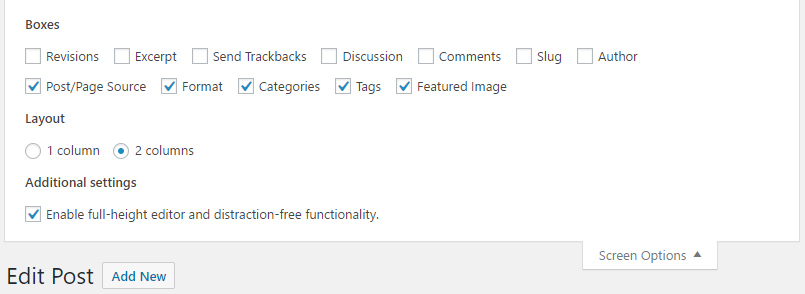
- Go to the Posts section of the administration and click on one of the entries to open the post editor. You will see that the Custom Fields section is no longer visible in the editor and does not show up in the Screen Options configuration tab either: