- Navigate to the WordPress plugin directory of your development installation.
- Create a new directory called ch10-book-review-widget.
- Navigate to the directory and create a text file called ch10-book-review-widget.php.
- Open the new file in a code editor and add an appropriate header at the top of the plugin file, naming the plugin Chapter 10 - Book Review Widget.
- Add the following line of code to register a function to be called when widgets are initialized:
add_action( 'widgets_init', 'ch10brw_create_widgets' );
- Add the following code segment to provide an implementation for the ch10brw_create_widgets function:
function ch10brw_create_widgets() {
    register_widget( 'Book_Reviews' );
}
- Insert the following block of code to declare the Book_Reviews class along with its constructor method:
class Book_Reviews extends WP_Widget {
    // Construction function
    function __construct () {
        parent::__construct( 'book_reviews', 'Book Reviews',
            array( 'description' =>
                   'Displays list of recent book reviews' ) );
    }
}
- Save and close the plugin file.
- Navigate to the Plugins management page and Activate the Chapter 10 - Book Review Widget plugin.
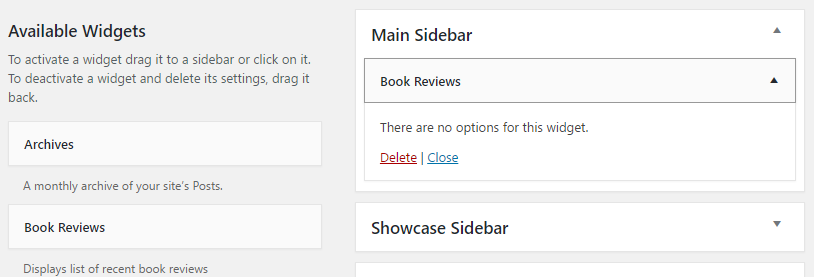
- Visit the Widgets section of the Appearance administration page to see the newly created Book Reviews widget appear as part of the list of Available Widgets.
- Drag and drop the new widget to one of the available sidebars listed on the right-hand side to create a widget instance, and see that the widget currently has no available options to configure it: