- Navigate to the ch2-private-item-text folder of the WordPress plugin directory of your development installation.
- Open the ch2-private-item-text.php file in a text editor.
- Add the following line of code to define a new shortcode and define the function to be called when it is used:
add_shortcode( 'paid', 'ch2pit_paid_shortcode' );
- Provide an implementation for ch2pit_paid_shortcode with the following code section:
function ch2pit_paid_shortcode( $atts, $content = null ) {
    if ( is_user_logged_in() ) {
        $current_user = wp_get_current_user();
        $current_user_level = get_user_meta( $current_user->ID,
                                             'user_level', true );
        if ( 'paid' == $current_user_level ||
             current_user_can( 'activate_plugins' ) ) {
            return '<div class="paid">' . $content . '</div>';
        }
    }
    $output = '<div class="register">';
    $output .= 'You need to be a paid member to access ';
    $output .= 'this content.</div>';
    return $output;
}
- Save and close the plugin file.
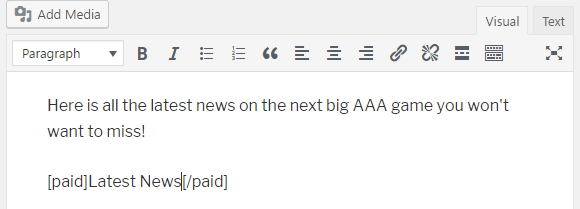
- Create a new post and wrap some or all of the content with the [paid] and [/paid] tags. View the page as an administrator, a visitor who is not logged in, a registered regular user, and a registered paid user to validate that the content is only displayed in the first and last cases.