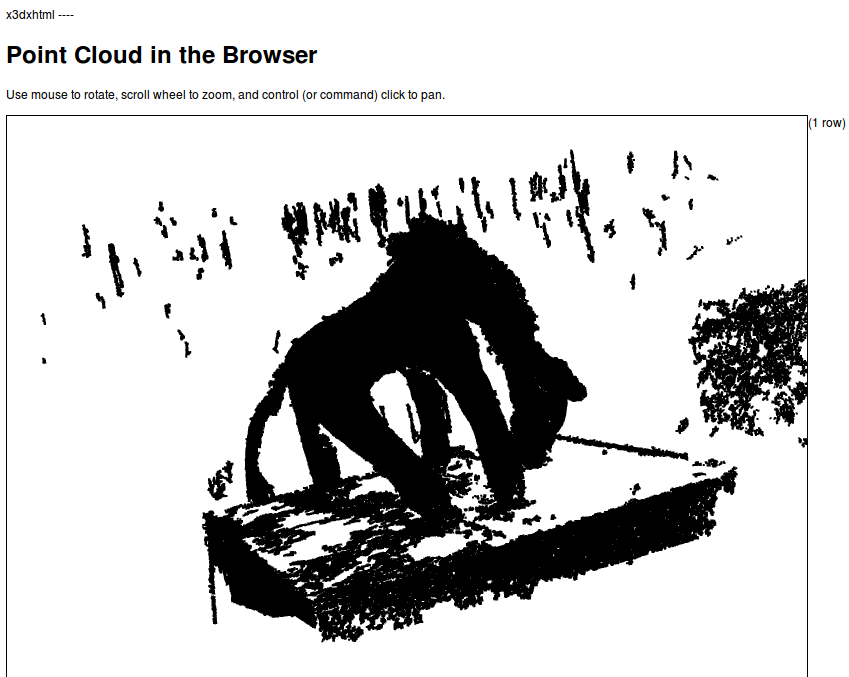
This example, while complete in serving the pure X3D, needs additional code to allow in-browser viewing. We do so by including style sheets, and the appropriate X3DOM includes the headers of an XHTML document:
<link rel="stylesheet" type="text/css"   href="http://x3dom.org/x3dom/example/x3dom.css" />
<script type="text/javascript" src="http://x3dom.org/x3dom/example/x3dom.js"></script>
The full query to generate the XHTML of X3D data is as follows:
COPY(WITH pts AS (
  SELECT PC_Explode(pa) AS pt FROM chp07.giraffe
)
SELECT regexp_replace('
  <!DOCTYPE html PUBLIC "-//W3C//DTD XHTML 1.0 Strict//EN"    "http://www.w3.org/TR/xhtml1/DTD/xhtml1-strict.dtd">
  <html xmlns="http://www.w3.org/1999/xhtml">
    <head>
      <meta http-equiv="X-UA-Compatible" content="chrome=1" />
      <meta http-equiv="Content-Type" content="text/html;charset=utf-8"/>
      <title>Point Cloud in a Browser</title>
      <link rel="stylesheet" type="text/css"
       href="http://x3dom.org/x3dom/example/x3dom.css" />
      <script type="text/javascript"
       src="http://x3dom.org/x3dom/example/x3dom.js">
      </script>
    </head>
    <body>
      <h1>Point Cloud in the Browser</h1>
      <p>
        Use mouse to rotate, scroll wheel to zoom, and control
        (or command) click to pan.
      </p>
      <X3D xmlns="http://www.web3d.org/specifications/x3d-namespace
       showStat="false" showLog="false" x="0px" y="0px" width="800px"
       height="600px">
        <Scene>
          <Transform>
            <Shape>' ||  ST_AsX3D(ST_Union(pt::geometry)) || '</Shape>
          </Transform>
        </Scene>
      </X3D>
    </body>
  </html>', E'[\\n\\r]+','', 'g')
FROM pts)TO STDOUT;
If we open the .html file in our favorite browser, we will get the following: