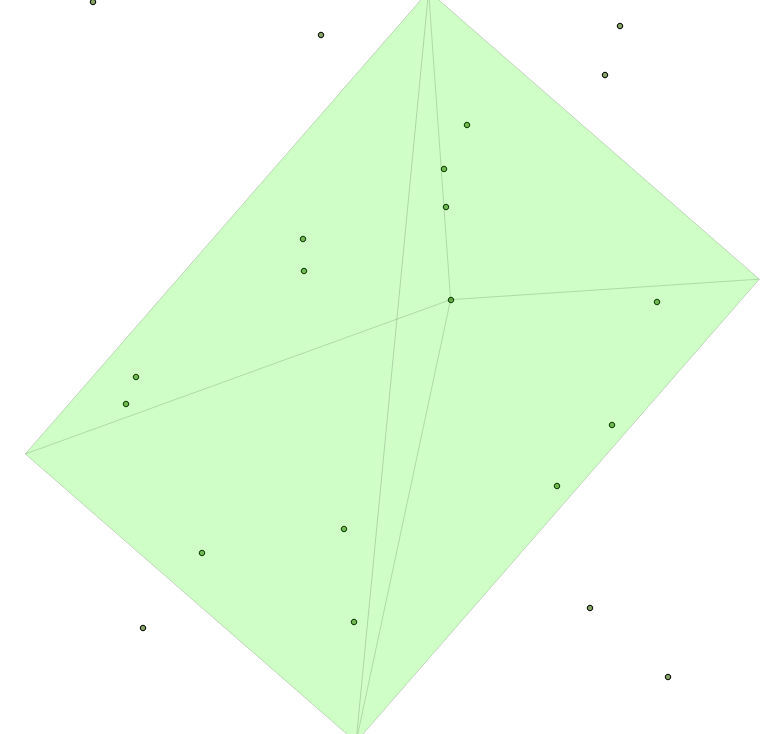
In order to calculate the viewing footprint, we will calculate a rectangular pyramid descending from the viewpoint to the ground. This pyramid will need to point to the left and right of the nadir according to the UAS's roll, forward or backward from the craft according to its pitch, and be oriented relative to the direction of movement of the craft according to its bearing.
The pyramidMaker function will construct our pyramid for us and ST_RotateXYZ will rotate the pyramid in the direction we need to compensate for roll, pitch, and bearing.
The following image is an example map of such a calculated footprint for a single image. Note the slight roll to the left for this example, resulting in an asymmetric-looking pyramid when viewed from above:
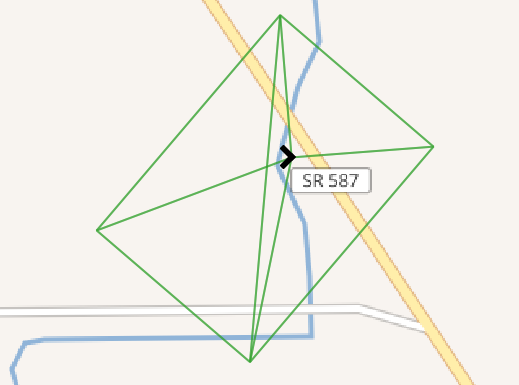
The total track for the UAS flight overlayed on a contour map is shown in the following image:
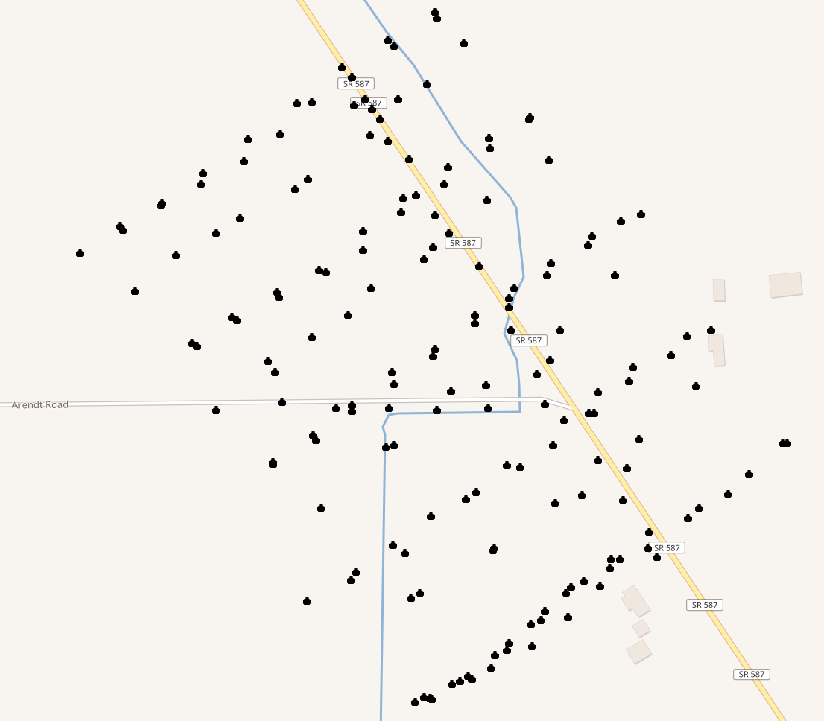
We will write a function to calculate our footprint pyramid. To input to the function, we'll need the position of the UAS as geometry (origin), the pitch, bearing, and roll, as well as the field of view angle in x and y for the camera. Finally, we'll need the relative height of the craft above ground:
CREATE OR REPLACE FUNCTION chp07.pbr(origin geometry, pitch numeric,
  bearing numeric, roll numeric, anglex numeric, angley numeric,
  height numeric)
  RETURNS geometry AS
$BODY$
Our pyramid function assumes that we know what the base size of our pyramid is. We don't know this initially, so we'll calculate its size based on the field of view angle of the camera and the height of the craft:
WITH widthx AS
(
  SELECT height / tan(anglex) AS basex
),
widthy AS
(
  SELECT height / tan(angley) AS basey
),
Now, we have enough information to construct our pyramid:
iViewCone AS (
  SELECT pyramidMaker(origin, basex::numeric, basey::numeric, height)
    AS the_geom
    FROM widthx, widthy
),
We will require the following code to rotate our view relative to pitch, roll, and bearing:
iViewRotated AS (
  SELECT ST_RotateXYZ(the_geom, pi() - pitch, 0 - roll, pi() -
    bearing, origin) AS the_geom FROM iViewCone
)
SELECT the_geom FROM iViewRotated
The whole function is as follows:
CREATE OR REPLACE FUNCTION chp07.pbr(origin geometry, pitch numeric,
  bearing numeric, roll numeric, anglex numeric, angley numeric,
  height numeric)
  RETURNS geometry AS
$BODY$

WITH widthx AS
(
  SELECT height / tan(anglex) AS basex
),
widthy AS
(
  SELECT height / tan(angley) AS basey
),
iViewCone AS (
  SELECT pyramidMaker(origin, basex::numeric, basey::numeric, height)
    AS the_geom
    FROM widthx, widthy
),
iViewRotated AS (
  SELECT ST_RotateXYZ(the_geom, pi() - pitch, 0 - roll, pi() -
    bearing, origin) AS the_geom FROM iViewCone
)
SELECT the_geom FROM iViewRotated
;
$BODY$
  LANGUAGE sql VOLATILE
  COST 100;
Now, to use our function, let us import the UAS positions from the uas_locations shapefile included in the source for this chapter:
shp2pgsql -s 3734 -W LATIN1 uas_locations_altitude_hpr_3734 uas_locations | \PGPASSWORD=me psql -U me -d postgis-cookbook -h localhost
Now, it is possible to calculate an estimated footprint for each UAS position:
DROP TABLE IF EXISTS chp07.viewshed;
CREATE TABLE chp07.viewshed AS
SELECT 1 AS gid, roll, pitch, heading, fileName, chp07.pbr(ST_Force3D(geom),
  radians(0)::numeric, radians(heading)::numeric, radians(roll)::numeric,
  radians(40)::numeric, radians(50)::numeric,
  ( (3.2808399 * altitude_a) - 838)::numeric)
AS the_geom FROM uas_locations;
If you import this with your favorite desktop GIS, such as QGIS, you will be able to see the following:
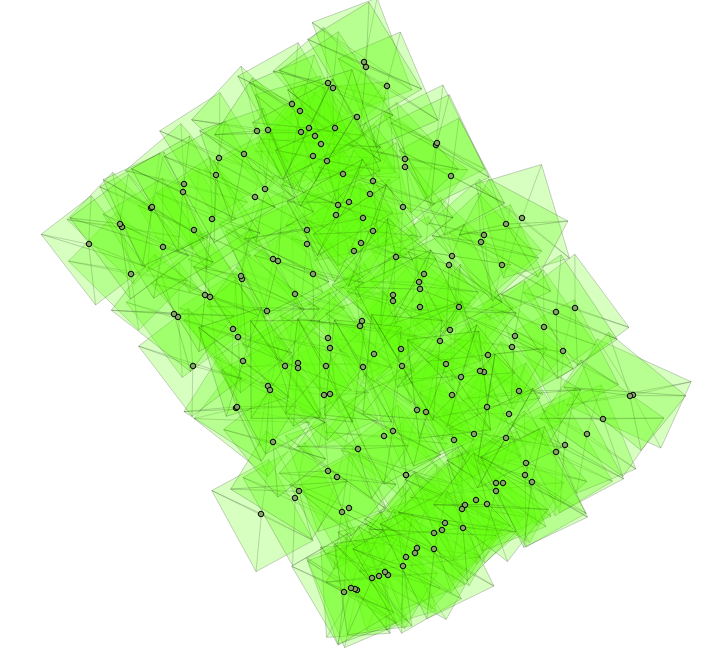
With a terrain model, we can go a step deeper in this analysis. Since our UAS footprints are volumetric, we will first load the terrain model. We will load this from a .backup file included in the source code for this chapter:
pg_restore -h localhost -p 8000 -U me -d "postgis-cookbook" \ --schema chp07 --verbose "lidar_tin.backup"
Next, we will create a smaller version of our viewshed table:
DROP TABLE IF EXISTS chp07.viewshed;
CREATE TABLE chp07.viewshed AS
SELECT 1 AS gid, roll, pitch, heading, fileName, chp07.pbr(ST_Force3D(geom), radians(0)::numeric, radians(heading)::numeric, radians(roll) ::numeric, radians(40)::numeric, radians(50)::numeric, 1000::numeric) AS the_geom
FROM uas_locations
WHERE fileName = 'IMG_0512.JPG';
If you import this with your favorite desktop GIS, such as QGIS, you will be able to see the following: