The first thing we will do is transform our raster, since the MODIS rasters have their own unique spatial-reference system. We will convert the raster from MODIS Sinusoidal projection to US National Atlas Equal Area (SRID 2163).
Before we transform the raster, we will clip the MODIS raster with our San Francisco boundaries geometry. By clipping our raster before transformation, the operation takes less time than it does to transform and then clip the raster:
SELECT  ST_Transform(ST_Clip(m.rast, ST_Transform(sf.geom, 96974)), 2163)
FROM chp05.modis m
CROSS JOIN chp05.sfpoly sf;
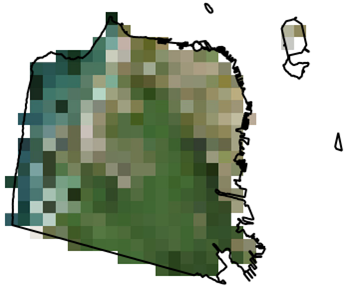
The following image shows the clipped MODIS raster with the San Francisco boundaries on top for comparison:
When we call ST_Transform() on the MODIS raster, we only pass the destination SRID 2163. We could specify other parameters, such as the resampling algorithm and error tolerance. The default resampling algorithm and error tolerance are set to NearestNeighbor and 0.125. Using a different algorithm and/or lowering the error tolerance may improve the quality of the resampled raster at the cost of more processing time.
Let's transform the MODIS raster again, this time specifying the resampling algorithm and error tolerance as Cubic and 0.05, respectively. We also indicate that the transformed raster must be aligned to a reference raster:
SELECT  ST_Transform(ST_Clip(m.rast, ST_Transform(sf.geom, 96974)),
 prism.rast, 'cubic', 0.05)
FROM chp05.modis m
CROSS JOIN chp05.prism
CROSS JOIN chp05.sfpoly sf
WHERE prism.rid = 1;
Unlike the prior queries where we transform the MODIS raster, let's create an overview. An overview is a lower-resolution version of the source raster. If you are familiar with pyramids, an overview is level one of a pyramid, while the source raster is the base level:
WITH meta AS (SELECT (ST_Metadata(rast)).* FROM chp05.modis)
SELECT ST_Rescale(modis.rast, meta.scalex * 4., meta.scaley * 4., 'cubic') AS rast
FROM chp05.modis
CROSS JOIN meta;
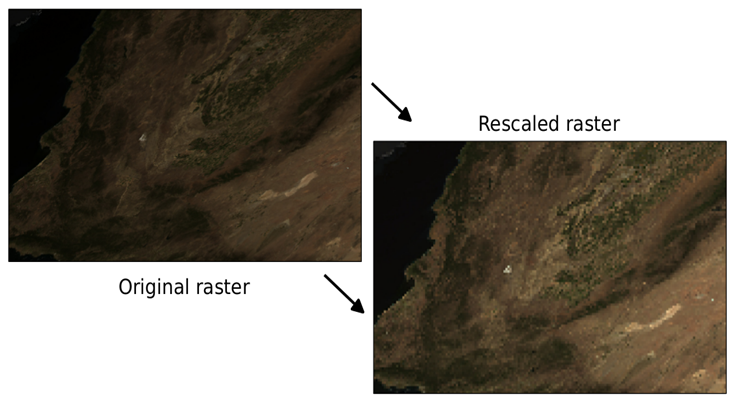
The overview is 25% of the resolution of the original MODIS raster. This means four times the scale, and one quarter the width and height. To prevent hardcoding the desired scale X and scale Y, we use the MODIS raster's scale X and scale Y returned by ST_Metadata(). As you can see in the following image, the overview has a coarser resolution: