Now we can go ahead and move on to the actual message body itself. That's going to happen next inside our second div, which we will be giving a class. The second div is going to have a class equal to message__body, and for a basic message, a non location-based message. All we're going to do is add a paragraph tag, and we're going to render our text inside by providing it two curly braces followed by text:
<script id="message-template" type="text/template">
  <li class="message">
    <div class="message__title">
      <h4>{{from}}</h4>
      <span>{{createdAt}}</span>
    </div>
    <div class="message__body">
      <p>{{text}}</p>
    </div>
  </li>
</script>
With this in place we actually have a really great system for rendering our message template. The code, the markup, it's defined over inside message-template, which means that it's reusable and inside index.js. We just have a little bit of code to get everything wired up. This is a much more scalable solution, and it's a lot easier than managing the elements like we did next for newLocationMessage. I'm going to go ahead and save index.js, move into the browser, and give things a refresh.
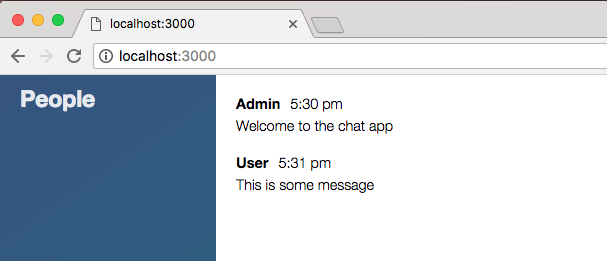
When we do we can see we now have a nice set of styles for the message, This is some message. I'm going to send that off; we get the name, the timestamp, and the text all printing. It looks a lot better than it did earlier: