
Now, on the other side of things, we have a situation where we want to emit an event from the client trying to send some data to the server. This is for our createEmail event. Now, in this case, we will add our event listener inside server.js using socket.on, just as we do for any other event listener, such as we have in server.js.
The io.on method we used for the connection event is a very special event; you will usually not be attaching anything to io, or be making calls to io.on or io.emit, other than the one we have mentioned in this function. Our custom event listeners are going to happen in the following statement by calling socket.on as we do for disconnect, passing in the name of the event you want to listen to—in this case, it is the createEmail event:
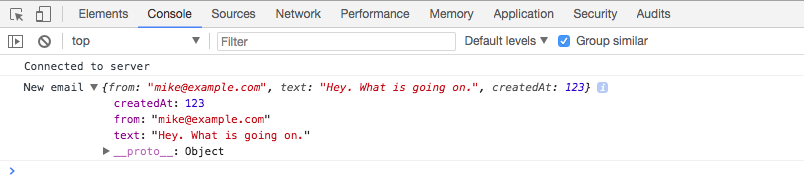
socket.emit('newEmail', {
  from: 'mike@example.com',
  text: 'Hey. What is going on.',
  createdAt: 123
});

socket.on('createEmail');
Now, for createEmail, we do want to add a listener. We are in our Node code, so we can use an arrow function:
socket.on('createEmail', () => {

});
We're probably going to expect some data, such as the email to create, so we can name that first argument. We name it after the data sent along with the event, so I'm going to call this newEmail. For this example, all we're going to do is print it to the console so we can make sure the event is properly going from client to server. I'll add console.log and log out the event name, createEmail. As the second argument, I'll log out the data so I can view it in the Terminal and make sure everything works as expected:
socket.on('createEmail', (newEmail) => {
  console.log('createEmail', newEmail);
});
Now we have our listener in place and our server did restart; however, we're never actually emitting the event on the client. We can go ahead and fix this by calling socket.emit in index.js. Now, call it inside our connect callback function. We don't want to emit the event until we are connected, and socket.emit is going to let us do just that. We can call socket.emit to emit the event.
The event name is createEmail:
socket.on('connect', function () {
  console.log('Connected to server');

  socket.emit('createEmail');
});
Then, we can pass any data we like in as the second argument. In the case of an email app, we're probably going to need to send it to someone, so we'll have an address for that—something like jen@example.com. We're obviously going to need some text—something like Hey. This is Andrew. Also, we might have other properties, such as subject, but for now we're going to stick with just these two:
socket.emit('createEmail', {
  to: 'jen@example.com',
  text: 'Hey. This is Andrew.'
})
So, what we've done here is we've created a client-side script that connects it to the server, and as soon as it connects, it emits this createEmail event.
Save index.js, and inside the browser, we can now give the page a refresh. As soon as it connects, it's going to emit that event:
In the Terminal, you see createEmail printing:

The event was emitted from the client to the server. The server got the data and all is well.