
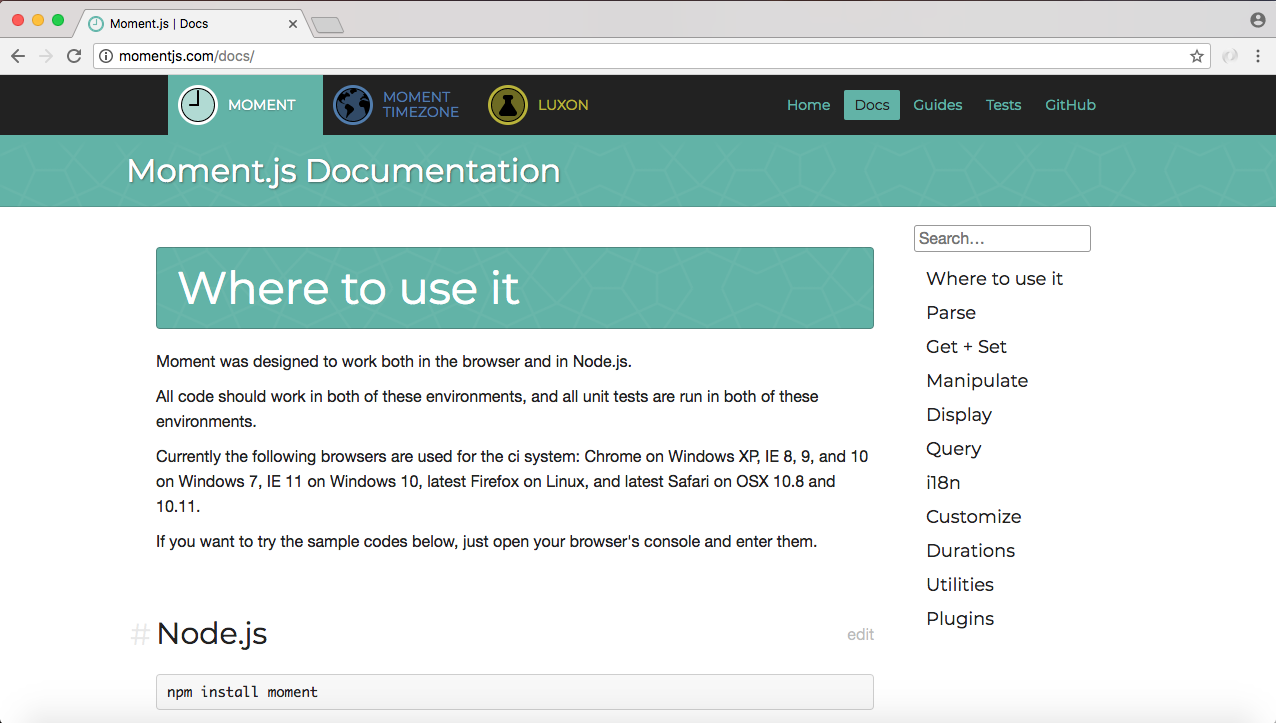
Over inside the browser we can pull it up by going to momentjs.com. The documentation for Moment is fantastic. It's available on the Docs page, and to get started in order to figure out how to use format we're going to go to the Display section:
The first item in Display is format. There are a few examples about how to use format, but the really useful information is what we have here:
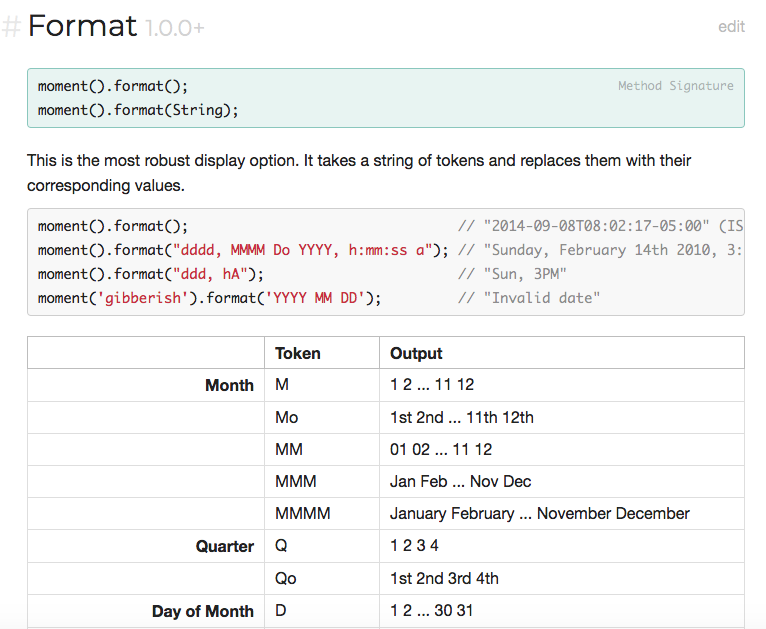
Here we have all the tokens that we can put inside the string to format our day as we like. Up previous you can see you can use as many of these tokens as you like to create really complex date outputs. Now we already explored two. We explored MMM, which is defined right under the Month header, as you can see there are five different ways to represent the month.
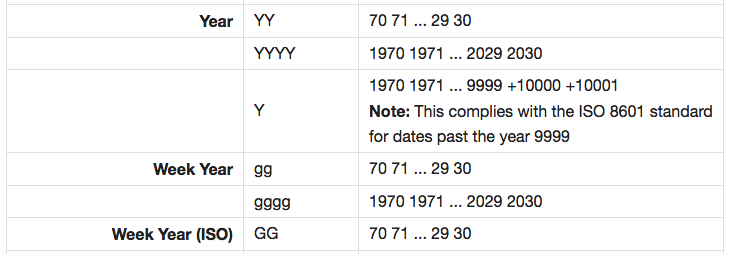
The YYYY pattern which we used for a year is also defined here. There are three ways to use year. We just explored one of them. And there are sections for everything, year, day of week, day of month, AM/PM, hour, minute, second, all of those are defined, and all of them can be put inside a format just like we did for the current values:
Now in order to explore this just a little more, let's head back into Atom and take advantage of some of these. What we're going to try to do is print the date like this: Jan 1st 1970, the shorthand month and the year which we already have, but now we also need the day of the month formatted like 1st, 2nd, 3rd, as opposed to 1, 2, 3.