
The first thing we're going to do is comment out the code we no longer need; that's everything but the variable formattedTime:
socket.on('newLocationMessage', function (message) {
  var formattedTime = moment(message.createAt).format('h:mm a');
  // var li = jQuery('<li></li>');
  // var a = jQuery('<a target="_blank">My current location</a>');
  //
  // li.text(`${message.from} ${formattedTime}: `);
  // a.attr('href', message.url);
  // li.append(a);
  // jQuery('#message').append(li);
});
Next up we're going to go ahead and grab the template from the HTML by making a variable called template, and we're going to use jQuery to select it by ID. Right inside the quotes, we'll add our selector. We want to select by ID so we'll add that. #location-message-template is the ID we provided, and now we want to go ahead and call html to get its inner HTML back:
socket.on('newLocationMessage', function (message) {
  var formattedTime = moment(message.createAt).format('h:mm a');
  var template = jQuery('#location-message-template').html();
Next up, we're going to go ahead and actually render the template by creating a variable called html to store the return value. We're going to call mustache.render. This takes those two arguments, the template you want to render and data you want to render into that template. Now the data is optional, but we do indeed need to pass some data through so we will be providing that as well. template is our first argument and the second one is going to be an object:
socket.on('newLocationMessage', function (message) {
  var formattedTime = moment(message.createAt).format('h:mm a');
  var template = jQuery('#location-message-template').html();
  var html = Mustache.render(template, {

  });
I'm going to start by setting from equal to message.from, and we can do the same thing with url, setting it equal to message.url. For createdAt, we're going to use the formattedTime variable instead, createdAt gets set equal to formattedTime, which is defined in case of newMessage template:
socket.on('newLocationMessage', function (message) {
  var formattedTime = moment(message.createAt).format('h:mm a');
  var template = jQuery('#location-message-template').html();
  var html = Mustache.render(template, {
    from: message.from,
    url: message.url,
    createdAt: formattedTime
  });
Now that we have access to the HTML we need to render. We can use a jQuery selector to select the element with an ID of messages, and we're going to call append to add a new message. The new message we want to add is available via the html variable:
socket.on('newLocationMessage', function(message) {
  var formattedTime = moment(message.createdAt).format('h:mm a');
  var template = jQuery('#location-message-template').html();
  var html = Mustache.render(template, {
    from: message.from,
    url: message.url,
    createdAt: formattedTime
  });

  jQuery('#messages').append(html);
});
Now that we have our function completely converted over. We can remove the old commented out code, save the file, and test things out over inside Chrome. I'm going to give the page a refresh to load that latest code, I'll send a text message to make sure that still works, and now we can go ahead and send a location message. We should see in just a second the new data rendering and it is indeed working as expected:
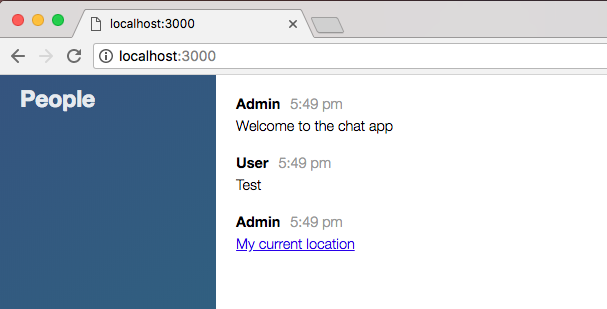
We have the name, the timestamp, and the link. I can go ahead and click on the link to make sure it is still working.
With this in place we now have a much better setup for creating these frontend templates. Instead of having to do the heavy lifting inside index.js, we can do the template inside of index.html, simply passing the data in, it's a much more scalable solution.
Now that we have this in place we are done, and we can go ahead and commit our changes by shutting down the server and running git status. We have a new file as well as a couple of modified ones, git add . is going to take care of all of that for us, and we can make our commits, git commit with the -am flag. Actually, we already added it so we can just use the -m flag, Add mustache.js for message templates:
git commit -m 'Add mustache.js for message templates'
I'm going to push this up to GitHub and we can go ahead and take a quick moment to deploy to Heroku too using git push heroku master. I'm going to push this up just to make sure all the templates are rendering properly on Heroku just like they are locally. It should take just a second to deploy. Once it's up, we can open it up by either running heroku open or grabbing that URL as we've done before. Here it's launching the app:
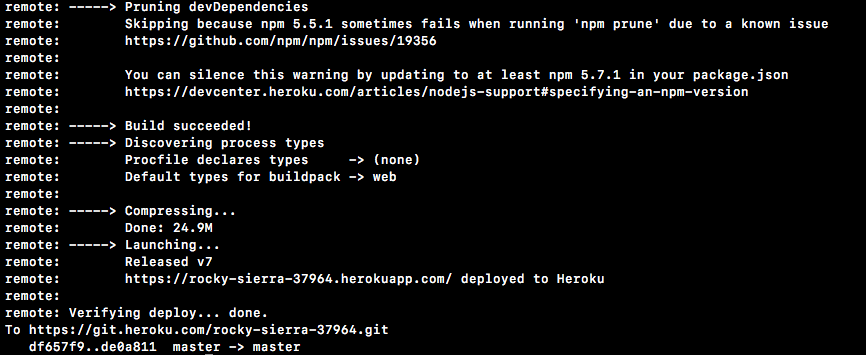
It looks like everything did go as expected. I'm going to grab the app URL, move into Chrome, and open it up:
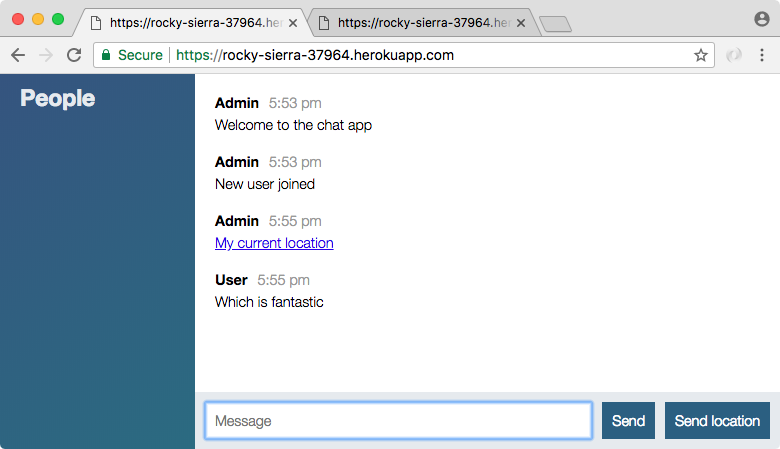
And now we're viewing our application live inside of Heroku, and the message data is showing up as expected. The same thing should hold true for sending the location, the send location message should use the new setup, and it is indeed working as expected.