
Now for Send Location, we currently don't use Moment; we only updated the newMessage event listener. This means that when we print that location message, we don't have the timestamp. We're going to modify newLocationMessage, you can go ahead and use the same techniques we used previously to get the job done. Now in terms of where to actually render the formatted time, you can simply put it in li.text just like we did earlier in case of newMessage property.
Step one in the process is going to be to make that variable called formattedTime. We can actually go ahead and copy the following line:
var formattedTime = moment(message.createdAt).format('h:mm a');
And pasting it right above the var li = jQuery('<li></li>'); line like this:
socket.on('newLocationMessage', function(message) {
  var formattedTime = moment(message.createAt).format('h:mm a');
We want to do the exact same thing, we want to take that createdAt field, get a moment object, and call format.
Next up, we do have to modify what gets displayed, show this formattedTime variable, and put it right in the li.text statement:
socket.on('newLocationMessage', function(message) {
  var formattedTime = moment(message.createAt).format('h:mm a');
  var li = jquery('<li></li>');
  var a = jQuery('<a target="_blank">My current location</a>');

  li.text(`${message.from} ${formattedTime}: `);
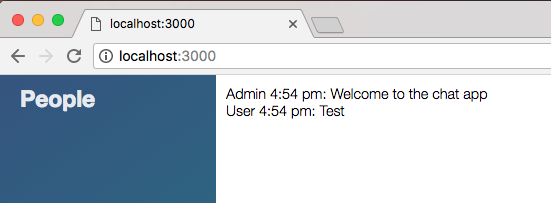
Now we can go ahead and refresh the app, and we should see our timestamp for regular messages. We can send off a regular message and everything still works:
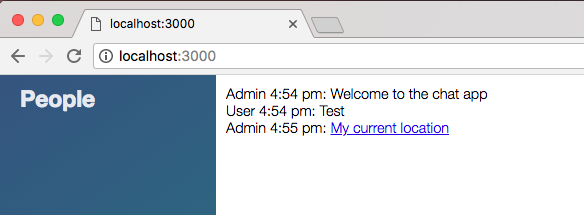
Then we can send off a location message, which we just changed. It should take just a second to get going and we have our current location link. We have our name and we have the timestamp, which is fantastic:
That is it for this section. Let's go ahead and actually make a commit to save our changes.
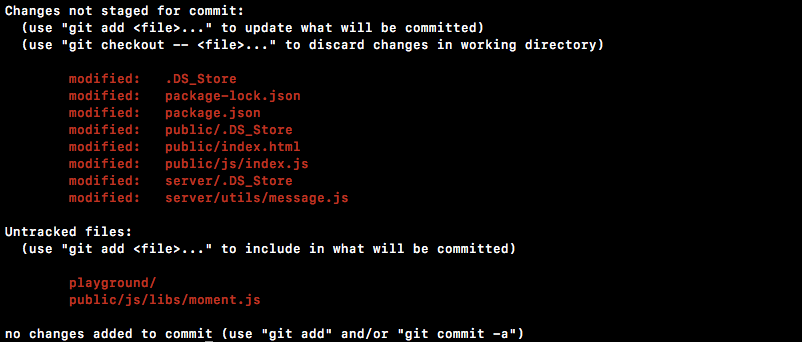
Even though we're not quite done with the message area, we have all the data correctly showing up. It's just showing up in a way that's not really pleasing to the eye. For now though, we will head into the Terminal and shut down the server. I'm going to run git status, and we have new files as well as some modified files:
Then, git add . is going to take care of all of that. Then we can make our commit, git commit with the -m flag, and a good message for this one is Format with an timestamps using momentjs:
git commit -m 'Format timestamp using momentjs'
I am going to go ahead and push this up to GitHub using the git push command, and we are done.
In the next section, we'll talk about a templating engine Mustache.js.