
It's also pretty simple on the server; we're going to add a second argument to our callback argument list. The first one is still going to be the data that was emitted, the second one though is going to be a function that we're going to refer to as callback. And we can call it anywhere in socket.on to acknowledge that we got the request:
socket.on('createMessage', (message, callback) => {
  console.log('createMessage', message);
  io.emit('newMessage', generateMessage(message.from, message.text));
  callback();
When we call this function, like we're going to call it right here, it is in turn going to send an event back to the frontend and it is going to call the function as we have it in event emitter in index.js.
This means that if I save both files we can play around with acknowledgments over in the browser. I'm going to refresh the app, and what do we get? We get Got it:
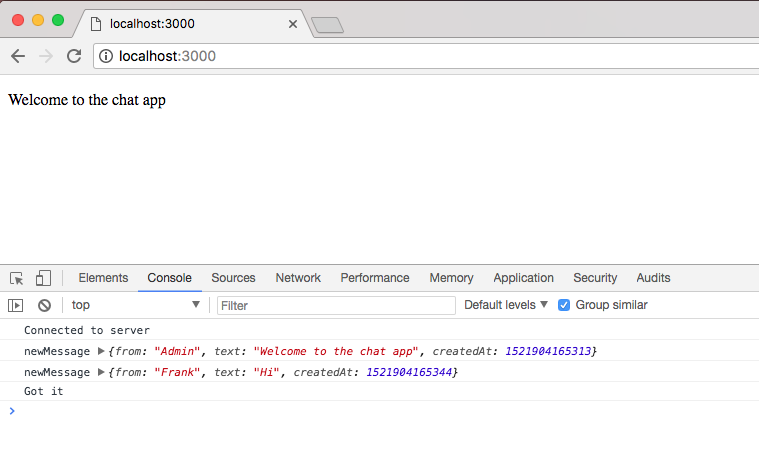
That means our data successfully went to the server; we can prove that by seeing the console.log statement in the Terminal, the server acknowledged it got the data by calling callback:

And in the Developers Tool, Got it prints.
Now acknowledgments are pretty useful, but they're even more useful when you send data back. If the data for the message is invalid, for example, we're probably going to want to send some errors back, something we will be doing a little later. For now though, we can play around with an acknowledgment by sending anything we want back.
We send data back by providing one argument to callback, if you want to add multiple things simply specify an object adding as many properties as you like. In our case, though, we can send a string as the only argument to callback. I'm going to set my string to This is from the server:
socket.on('createMessage', (message, callback) => {
  console.log('createMessage', message);
  io.emit('newMessage', generateMessage(message.from, message.text));
  callback('This is from the server.');
});
This string is going to be passed into the callback and it's going to end up inside of our callback in index.js. This means I can create a variable for that value, we can call it data or anything else you like, and we can print it to the screen or do something with it. For now we're just going to print it to the screen:
socket.emit('createMessage', {
  from: 'Frank',
  text: 'Hi'
}, function (data) {
  console.log('Got it', data);
});
If I save index.js, we can test that everything is working as expected. I'm going to go ahead and give the app a refresh, and what do we see?
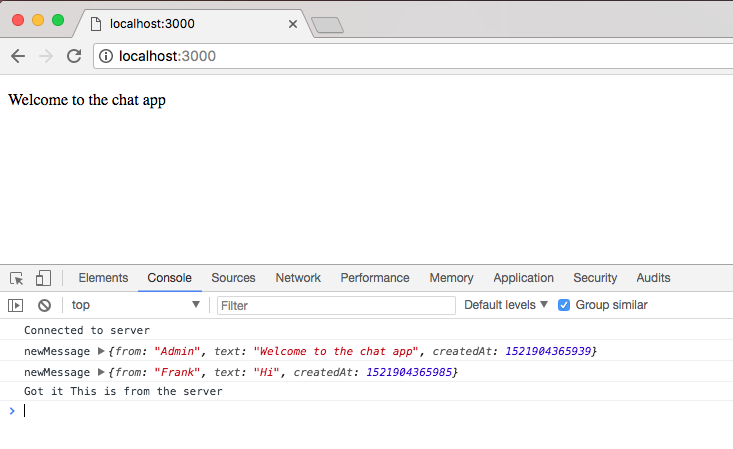
We see Got it, meaning we got the acknowledgment, and we see the data, the data that was sent from the server to the client.
Acknowledgments play an important role in real-time applications. Let's go back to that email app example for a second, imagine I type in some values like a to value and a text value when I send the e-mail. I want to get an acknowledgement back that either email sent successfully, or email was not sent, in which case I want to know why; maybe it was a form error where I can show some error messages to the user or maybe the server was down for maintenance or something like that.
Either way, acknowledgments allow the request listener to send something back to the request emitter. Now that we know how to use acknowledgments we're going to integrate them into our application. That is coming up in the next section, as we add an actual form field to our index.html file where users can submit new messages and view them.