
The next method we're going to look at is one called Todo.findOne. Now, Todo.findOne is very similar to find, the only difference is that it returns one document at most. That means it simply grabs the first one that matches the query you have. In our case we're querying by a unique ID, so it's only going to find one matching item, but if there were other results, for example, if we queried all Todos with completed false, the first doc would be the only one that returns, even though there's two that match the query. What we can do to call findOne is identical to what we did with find, and to prove it I'm actually going to copy the code. All we need to do is change a few things. Instead of todos, we get todo, and we're just going to get a single document not an array of documents. That means I can print a Todo string followed by the todo variable:
Todo.findOne({
   _id: id
}).then((todo) => {
   console.log('Todo', todo);
});
With this in place we now have enough examples where it makes sense to run the file and see exactly what happens.
Over inside of the Terminal I'm going to kick things off by running this file, and I'll run it using the following command:
nodemon playground/mongoose-queries.js
When we run the file, we get our Todos array, our array of one document, and we get our Todo object:
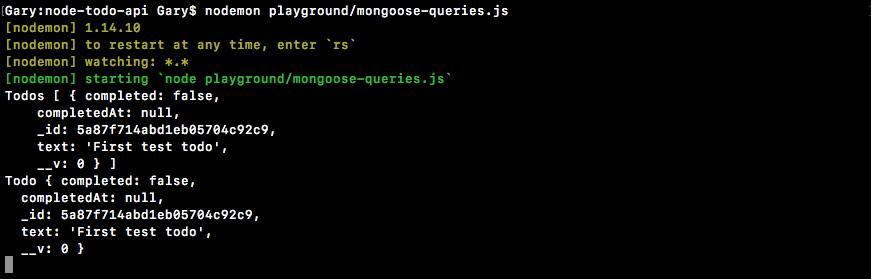
If you know you're just trying to fetch one individual item, I recommend using findOne over find. You get back the document as opposed to an array. This also makes it a lot easier when the ID of the Todo you're looking for doesn't exist; instead of getting an empty array as the result you'll get null back and you can work with that, doing whatever you like. Maybe that means you return a 404 or maybe you want to do something else if the ID is not found.