
Now the first thing we're going to change is going to be the form submit listener. In socket.emit we fetch the value from the field, and that's what we pass along. What we want to do next inside of the acknowledgment callback is clear the value. Once the request has been received by the server there's no reason to keep it around, so what we can do is add the same jQuery selector, targeting the field where the name attribute equals message. We're going to go ahead and clear its value by calling val once again, but instead of getting a value by providing no arguments, we're going to set the value to an empty string by passing in an empty string as the first argument:
jQuery('#message-form').on('submit', function (e) {
  e.prevenDefault();

  var messageTextbox =

  socket.emit('createMessage', {
    from: 'User',
    text: jQuery('[name=message]').val()
 }, function () {
    jQuery('[name=message]').val('')
  });
});
You could set the value to anything you like, but in this case we just want to clear it so we're going to use the following method call.
We have the same selector twice to speed things up, we're going to make a variable, we'll call that variable messageTextbox, and then we can go ahead and set it equal to the selector we just created, and now we can refer to messageTextbox anywhere we need access to that input. We can reference it, messageTextbox and next, messageTextbox like this:
var messageTextbox = jQuery('[name=message]');

socket.emit('createMessage', {
  from: 'User',
  text: messageTextbox.val()
}, function() {
  messageTextbox.val('')
});
Now the listener for createMessage, which is over inside of server.js, and we do indeed call the callback with a string. For now, we're going to just remove that bogus value passing in zero arguments, like this:
socket.broadcast.emit('newMessage', generateMessage('Admin, 'New user joined'));

socket.on('createMessage', (message, callback) => {
  console.log('createMessage', message);
  io.emit('newMessage', generateMessage(message.form, message.text));
  callback();
});
This means that the acknowledgement function will still get called but we don't actually need any data we just need to know when the server responded. Now that we have this in place we can go ahead and refresh things over inside localhost:3000, type a message, Here is a message and hit the enter key and we get the value cleared and it was indeed sent:
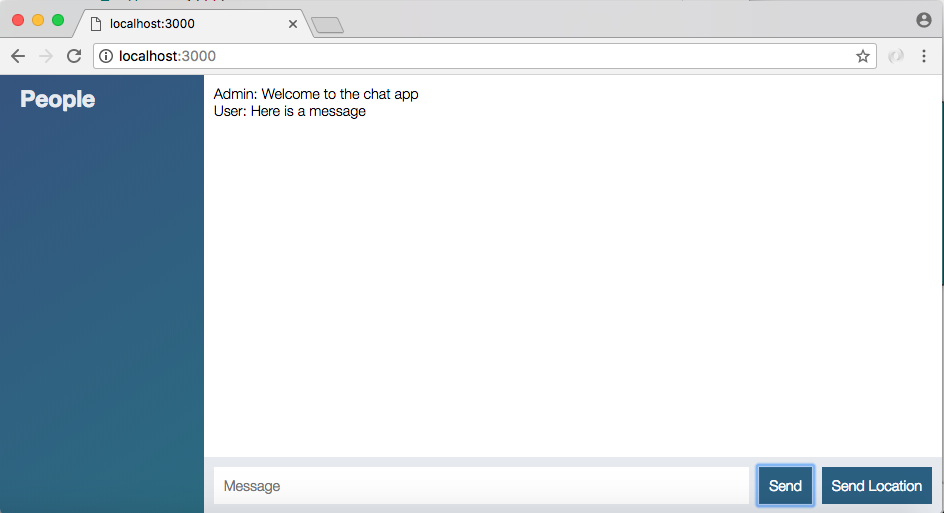
The same thing is going to hold true if I type in a message, Andrew and click the Send button.