
In this section, you're going to learn a few alternative ways that you can use Mongoose to query your data. Now, inside of the server.test file, we already looked at one way, Todo.find. We're going to look at two more and then we're also going to explore how to validate ObjectIDs.
In order to do all of this we are going to make a new file in the playground folder. I'm going to call this one mongoose-queries.js, and the first thing we need to do is load in the mongoose file in the db folder and the todo file in the models folder. I'm going to use ES6 destructuring, like we've used for all files where this happens, then we can require in the local file. Using the relative path, we need to go up a directory out of playgroundserverdb, and finally the filename we're looking for is called mongoose:
const {mongoose} = require('./../server/db/mongoose');
We can do the same thing for todo; we're going to make that constant Todo from the require, return the result, and the file here is going to follow the same path. We need to go back a directory and into server, but instead of going into db we'll go into models. Then we'll get the todo file:
const {Todo} = require('./../server/models/todo');
Now, before we can actually do any querying, we are going to grab an ID for one of our existing Todos over in Robomongo. In the TodoApp database I'm going to explore all of our documents and I'll just grab the first one:
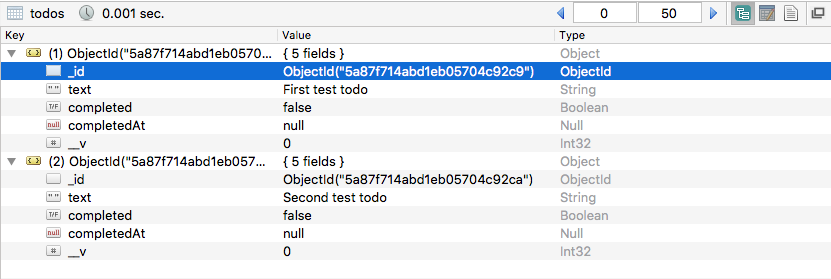
I'll right-click to edit it, then I can grab the ID excluding the quotes, parentheses, and the ObjectId identifier. With this ID in the clipboard back inside of Atom I can make a variable called id and set it equal to the ID I just copied inside of single quotes, and now we have an ID and we can use this for all of our querying.