
Now the next thing we're going to do is talk about params and deparams. Inside jQuery, we actually have access to a function, we can access it by calling jQuery.param, and we can pass in an object. We'll set name equal to your first name, I'm going to set it equal to Andrew, and we'll set age equal to something like 25. Now when I run this statement, jQuery is going to take that object and convert it into a set of parameters that could be added on to a URL:

Here you can see we have name=Andrew and age=25. This is similar to the format we had up in the URL, minus the question mark. All we'd have to do is add one at to the beginning and we would have a complete search string. Now the problem with jQuery is that it cannot do it in the other direction; meaning it cannot take the string and convert it back into an object, which is kind of what we want.
We want to be able to access this data easily, currently that is just not possible. There are also quirks like encoding and + characters. This was originally a space but it got converted to a + by the form. We're going to want to decode all of that too. Luckily, there is a simple library we can include and we can grab it by going to links.mead.io/deparam:
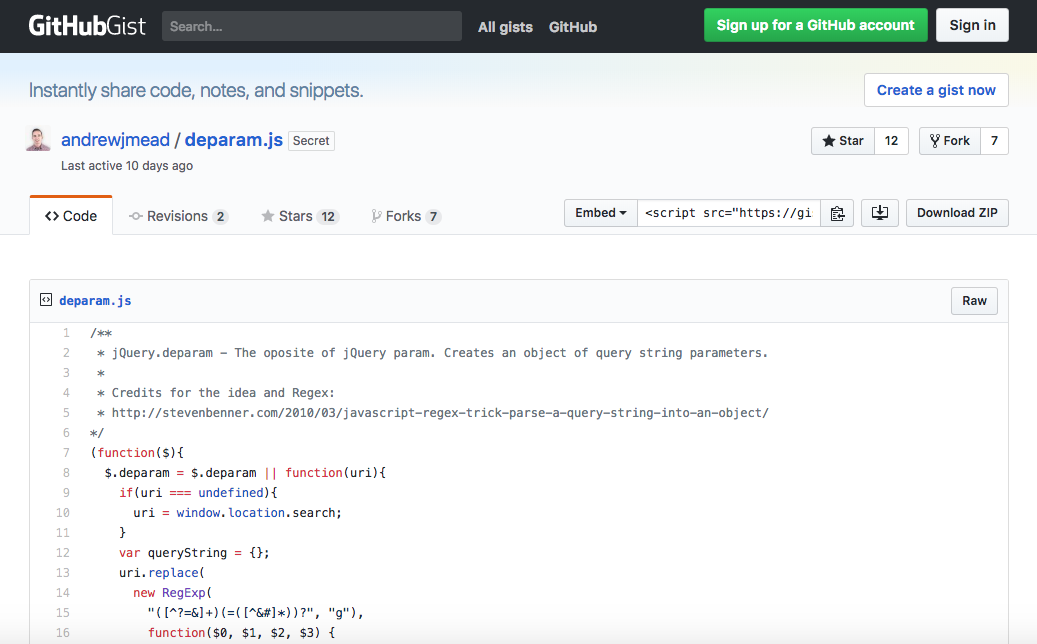
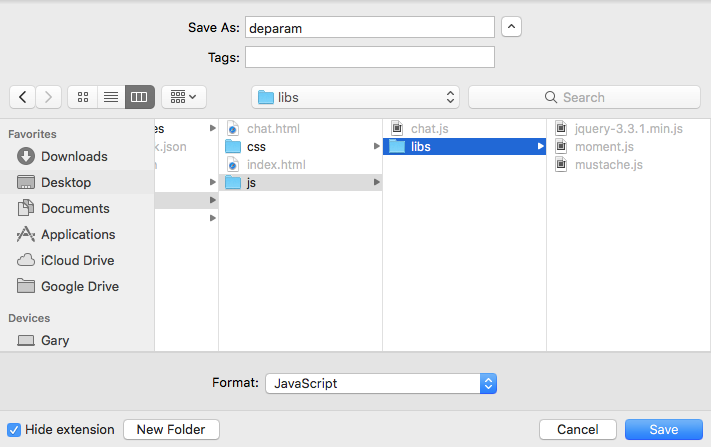
The param takes your object and returns the string, deparam takes the string, and returns an object. Here in the preceding screenshot, we have a simple Gist. It's a really short function that we're going to be adding to our project. Let's go to the Raw version of this page. We're going to save it using right-click, Save as, and we're going to add it right into a project. We have our public, js, and libs folder. Right in the libs folder, we'll simply save it as deparam.js:
Now once we have that file saved, we can actually include it. This is going to make it much easier to work with the search data. Inside Atom, I'm going to head over to chat.html. We're not going to need this in index.html but inside, chat.html we are going to load it in down below the mustache.js script. We'll make a new script tag, and we're going to go ahead and set the src equal to, inside quotes, /js/libs/deparam.js:
<script src="/socket.io/socket.io.js"></script>
<script src="/js/libs/jquery-3.3.1.min.js"></script>
<script src="/js/libs/moment.js"></script>
<script src="/js/libs/mustache.js"></script>
<script src="/js/libs/deparam.js"></script>
<script src="/js/chat.js"></script>
Now when we save chat.html and head back into the browser, we can actually refresh the page and play around with this in the console before ever adding it to our code. We now have access to jQuery.deparam. If I run this statement, we're going to get our function back, confirming that it does exist, and all we need to do is pass in the string, this is the search string, window.location.search:
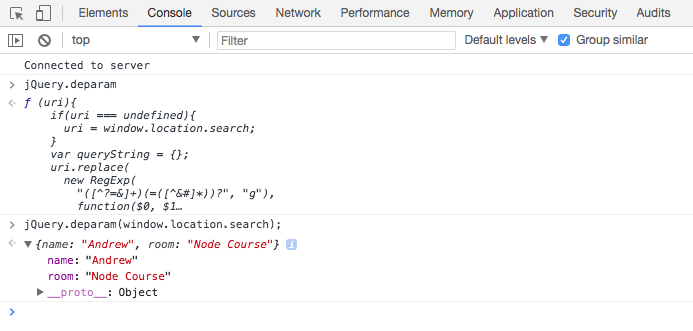
So we're taking that search string, passing it into deparam, and the resulting object is exactly what we want. We have a name property equal to Andrew and we have a room property equal to Node Course. All those special characters like the & symbol, the question mark, and the + character, have all been removed and replaced with this nicely formatted object. This is what we're going to use inside of our client-side code to get the values and pass them to the server, which is what we're going to do right now.
Inside Atom this is all going to happen in chat.js. In this file, we have our connect callback function. This happens when we first connect and right away when we connect, we're going to emit an event that's going to start the process of joining a room:
socket.on('connect', function () {
  console.log('Connected to server');
});
Now Socket.io has built-in support for the idea of rooms, creating the little isolated areas where only certain people can emit and listen to events. All of that gets set up on the server though, which means right in this function. When we connect to the server, all we're going to do is emit an event called join; this is going to start the process.
First up, let's go ahead and grab our parameters, the ones that we just learned how to deparam over inside the console, var params = jQuery.deparam, and we're going to pass in window.location.search, just like we did before in the Developers Console. Now we have our object and we can go ahead and emit an event. Next, we're going to call socket.emit and the event that we're going to emit will be a custom event we'll be creating, it's going to be called join:
socket.on('connect', function () {
  var params = jQuery.deparam(window.location.search);

  socket.emit('join')
});
This is going to get emitted from the client and it's going to get listened to by the server. When the server hears this join event, it's going to go through the process of setting up the room. Now not all of that's going to happen in this section, but we can get started. The data that we're going to send across is just going to be the params object:
socket.emit('join', params)
It may or may not include everything we need. We'll be doing a little validation on the server, and last but not least, we are going to set up acknowledgments for this one.
If someone does join the room we want to know that. We also want to if someone doesn't. This is because if they don't join the room, it's most likely because they provided invalid data, which means that we want to kick them back to that join form forcing them to provide both a name and a room name. We can go ahead and set up our function, and this function could take an argument. We're going to be setting it up ourselves, so we can decide if it takes an argument, and it definitely does make sense for it to take one. In this case, we're going to go ahead and provide any errors. If there is an error, that's fine we'll be able to handle it. If there is no error, that's great too; we'll go ahead and do something else:
socket.on('connect', function () {
  var params = jQuery.deparam(window.location.search);

  socket.emit('join', params, function (err) {
  });
});
In the function, we can do something if an error exists using if (err). We can go ahead and add an else clause too; if there is no error we want to do a different thing:
socket.on('connect', function () {
  var params = jQuery.deparam(window.location.search);

  socket.emit('join', params, function (err) {
    if(err) {

   } else {

  });
});
Now we're not going to fill this out at the moment, what we're going to do at this point in time is go ahead and actually set up the listener inside server.js for join.