
In order to play around with this inside Atom, in server.js, we are going to call a method on io called io.on:
app.use(express.static(publicPath));

io.on();
The io.on method lets you register an event listener. We can listen for a specific event and do something when that event happens. One built-in event that we're going to use—the most popular one—is called connection. This lets you listen for a new connection of a client to the server, and lets you do something when that connection comes in. In order to do something, you provide a callback function as the second argument, and this callback function is going to get called with a socket:
io.on('connection', (socket) => {

});
This socket argument is really similar to the socket argument we have access to inside the index.html file. This represents the individual socket, as opposed to all of the users connected to the server. Now, with this in place, we can do whatever we like. For example, I could use console.log to print a little message, such as New user connected:
io.on('connection', (socket) => {
  console.log('New user connected');
});
Every time a user connects to our app, we'll print a message to the console. I'll go ahead and save the server.js file, move into the Terminal, and you'll see that the message actually already exists:

To explain why, we need to understand one thing about WebSockets. WebSockets, as I mentioned, are a persistent technology, meaning that the client and server both keep the communication channel open for as long as either of them want to. If the server shuts down, the client doesn't really have a choice, and vice versa. If I close a browser tab, the server cannot force me to keep the connection open.
Now, when a connection drops the client, it's still going to try to reconnect. When we restart the server using nodemon, there's about a quarter of a second where the server is down, and the client notices that. It says, "woah, woah, woah! Server went down! Let's try to reconnect!" Eventually it reconnects, and that's why we're seeing the message, New user connected.
Go ahead and shut down the server, and over inside the client, you'll see that network requests are being made in Chrome Developer Tools:
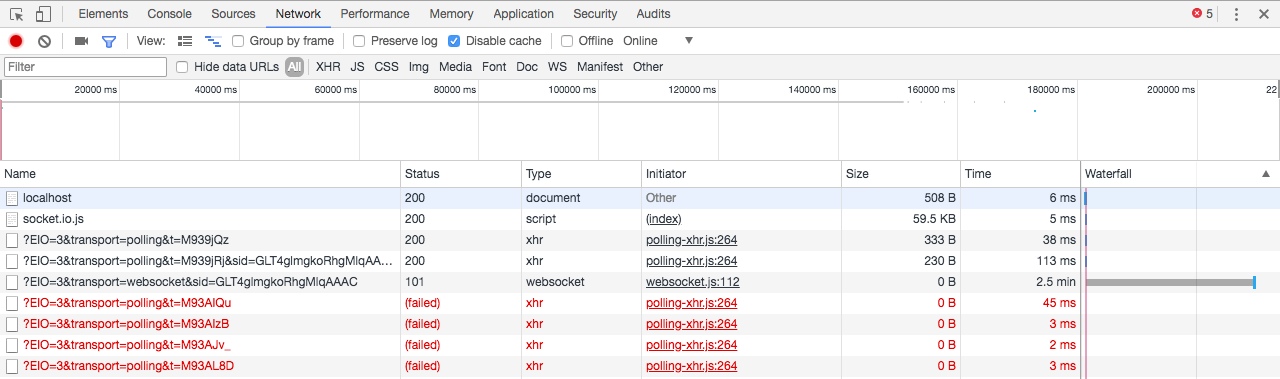
They're trying to reconnect to the server, and you can see they're failing because the server is not up. Now, go back into the Terminal and restart the server like this:

Inside the client, we'll try to reconnect again. We'll get a success result from the server—and boom—we are back! Just like this:
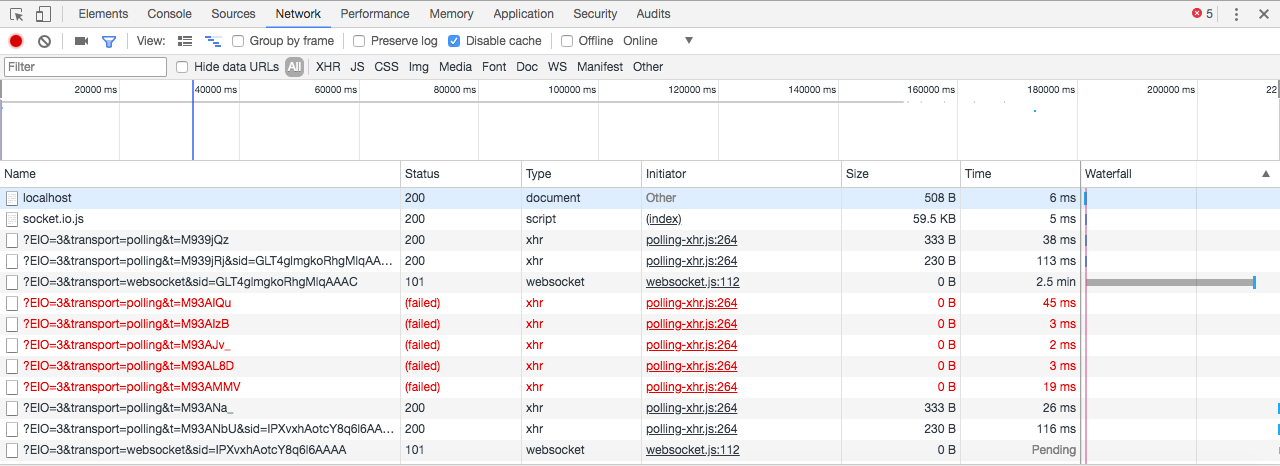
Now, when we reconnect, you can see that we get the message again, and that's why we saw it when we first added it to the server.js file.