
As setting up an online account is something you have probably done a lot of times in your life, we won’t spend much time on this. Here we go:
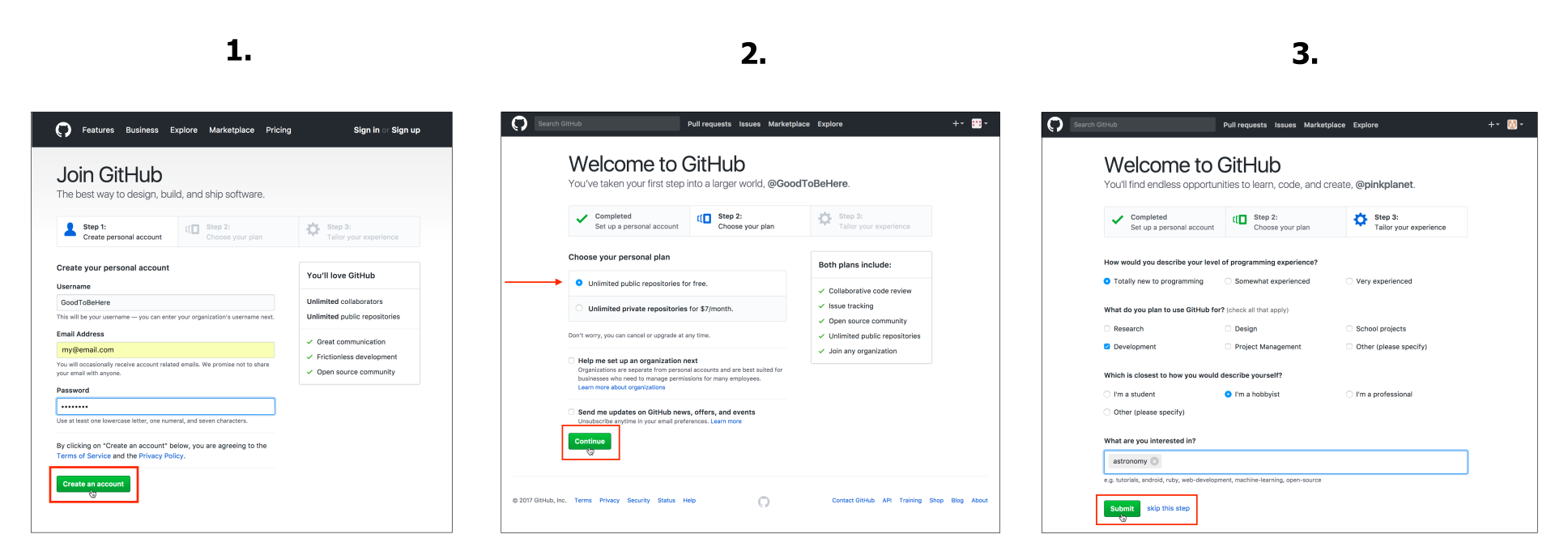
Setting up a GitHub account
Go to https://github.com/, click on Sign in, and follow the steps. We express our generally positive attitude to GitHub by choosing the Username GoodToBeHere and enter our email address and a Password. On the second screen, we opt for the free account and, after answering a few optional questions on the third screen, we complete our signup.