
Asynchronous JavaScript and XML (AJAX) doesn't relate 100 percent to D3. It actually has its foundation in JavaScript. In short, AJAX allows the developer to obtain data from the background of the web page. This technique is extremely useful in map development because geographic datasets can be very large. Acquiring the data from the background will help produce a refined user experience. In addition, in Chapter 6, Finding and Working with Geographic Data, we will cover techniques to compress the size of geographic data.
Separating the data from the code base will also provide the following advantages:
- A lighter code base that is easier to manage
- The ability to update the data without making code changes
- The ability to use third-party providers for data sources
This is accomplished by acquiring the data through an AJAX call with the aid of a D3 function. Let's examine the following code:
d3.json("data/dataFile.json", function(error, json) {
The d3.json() method has two parameters: a path to the file and a callback function. The callback function indicates what to do with the data once it has been transferred. In the previous code, if the call fetches the data correctly, it assigns it to the json variable. The error variable is just a general error object that indicates whether there were any problems fetching the data or not:
if (error) return console.log(error);
var data = json;
We store our JSON data into the data variable, and continue to process it as we did in the previous examples:
  var svg = d3.select("body")
    .append("svg")
    .attr("width", 200)
    .attr("height", 200);

  svg.selectAll('rect')
    .data(data).enter()
    .append('rect')
    .attr('x', function(d){ return d.x; })
    .attr('y', function(d){ return d.y; })
    .attr("width", function(d){ return d.width; })
    .attr("height", function(d){ return d.height; });
});
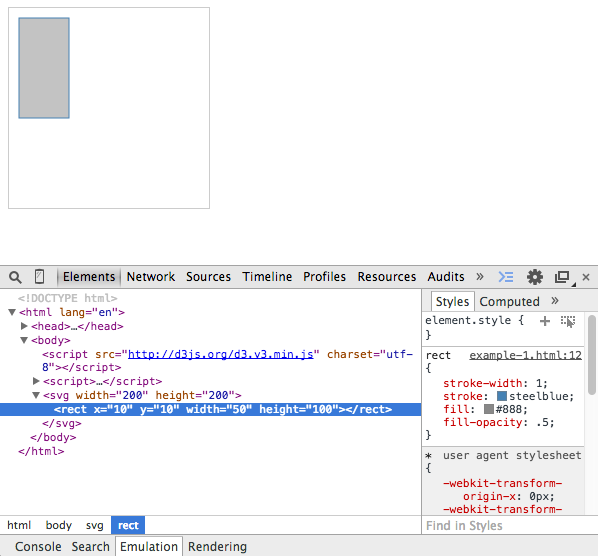
D3 provides us with many kinds of data acquisition methods, and JSON is just one type. It also supports CSV files, plain text files, XML files, or even entire HTML pages. We strongly suggest that you read about AJAX in the documentation at: https://github.com/d3/d3/blob/master/API.md#requests-d3-request.