
Before you start to draw with Canvas, let's have a brief look at its concept – the mental model that will help you approach, plan, and write your applications. Canvas in its material form is a single HTML5 element. It is literally a blank canvas that you can draw on. For the actual drawing, you use the Canvas context – the Canvas API. The context can be thought of as your toolbox that can be manipulated with JavaScript.
You can compare the Canvas element with the root SVG element, as both contain all parts of the drawing. However, the key difference is that SVG (like HTML) operates in retained mode. The browser retains a list of all objects drawn onto the SVG (or HTML) canvas within the Document Object Model (DOM) – the scene-graph of your web application. This makes your drawing almost material. You produce a list of objects, change styles and properties through code, and you can refer to these elements any time you desire. You can change their position, move them up or down the DOM and – very important for interaction – you can attach and remove event listeners to them easily.
Canvas, in contrast, operates in immediate mode. Anything you draw using Canvas occurs at once and remains on the canvas as an image. Images in Canvas are bitmaps, digital images composed of a matrix or grid of pixels. When you draw with Canvas you prepare the properties of each pixel (or rather specified regions of pixels) with your tools and then draw them on the canvas. If you want to change the color of one, a few, or all pixels on your image, you remove the whole image and produce a new image. Unlike SVG, you can't go back to the pixel you want to change, as it is not represented in memory in the form of a document tree or the like, but burned just once onto the screen. But fear not, you still have the Canvas context that represents the state of your tools, which indirectly represents the drawing itself.
You can think of Canvas as a painting and SVG or HTML as a Lego structure. The former is static in its representation. If you paint a man standing on a bridge screaming, you can't just turn his head around. You would have to draw a second painting to express this precisely. If you built the same scene with Lego, you could grab the head and turn it around, like so:
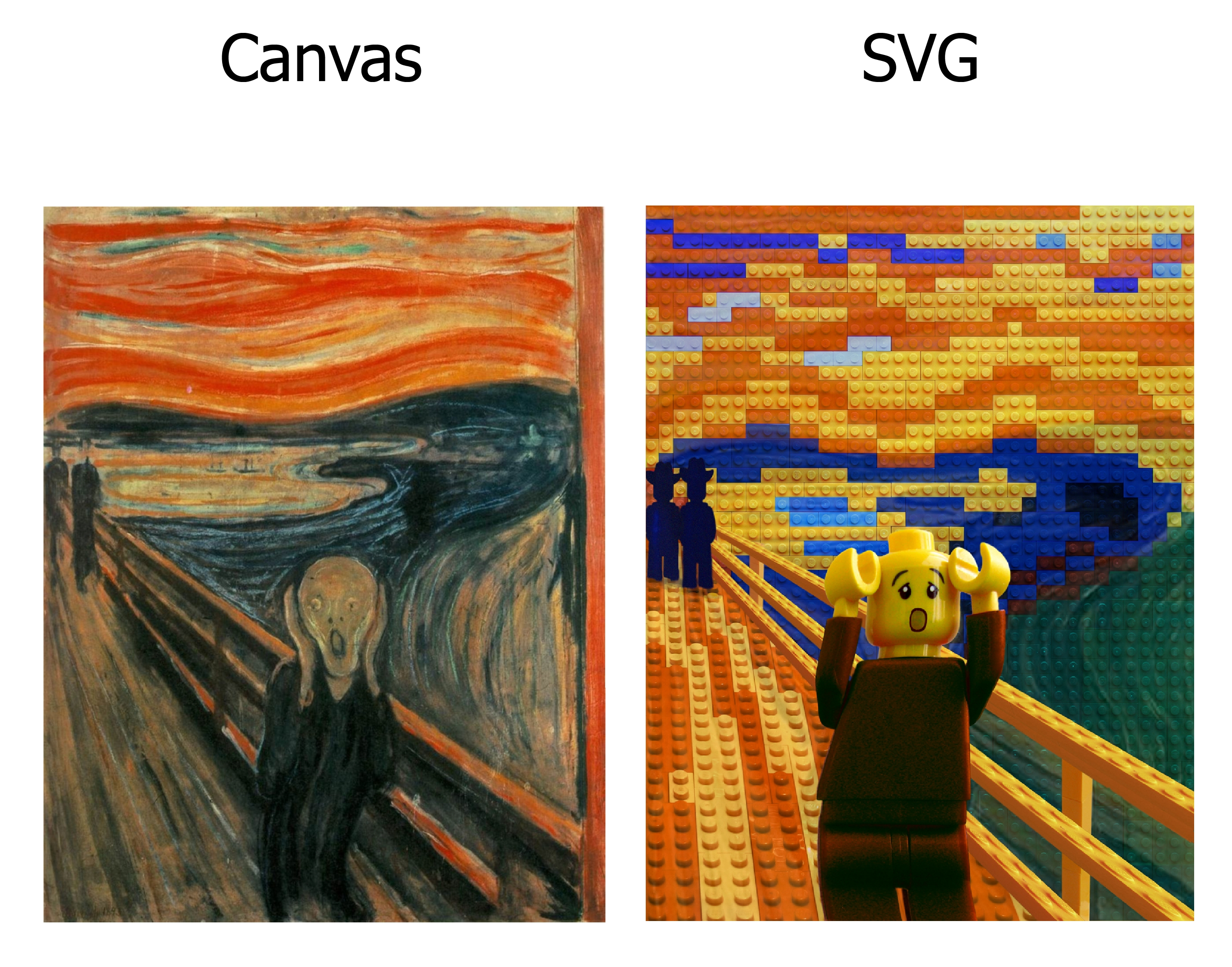
This might sound cumbersome, considering the potential work that has to go into animating with Canvas. Not just the mental strain of having to paint so many pictures, but the computational powers required to redraw everything in quick succession. But, as you will see in the coming sections, there are simple patterns that make Canvas animated and interactive.