
After all that, erm, hard work, you deserve a simple process to publish. Well, you are exactly five clicks away from viewing your project online. Here they are:
1. Click on the Settings tab from your repository home page:
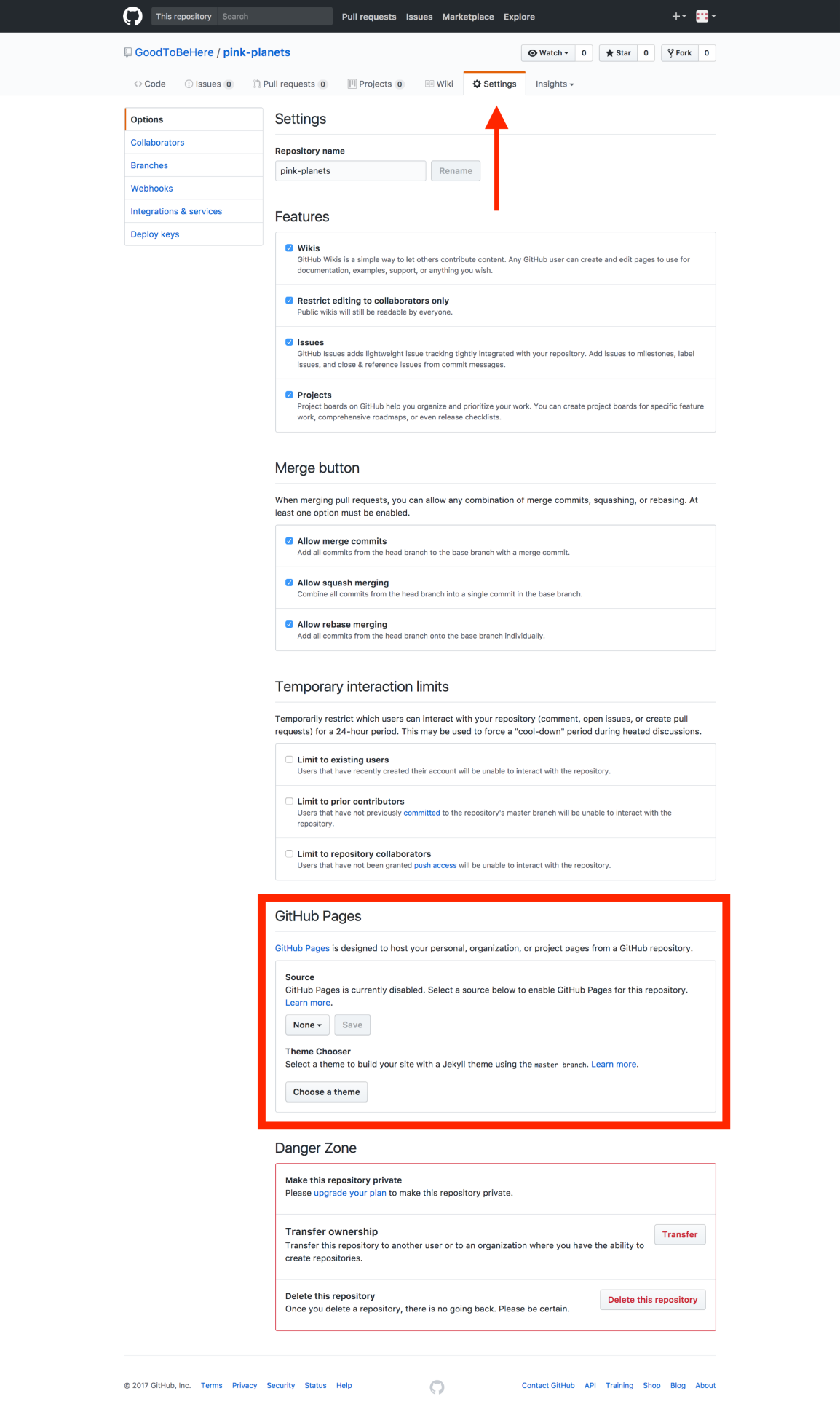
2. Navigate to the GitHub Pages area and expand the drop-down menu in the Source field:
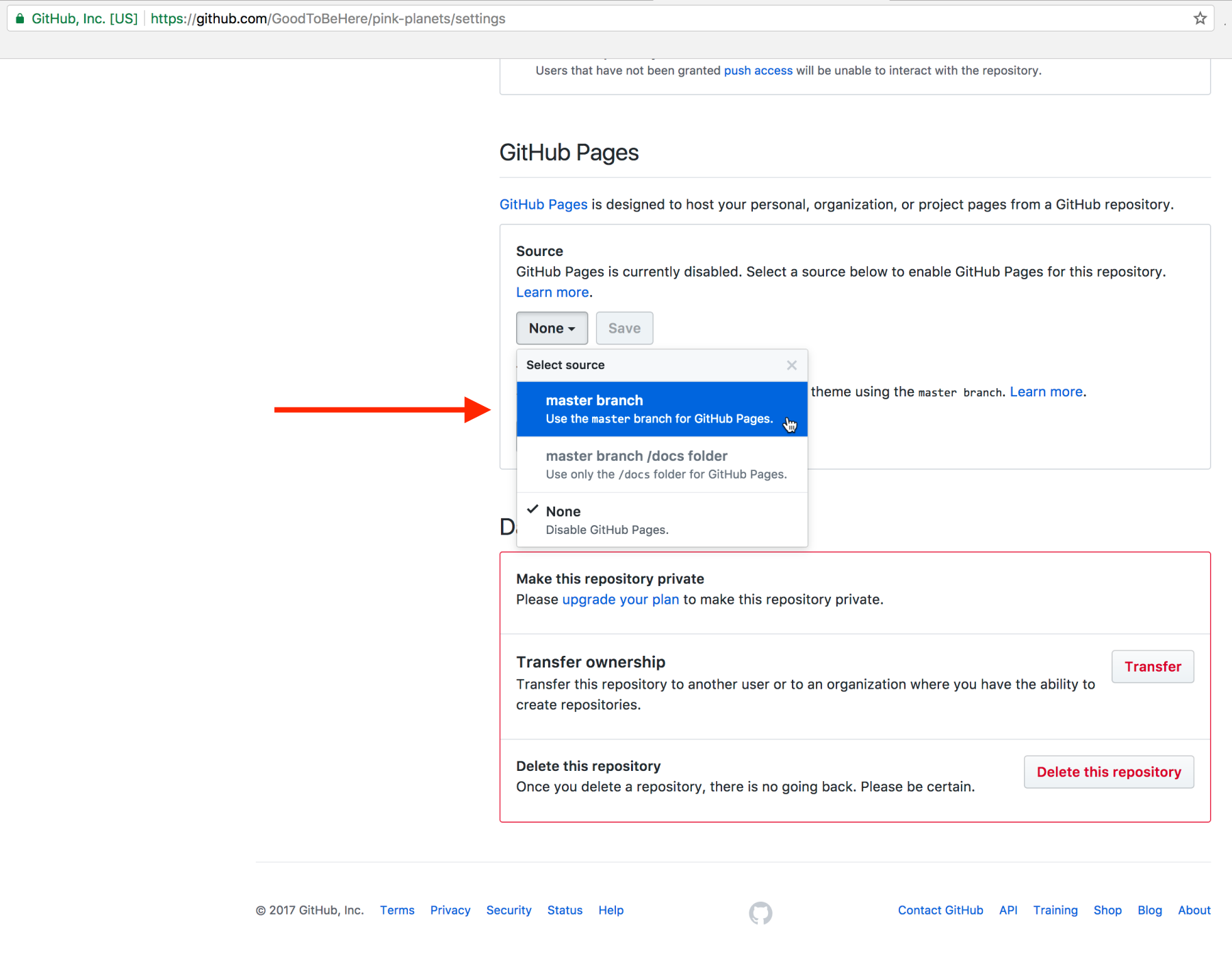
3. Choose the master branch to publish from (we didn’t create any other branches, so this is the one) and 4. click on Save.
Next, you will see the following message offering you a link to your online project:
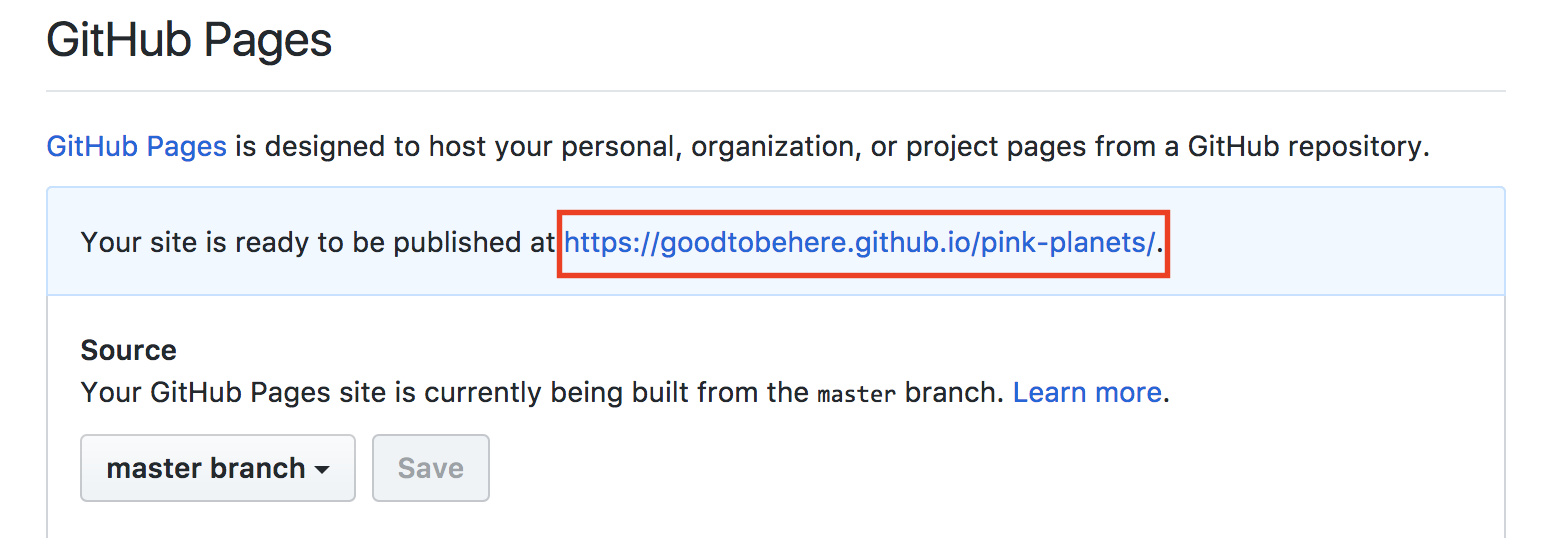
5. Click it! It might take a moment for the project to take its rightful place, so you might want to wait a painful minute, but eventually, it will be published:
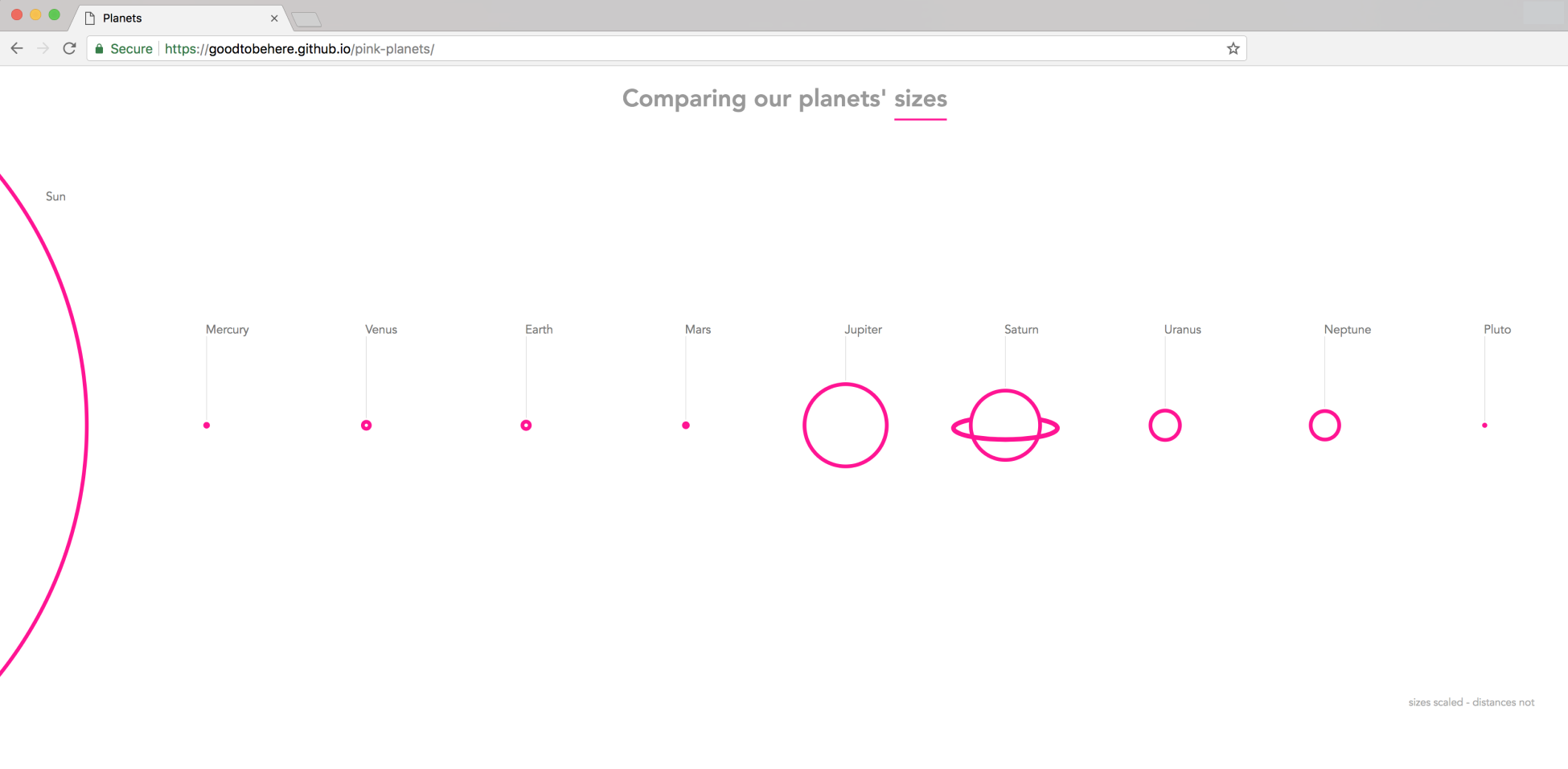
Marvelous! Your work is published, and the rest is history! Congratulations.
Our URL is https://goodtobehere.github.io/pink-planets/, or more generally, https://<your username>.github.io/<the repository’s name>. Although this is a logical construct, it might appear a little clunky. You can change it to a custom URL, like we did in our example:
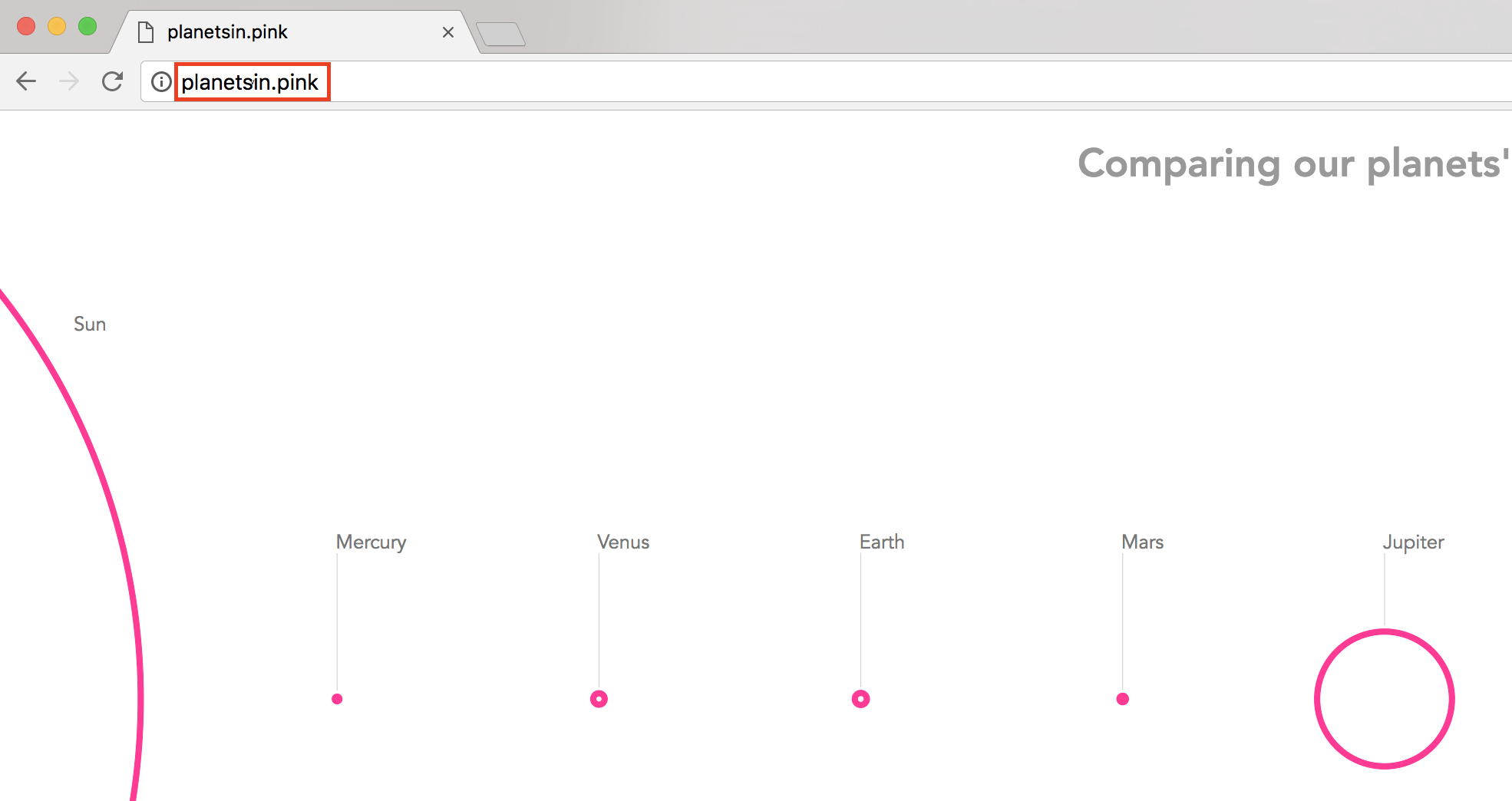
It will require you to use a domain you have secured with the DNS Provider of your choice, and change a few settings on the DNS Provider side as well as, in some cases, on GitHub, but it’s also a simple process that you might want to consider.
For excellent guidance regarding a custom domain, check out https://help.github.com/articles/using-a-custom-domain-with-github-pages/.