
Let's start with a map of Spain and go through the process of getting our first shapefile:
-
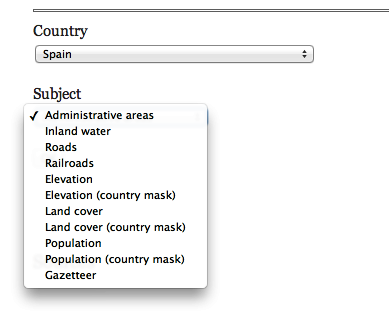
Go to http://www.diva-gis.org/gdata and select Spain from the drop-down list, as shown in the following screenshot:
-
Once Spain is selected, you will see a large selection of geographic data to choose from (Roads, Railroads, and so on). Select the Administrative areas option to draw the primary boundaries of the country and regions. Click on OK; it will take you to the download page.
-
Once it's downloaded, you will have an ESP_adm.zip file containing the shapefile data for the administrative areas of Spain.
-
After unzipping the file, you will see that the files are organized into progressively increasing numbers, ESP_adm0 to ESP_adm4. ESP represents the abbreviation of the country and each number represents the increasing amount of detail found in each data file. For example, ESP_adm0 will draw just the outline of Spain, while ESP_adm3 will include the provinces of the country.