Table of Contents for
Mastering PostCSS for Web Design
 Mastering PostCSS for Web Design
Published by
Packt Publishing, 2016
Mastering PostCSS for Web Design
Published by
Packt Publishing, 2016
- Cover
- Table of Contents
- Mastering PostCSS for Web Design
- Mastering PostCSS for Web Design
- Credits
- About the Author
- About the Reviewer
- www.PacktPub.com
- Preface
- What you need for this book
- Who this book is for
- Conventions
- Reader feedback
- Customer support
- 1. Introducing PostCSS
- Introducing PostCSS
- Setting up a development environment
- Creating a simple example using PostCSS
- Linting code using plugins
- Exploring how PostCSS works
- Summary
- 2. Creating Variables and Mixins
- Creating a hover effect example
- Transitioning to using PostCSS
- Adding variable support to PostCSS
- Updating our hover effect demo
- Setting the order of plugins
- Creating mixins with PostCSS
- Looping content with PostCSS
- Summary
- 3. Nesting Rules
- Navigating through pages
- Transitioning to using PostCSS plugins
- Exploring the pitfalls of nesting
- Making the switch to BEM
- Exploring our changes in more detail
- Summary
- 4. Building Media Queries
- Exploring custom media queries in PostCSS
- Making images responsive
- Adding responsive text support
- Optimizing media queries
- Retrofitting support for older browsers
- Moving away from responsive design
- Taking things further with CSS4
- Summary
- 5. Managing Colors, Images, and Fonts
- Managing fonts with PostCSS
- Creating image sprites
- Working with SVG in PostCSS
- Adding support for WebP images
- Manipulating colors and color palettes
- Creating color functions with PostCSS
- Summary
- 6. Creating Grids
- Creating an example with Bourbon Neat
- Exploring the grid plugins in PostCSS
- Transitioning to using PostCSS-Neat
- Creating a site using Neat and PostCSS
- Adding responsive capabilities
- Summary
- 7. Animating Elements
- Moving away from jQuery
- Making use of pre-built libraries
- Switching to using SASS
- Making the switch to PostCSS
- Exploring plugin options within PostCSS
- Updating code to use PostCSS
- Creating a demo in PostCSS
- Optimizing our animations
- Using our own animation plugin
- Summary
- 8. Creating PostCSS Plugins
- Dissecting the architecture of a standard plugin
- Creating an transition plugin
- Building a custom font plugin
- Simplifying the development process
- Guidelines for plugin building
- Making the plugin available for use
- Summary
- 9. Working with Shortcuts, Fallbacks, and Packs
- Exploring plugin packs for PostCSS
- Adding shortcuts with Rucksack
- Linting and optimizing your code
- Providing fallback support
- Summary
- 10. Building a Custom Processor
- Exploring our processor
- Dissecting issues with our processor
- Optimizing the output
- Adding reload capabilities
- Extending our processor further
- Testing the final pre-processor
- Getting started with some hints and tips
- Introducing the CSStyle library
- Summary
- 11. Manipulating Custom Syntaxes
- Preparing our environment
- Implementing custom syntax plugins
- Parsing CSS
- Formatting the output with the API
- Highlighting our syntax code
- Summary
- 12. Mixing Preprocessors
- Exploring the conversion process
- Introducing the Pleeease library
- Compiling with other preprocessors
- Using the PreCSS library
- Converting a WordPress installation
- Setting up our environment
- Considering the conversion process
- Making changes to our code
- Compiling and testing the changes
- Summary
- 13. Troubleshooting PostCSS Issues
- Exploring some common issues
- Getting help from others
- Summary
- 14. Preparing for the Future
- Converting CSS4 styles for use
- Supporting future syntax with cssnext
- Creating plugins to provide extra CSS4 support
- Summary
- Index
At this stage, you've tried fixing an issue, but failed – you're not quite sure where to go next…
Don't worry, there are plenty of people who have been there, and needed help! A good start is the main documentation, which is available at https://github.com/postcss/postcss/tree/master/docs. If this draws a blank, then Google is a good option; in addition, there are a couple of other options that may help.
If you spend time researching Google and don't find anyone who has had this problem before, then you can try logging a question on Stack Overflow:
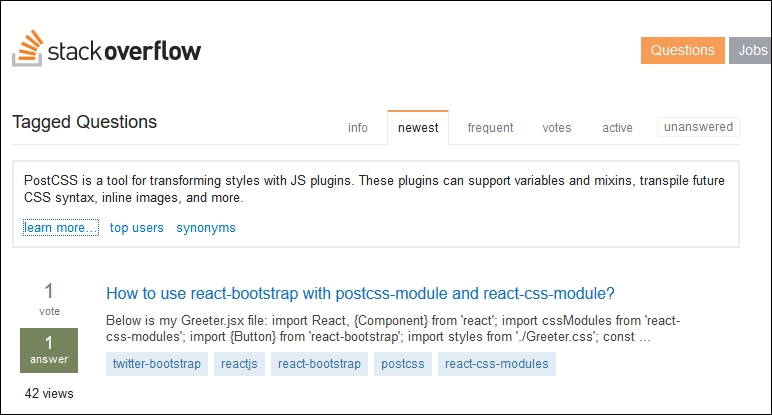
The URL is http://stackoverflow.com/questions/tagged/postcss—this lists all of the questions tagged with the name postcss, and is open to anyone to suggest a course of action or hopefully a tip that will get you back in business. If you do find yourself logging an issue, please try where possible to give details of the system you use (Windows, Mac, or Linux), any screenshots or details of the error, and the steps you were taking to arrive at the error.
Taking things a step further, you can also log a development request, or an issue that requires a change to the code—to do this, please browse to the issues log on the GitHub site, at https://github.com/postcss/postcss/issues:
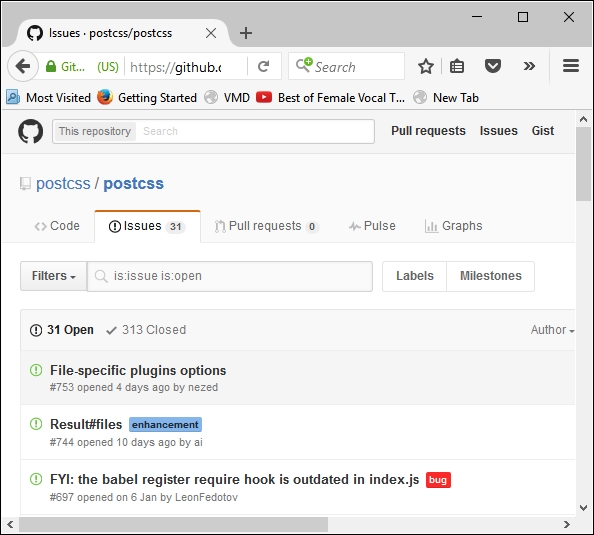
There are a few things to bear in mind:
- Don't be alarmed if you are advised to log the issue on the plugin's website, and not in GitHub for PostCSS – many issues are not as a result of a problem in PostCSS, but in the plugin itself.
- It helps to show a copy of your task runner's task file and
package.json, just in case—some of the issues that people experience are as a result of (known or unknown) compatibility issues between plugins, or where a certain order must be followed to ensure plugins can be used. - PostCSS plugin developers frequently develop on the Apple Mac or Linux platforms—it means that some errors you may see are as a result of using a platform that doesn't support one or more commands in the plugin.
- If you do come across problems when using one or more plugins, try to strip back your processor tasks to those that include the plugins that are causing issues. Even if this doesn't eliminate the issue, it will help narrow the cause and avoid unnecessary checks by others during the troubleshooting process.
- The license used by PostCSS is the MIT license—it effectively means that you can do as you like with the software, as long as the copyright notice remains with the library.
- It's worth noting that CodePen supports the use of PostCSS—you may find it useful to try out code online (and have it compile automatically), rather than running your processor manually. CodePen only supports a limited range of plugins, so it won't be useful for all occasions—but hopefully some!
Tip
For more details, take a look at this blog posting on the CodePen site: https://blog.codepen.io/2015/07/14/postcss-now-supported-on-codepen/.
- The downside of open source software (and plugins created for PostCSS) is the varying levels of support offered by plugin developers—whilst support for the core system is very good, you may find support for individual plugins to not be quite so active! Don't rely on plugin developers to respond quickly if you have a critical issue—please log it via Stack Overflow first, before raising it on the plugin site. The latter should be used if the issue is identified to require further development.
With these in mind, good luck! PostCSS is fast gaining ground—with some big name companies using it, such as WordPress and Google, it is sure to become very popular. It would be a shame to give up on something if you come across a problem with using a plugin!
Remember, if one plugin doesn't work, then look around—others may well be available that can take their place. It's a dog eat dog world, where those plugins that are not supported are likely to fall by the wayside, leaving those where support is active and problems are resolved efficiently and promptly.