
What if one of your components needs to fetch API data before it can fully render its content? This presents a challenge for rendering on the server because there's no easy way to define a component that knows when to fetch data on the server as well as in the browser.
This is where a minimal framework like Next.js comes into play. Next.js treats server rendering and browser rendering as equals. This means that the headache of fetching data for your components is abstracted—you can use the same code in the browser and on the server.
To handle routing, Next.js uses the concept of pages. A page is a JavaScript module that exports a React component. The rendered content of the component turns into the page content. Here's what the pages directory looks like:
└── pages
    ├── first.js
    ├── index.js
    └── second.js
The index.js module is the root page of the app: Next.js knows this based on the filename. Here's what the source looks like:
import Layout from '../components/MyLayout.js';

export default () => (
  <Layout>
    <p>Fetching component data on the server and on the client...</p>
  </Layout>
);
This page uses a <Layout> component to ensure that common components are rendered without the need to duplicate code. Here's what the page looks like when rendered:
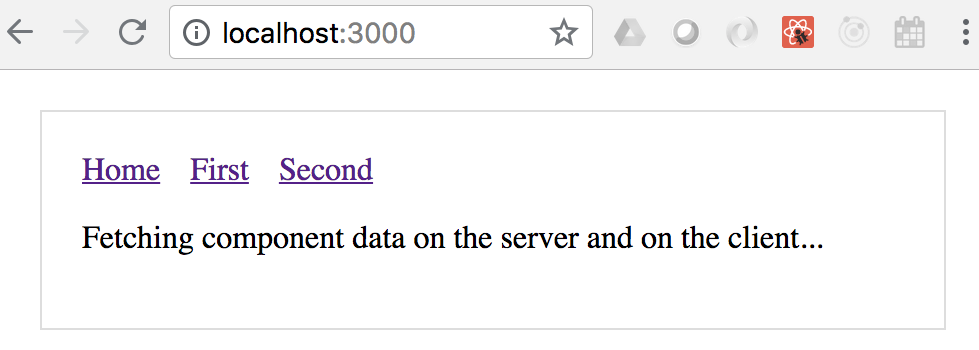
In addition to the paragraph, you have the overall application layout includes the navigation links to other pages. Here's what the Layout source looks like:
import Header from './Header';

const layoutStyle = {
  margin: 20,
  padding: 20,
  border: '1px solid #DDD'
};

const Layout = props => (
  <div style={layoutStyle}>
    <Header />
    {props.children}
  </div>
);

export default Layout;
The Layout component renders a Header component, and props.children. The children prop is the value that you pass to the Layout component in your pages. Let's take a look at the Header component now:
import Link from 'next/link';

const linkStyle = {
  marginRight: 15
};

const Header = () => (
  <div>
    <Link href="/">
      <a style={linkStyle}>Home</a>
    </Link>
    <Link href="/first">
      <a style={linkStyle}>First</a>
    </Link>
    <Link href="/second">
      <a style={linkStyle}>Second</a>
    </Link>
  </div>
);

export default Header;
The Link component used here comes from Next.js. This is so that the links work as expected with the routing that Next.js sets up automatically. Now let's look at a page that has data fetching requirements - pages/first.js:
import fetch from 'isomorphic-unfetch';
import Layout from '../components/MyLayout.js';
import { fetchFirstItems } from '../api';

const First = ({ items }) => (
  <Layout>{items.map(i => <li key={i}>{i}</li>)}</Layout>
);

First.getInitialProps = async () => {
  const res = await fetchFirstItems();
  const items = await res.json();

  return { items };
};

export default First;
The fetch() function that's used to fetch data comes from the isomorphic-unfetch package. This version of fetch() works on the server and in the browser—there's no need for you to check anything. Once again, the Layout component is used to wrap the page content for consistency with other pages.
The getInitialProps() function is how Next.js fetches data—in the browser and on the server. This is an async function, meaning that you can take as long as you need to fetch data for the component properties, and Next.js will make sure not to render any markup until the data is ready. Let's take a look at the fetchFirstItems() API function:
export default () =>
  new Promise(resolve =>
    setTimeout(() => {
      resolve({
        json: () => Promise.resolve(['One', 'Two', 'Three'])
      });
    }, 1000)
  );
This function is mimicking API behavior by returning a promise that's resolved after 1 second with data for the component. If you navigate to /first, you'll see the following after 1 second:
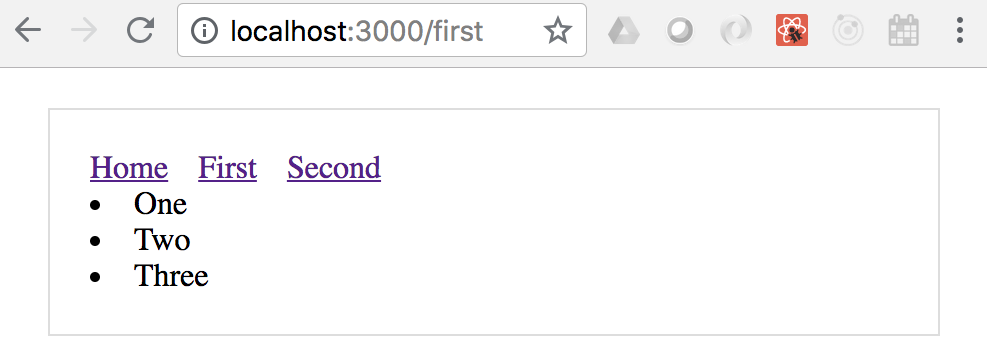
By clicking on the first link, you caused the getInitialProps() function to be called in the browser since the app has already been delivered. If you reload the page while at /first, you'll trigger getInitialProps() to be called on the server since this is the page that Next.js is handling on the server.