In this section, you'll learn about inheriting JSX and event handlers. You might want to use this approach if you have a single UI component that has the same UI elements and event handling logic, but there are differences in what the initial state should be, depending on where the component is used.
For example, a base class would define the JSX and event handler methods, while the more specific components define the initial state that's unique to the feature. Here's an example base class:
import React, { Component } from 'react';
import { fromJS } from 'immutable';

export default class BaseComponent extends Component {
  state = {
    data: fromJS({
      items: []
    })
  };

  // Getter for "Immutable.js" state data...
  get data() {
    return this.state.data;
  }

  // Setter for "Immutable.js" state data...
  set data(data) {
    this.setState({ data });
  }

  // The click event handler for each item in the
  // list. The context is the lexically-bound to
  // this component.
  onClick = id => () => {
    this.data = this.data.update('items', items =>
      items.update(
        items.indexOf(items.find(i => i.get('id') === id)),
        item => item.update('done', d => !d)
      )
    );
  };

  // Renders a list of items based on the state
  // of the component. The style of the item
  // depends on the "done" property of the item.
  // Each item is assigned an event handler that
  // toggles the "done" state.
  render() {
    const { items } = this.data.toJS();

    return (
      <ul>
        {items.map(i => (
          <li
            key={i.id}
            onClick={this.onClick(i.id)}
            style={{
              cursor: 'pointer',
              textDecoration: i.done ? 'line-through' : 'none'
            }}
          >
            {i.name}
          </li>
        ))}
      </ul>
    );
  }
}
This base component renders a list of items that, when clicked, toggles the style of the item text. By default, the state of this component has an empty item list. This means that it is safe to render this component without setting the component state. However, that's not very useful, so let's give this list some items by inheriting the base component and setting the state:
import BaseComponent from './BaseComponent';

export default class MyComponent extends BaseComponent {
  // Initializes the component state, by using the
  // "data" getter method from "BaseComponent".
  componentDidMount() {
    this.data = this.data.merge({
      items: [
        { id: 1, name: 'One', done: false },
        { id: 2, name: 'Two', done: false },
        { id: 3, name: 'Three', done: false }
      ]
    });
  }
}
The componentDidMount() lifecycle method can safely set the state of the component. The base component uses your data setter/getter to change the state of the component. Another thing that's handy about this approach is that if you want to override one of the event handlers of the base component, you can define the method in MyComponent.
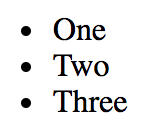
Here's what the list looks like when rendered:
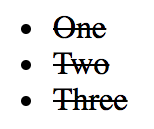
And here's what the list looks like when all of the items have been clicked: