In this final section, you'll learn how to build your own custom property validation functions and apply them in the property specification. Generally speaking, you should only implement your own property validator if you absolutely have to. The default validators available in prop-types cover a wide range of scenarios.
However, sometimes, you need to make sure that very specific property values are passed to the component. Remember, these will not be run in production mode, so it's perfectly acceptable for a validator function to iterate over collections. Let's implement some custom validator functions now:
import React from 'react';

const MyComponent = ({ myArray, myNumber }) => (
  <section>
    <ul>{myArray.map(i => <li key={i}>{i}</li>)}</ul>
    <p>{myNumber}</p>
  </section>
);

MyComponent.propTypes = {
  // Expects a property named "myArray" with a non-zero
  // length. If this passes, we return null. Otherwise,
  // we return a new error.
  myArray: (props, name, component) =>
    Array.isArray(props[name]) && props[name].length
      ? null
      : new Error(`${component}.${name}: expecting non-empty array`),

  // Expects a property named "myNumber" that's
  // greater than 0 and less than 99. Otherwise,
  // we return a new error.
  myNumber: (props, name, component) =>
    Number.isFinite(props[name]) &&
    props[name] > 0 &&
    props[name] < 100
      ? null
      : new Error(
          `${component}.${name}: expecting number between 1 and 99`
        )
};

export default MyComponent;
The myArray property expects a non-empty array, and the myNumber property expects a number that's greater than 0 and less than 100. Let's try passing these validators some data:
import React from 'react';
import { render } from 'react-dom';

import MyComponent from './MyComponent';

render(
  <section>
    {/* Renders as expected... */}
    <MyComponent
      myArray={['first', 'second', 'third']}
      myNumber={99}
    />

    {/* Both custom validators fail... */}
    <MyComponent myArray={[]} myNumber={100} />
  </section>,
  document.getElementById('root')
);
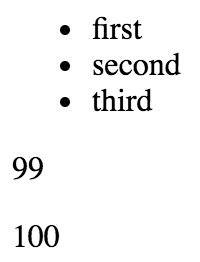
The first element renders just fine, as both of the validators return null. However, the empty array and the number 100 cause both validators to return errors:
MyComponent.myArray: expecting non-empty array
MyComponent.myNumber: expecting number between 1 and 99
Here's what the rendered output looks like: