A new feature of React 16 – error boundaries – lets you handle unexpected component failures. Rather than have every component of your application know how to deal with any errors that it might encounter, error boundaries are a mechanism that you can use to wrap components with error-handling behavior. The best way to think of error boundaries is as try/catch syntax for JSX.
Let's revisit the first example from this chapter where you fetched component data using an API function. The users() function accepts a Boolean argument, which, when true, causes the promise to reject. This is something that you'll want to handle, but not necessarily in the component that made the API call. In fact, the UserListContainer and UserList components are already set up to handle API errors like this. The challenge is that if you have lots of components, this is a lot of error handling code. Further, the error handling is specific to that one API call – what if something else goes wrong?
Here's the modified source for UserListContainer that you can use for this example:
import React, { Component } from 'react';
import { fromJS } from 'immutable';

import { users } from './api';
import UserList from './UserList';

export default class UserListContainer extends Component {
  state = {
    data: fromJS({
      error: null,
      loading: 'loading...',
      users: []
    })
  };

  // Getter for "Immutable.js" state data...
  get data() {
    return this.state.data;
  }

  // Setter for "Immutable.js" state data...
  set data(data) {
    this.setState({ data });
  }

  // When component has been rendered, "componentDidMount()"
  // is called. This is where we should perform asynchronous
  // behavior that will change the state of the component.
  // In this case, we're fetching a list of users from
  // the mock API.
  componentDidMount() {
    users(true).then(
      result => {
        // Populate the "users" state, but also
        // make sure the "error" and "loading"
        // states are cleared.
        this.data = this.data
          .set('loading', null)
          .set('error', null)
          .set('users', fromJS(result.users));
      },
      error => {
        // When an error occurs, we want to clear
        // the "loading" state and set the "error"
        // state.
        this.data = this.data
          .set('loading', null)
          .set('error', error);
      }
    );
  }

  render() {
    // If the error state has a string value in it, it
    // means that something went wrong during the asynchronous
    // data fetching for this component. You can just throw an
    // error using this string instead of rendering.
    if (this.data.get('error') !== null) {
      throw new Error(this.data.get('error'));
    }
    return <UserList {...this.data.toJS()} />;
  }
}
This component is mostly the same as it was in the first example. The first difference is the call to users() where it's now passing true:
componentDidMount() {
  users(true).then(
    ...
This call will fail, resulting in the error state being set. The second difference is in the render() method:
if (this.data.get('error') !== null) {
  throw new Error(this.data.get('error'));
}
Instead of forwarding the error state onto the UserList component, it's passing the error back to the component tree by throwing an error instead of attempting to render more components. The key design change here is that this component is now making the assumption that there is some sort of error boundary in place further up in the component tree that will handle these errors accordingly.
Now let's create the error boundary itself:
import React, { Component } from 'react';

// A basic error boundary used to display error messages.
export default class ErrorBoundary extends Component {
  state = {
    error: null
  };

  // This lifecycle method is only called if a component
  // lower in the tree than this component throws an error.
  // You can handle the error however you like in this method,
  // including setting it as a state value so that it can be used
  // for rendering.
  componentDidCatch(error) {
    this.setState({ error });
  }

  // If there's no error, you can just render the boundary's
  // children as usual. If there's an error, you can render
  // the error message while ignoring the child components.
  render() {
    if (this.state.error === null) {
      return this.props.children;
    } else {
      return <strong>{this.state.error.toString()}</strong>;
    }
  }
}
This is where the componentDidCatch() lifecycle method is utilized by setting the error state of this component when it catches an error. When it's rendered, an error message is rendered if the error state is set. Otherwise, render the child components as usual.
Here's how you can use this ErrorBoundary component:
import React from 'react';
import { render } from 'react-dom';

import ErrorBoundary from './ErrorBoundary';
import UserListContainer from './UserListContainer';

// The <ErrorBoundary> component can wrap any component you need.
// You can also create different error boundary components that
// render errors differently.
render(
  <ErrorBoundary>
    <UserListContainer />
  </ErrorBoundary>,
  document.getElementById('root')
);
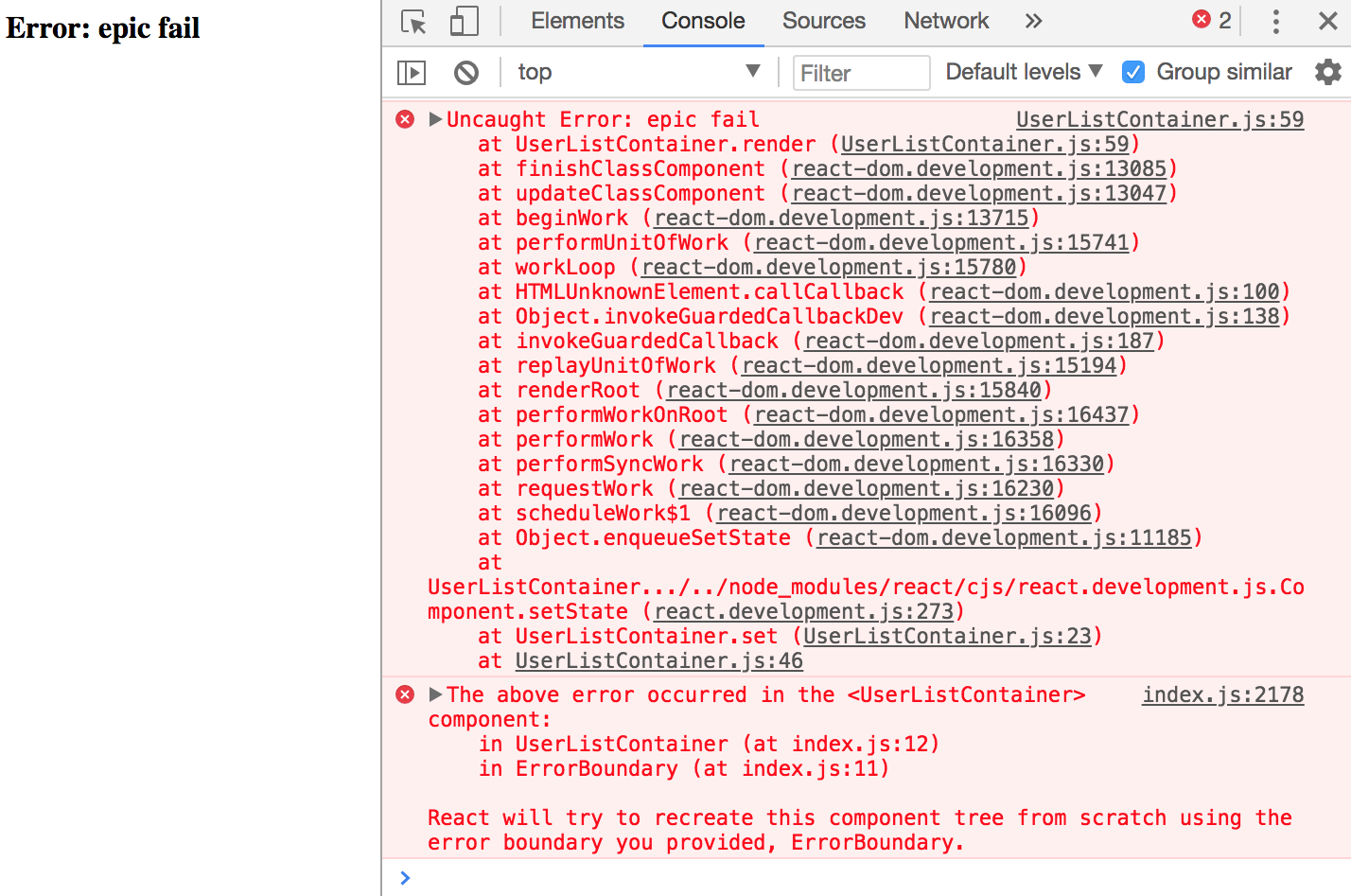
Any errors that are thrown by UserListContainer or any of its children will be caught and handled by ErrorBoundary:
Now you can remove the argument that's passed to users() in UserListContainer to stop it from failing. In the UserList component, let's say that you have an error that tries to call toUpperCase() on a number:
import React from 'react';
import { Map } from 'immutable';

// This component displays the passed-in "loading"
// property as italic text. If it's null, then
// nothing is rendered.
const LoadingMessage = ({ loading }) =>
  Map([[null, null]]).get(loading, <em>{loading}</em>);

export default ({
  error, // eslint-disable-line react/prop-types
  loading, // eslint-disable-line react/prop-types
  users // eslint-disable-line react/prop-types
}) => (
  <section>
    {/* Displays any loading messages, while
         waiting for the API... */}
    <LoadingMessage loading={loading} />

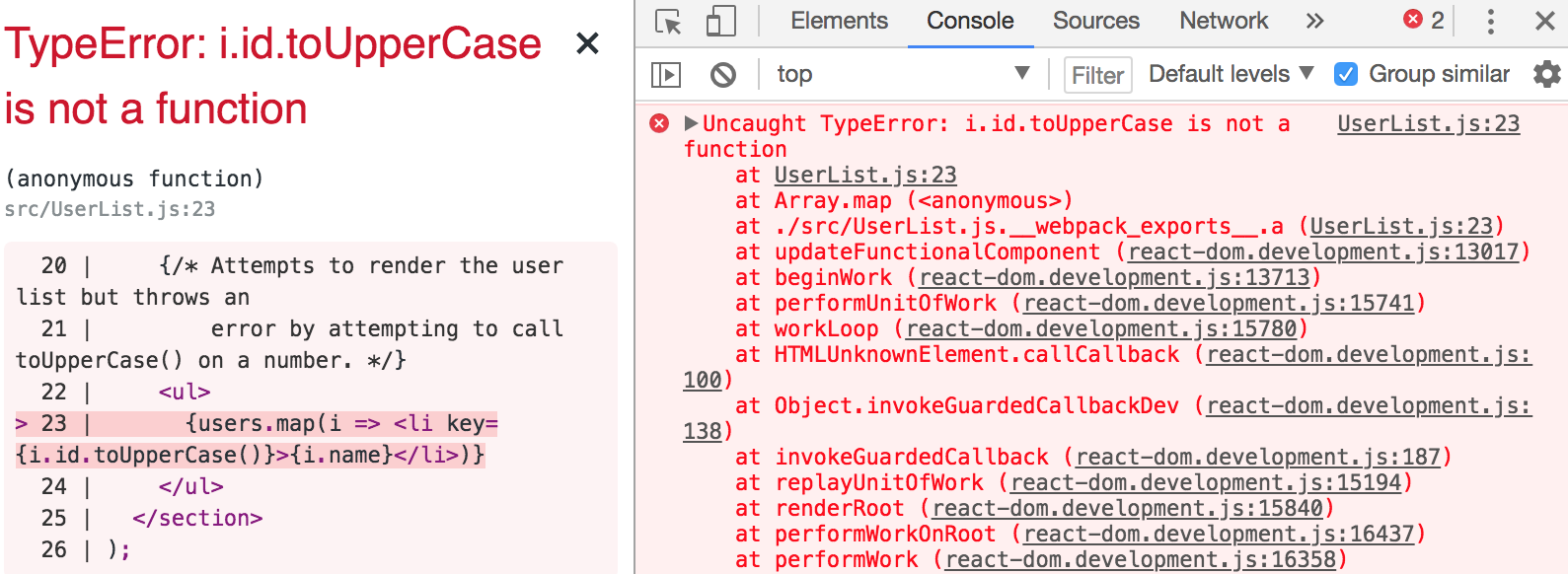
    {/* Attempts to render the user list but throws an
        error by attempting to call toUpperCase() on a number. */}
    <ul>
      {users.map(i => <li key={i.id.toUpperCase()}>{i.name}</li>)}
    </ul>
  </section>
);
You'll get a different error thrown, but since it's under the same boundary as the previous error, it'll be handled the same way: