
Let's create a component that has some initial state. You'll then render this component, and update its state. This means that the component will be rendered twice. Let's take a look at the component:
import React, { Component } from 'react';

export default class MyComponent extends Component {
  // The initial state is used, until something
  // calls "setState()", at which point the state is
  // merged with this state.
  state = {
    heading: 'React Awesomesauce (Busy)',
    content: 'Loading...'
  };

  render() {
    const { heading, content } = this.state;

    return (
      <main>
        <h1>{heading}</h1>
        <p>{content}</p>
      </main>
    );
  }
}
The JSX of this component depends on two state values—heading and content. The component also sets the initial values of these two state values, which means that it can be rendered without any unexpected gotchas. Now, let's look at some code that renders the component, and then re-renders it by changing the state:
import React from 'react';
import { render } from 'react-dom';

import MyComponent from './MyComponent';

// The "render()" function returns a reference to the
// rendered component. In this case, it's an instance
// of "MyComponent". Now that we have the reference,
// we can call "setState()" on it whenever we want.
const myComponent = render(
  <MyComponent />,
  document.getElementById('root')
);

// After 3 seconds, set the state of "myComponent",
// which causes it to re-render itself.
setTimeout(() => {
  myComponent.setState({
    heading: 'React Awesomesauce',
    content: 'Done!'
  });
}, 3000);
The component is first rendered with its default state. However, the interesting spot in this code is the setTimeout() call. After 3 seconds, it uses setState() to change the two state property values. Sure enough, this change is reflected in the UI. Here's what the initial state looks like when rendered:
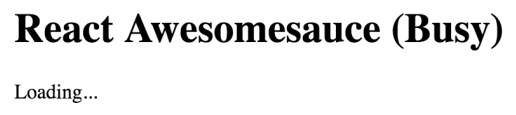
Here's what the rendered output looks like after the state change:
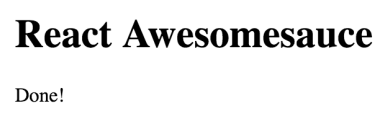
In this example, you replaced the entire component state. That is, the call to setState() passed in the same object properties found in the initial state. But, what if you only want to update part of the component state?