Sometimes, you need to write JavaScript expressions that change the structure of your markup. In the preceding section, you learned how to use JavaScript expression syntax to dynamically change the property values of JSX elements. What about when you need to add or remove elements based on JavaScript collections?
The best way to dynamically control JSX elements is to map them from a collection. Let's look at an example of how this is done:
import React from 'react';
import { render } from 'react-dom';

// An array that we want to render as s list...
const array = ['First', 'Second', 'Third'];

// An object that we want to render as a list...
const object = {
  first: 1,
  second: 2,
  third: 3
};

render(
  <section>
    <h1>Array</h1>

    {/* Maps "array" to an array of "<li>"s.
         Note the "key" property on "<li>".
         This is necessary for performance reasons,
         and React will warn us if it's missing. */}
    <ul>{array.map(i => <li key={i}>{i}</li>)}</ul>
    <h1>Object</h1>

    {/* Maps "object" to an array of "<li>"s.
         Note that we have to use "Object.keys()"
         before calling "map()" and that we have
         to lookup the value using the key "i". */}
    <ul>
      {Object.keys(object).map(i => (
        <li key={i}>
          <strong>{i}: </strong>
          {object[i]}
        </li>
      ))}
    </ul>
  </section>,
  document.getElementById('root')
);
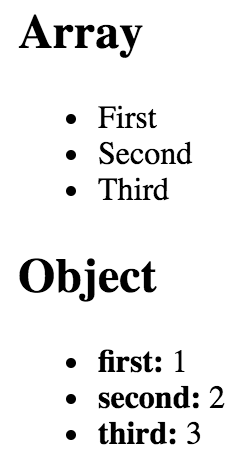
The first collection is an array called array, populated with string values. Moving down to the JSX markup, you can see the call to array.map(), which will return a new array. The mapping function is actually returning a JSX element (<li>), meaning that each item in the array is now represented in the markup.
The object collection uses the same technique, except you have to call Object.keys() and then map this array. What's nice about mapping collections to JSX elements on the page is that you can drive the structure of React components based on collection data. This means that you don't have to rely on imperative logic to control the UI.
Here's what the rendered output looks like: