In this section, you'll learn how to use metadata that's part of the API response to determine whether or not the component should re-render itself. Here's a simple user details component:
import React, { Component } from 'react';

export default class MyUser extends Component {
  state = {
    modified: new Date(),
    first: 'First',
    last: 'Last'
  };

  // The "modified" property is used to determine
  // whether or not the component should render.
  shouldComponentUpdate(props, state) {
    return Number(state).modified > Number(this.state.modified);
  }

  render() {
    const { modified, first, last } = this.state;

    return (
      <section>
        <p>{modified.toLocaleString()}</p>
        <p>{first}</p>
        <p>{last}</p>
      </section>
    );
  }
}
The shouldComponentUpdate() method is comparing the new modified state to the old modified state. This code makes the assumption that the modified value is a date that reflects when the data returned from the API was actually modified. The main downside to this approach is that the shouldComponentUpdate() method is now tightly coupled with the API data. The advantage is that you get a performance boost in the same way that you would with immutable data.
Here's how this heuristic looks in action:
import React from 'react';
import { render } from 'react-dom';

import MyUser from './MyUser';

// Performs the initial rendering of "<MyUser>".
const myUser = render(<MyUser />, document.getElementById('root'));

// Sets the state, with a new "modified" value.
// Since the modified state has changed, the
// component will re-render.
myUser.setState({
  modified: new Date(),
  first: 'First1',
  last: 'Last1'
});

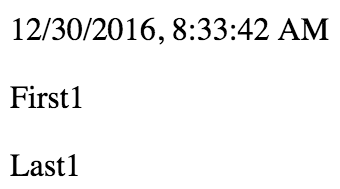
// The "first" and "last" states have changed,
// but the "modified" state has not. This means
// that the "First2" and "Last2" values will
// not be rendered.
myUser.setState({
  first: 'First2',
  last: 'Last2'
});
The MyUser component is now entirely dependent on the modified state. If it's not greater than the previous modified value, no render happens.
Here's what the component looks like after it's been rendered twice: