
When your components are initialized you'll want to populate their state or properties. Otherwise, the component won't have anything to render other than its skeleton markup. For instance, let's say you want to render the following user list component:
import React from 'react';
import { Map } from 'immutable';

// This component displays the passed-in "error"
// property as bold text. If it's null, then
// nothing is rendered.
const ErrorMessage = ({ error }) =>
  Map([[null, null]]).get(error, <strong>{error}</strong>);

// This component displays the passed-in "loading"
// property as italic text. If it's null, then
// nothing is rendered.
const LoadingMessage = ({ loading }) =>
  Map([[null, null]]).get(loading, <em>{loading}</em>);

export default ({
  error,
  loading,
  users
}) => (
  <section>
    {/* Displays any error messages... */}
    <ErrorMessage error={error} />

    {/* Displays any loading messages, while
         waiting for the API... */}
    <LoadingMessage loading={loading} />

    {/* Renders the user list... */}
    <ul>{users.map(i => <li key={i.id}>{i.name}</li>)}</ul>
  </section>
);
There are three pieces of data that this JSX relies on:
- loading: This message is displayed while fetching API data
- error: This message is displayed if something goes wrong
- users: Data fetched from the API
There are two helper components used here: ErrorMessage and LoadingMessage. They're used to format the error and the loading state, respectively. However, if error or loading are null, you don't want to have to introduce imperative logic into your component to handle this scenario. This is why you're using a cool little trick with Immutable.js maps:
- You create a map that has a single key-value pair. The key is null, and the value is null.
- You call get() with either an error or a loading property. If the error or loading property is null, then the key is found and nothing is rendered.
- get() accepts a second parameter that's returned if no key is found. This is where you pass in your truthy value and avoid imperative logic altogether. This specific component is simple, but the technique is especially powerful when there are more than two possibilities.
How should you go about making the API call and using the response to populate the users collection? The answer is to use a container component that makes the API call and then renders the UserList component:
import React, { Component } from 'react';
import { fromJS } from 'immutable';

import { users } from './api';
import UserList from './UserList';

export default class UserListContainer extends Component {
  state = {
    data: fromJS({
      error: null,
      loading: 'loading...',
      users: []
    })
  };

  // Getter for "Immutable.js" state data...
  get data() {
    return this.state.data;
  }

  // Setter for "Immutable.js" state data...
  set data(data) {
    this.setState({ data });
  }

  // When component has been rendered, "componentDidMount()"
  // is called. This is where we should perform asynchronous
  // behavior that will change the state of the component.
  // In this case, we're fetching a list of users from
  // the mock API.
  componentDidMount() {
    users().then(
      result => {
        // Populate the "users" state, but also
        // make sure the "error" and "loading"
        // states are cleared.
        this.data = this.data
          .set('loading', null)
          .set('error', null)
          .set('users', fromJS(result.users));
      },
      error => {
        // When an error occurs, we want to clear
        // the "loading" state and set the "error"
        // state.
        this.data = this.data
          .set('loading', null)
          .set('error', error);
      }
    );
  }

  render() {
    return <UserList {...this.data.toJS()} />;
  }
}
Let's take a look at the render() method. It's job is to render the <UserList> component, passing in this.state as properties. The actual API call happens in the componentDidMount() method. This method is called after the component is mounted into the DOM.
You can read more about this here: https://reactjs.org/blog/2018/03/27/update-on-async-rendering.html
Once the API call returns with data, the users collection is populated, causing the UserList to re-render itself, only this time, it has the data it needs. Let's take a look at the users() mock API function call used here:
// Returns a promise that's resolved after 2
// seconds. By default, it will resolve an array
// of user data. If the "fail" argument is true,
// the promise is rejected.
export function users(fail) {
  return new Promise((resolve, reject) => {
    setTimeout(() => {
      if (fail) {
        reject('epic fail');
      } else {
        resolve({
          users: [
            { id: 0, name: 'First' },
            { id: 1, name: 'Second' },
            { id: 2, name: 'Third' },
          ],
        });
      }
    }, 2000);
  });
}
It returns a promise that's resolved with an array after 2 seconds. Promises are a good tool for mocking things like API calls because they enable you to use more than HTTP calls as a data source in your React components. For example, you might be reading from a local file or using a library that returns promises that resolve data from various sources.
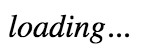
Here's what the UserList component renders when the loading state is a string, and the users state is an empty array:
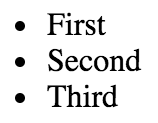
Here's what it renders when loading is null and users is non-empty:
I want to reiterate the separation of responsibilities between the UserListContainer and the UserList components. Because the container component handles the lifecycle management and the actual API communication, you can create a generic user list component. In fact, it's a functional component that doesn't require any state, which means you can reuse it in other container components throughout your application.