
The MapView component from react-native-maps is the main tool you'll use to render maps in your React Native applications.
Let's implement a basic MapView component to see what you get out of the box:
import React from 'react';
import { View } from 'react-native';
import MapView from 'react-native-maps';

import styles from './styles';

export default () => (
  <View style={styles.container}>
    <MapView
      style={styles.mapView}
      showsUserLocation
      followUserLocation
    />
  </View>
);
The two Boolean properties that you've passed to MapView do a lot of work for you. The showsUserLocation property will activate the marker on the map, which denotes the physical location of the device running this application. The followUserLocation property tells the map to update the location marker as the device moves around. Let's see the resulting map:
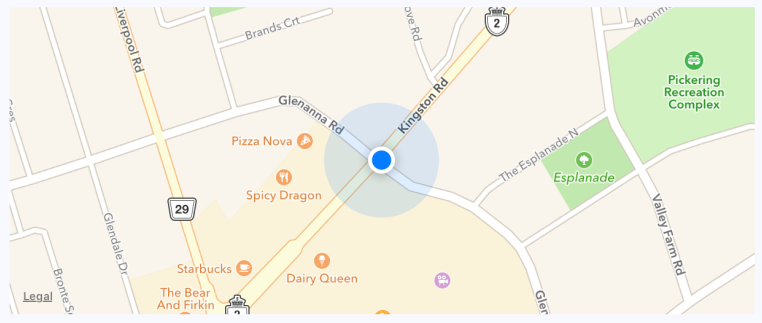
The current location of the device is clearly marked on the map. By default, points of interest are also rendered on the map. These are things in close proximity to the user so that they can see what's around them.
It's generally a good idea to use the followUserLocation property whenever using showsUserLocation. This makes the map zoom to the region where the user is located.