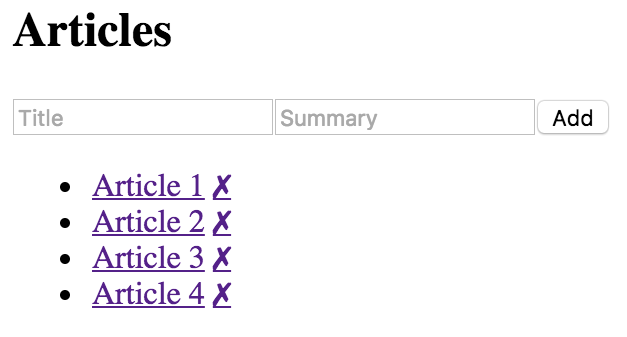
At this point, you have the initial state, state helper properties, and the JSX of the component. Now it's time to implement the event handlers themselves:
// When the title of a new article changes, update the state
// of the component with the new title value, by using "set()"
// to create a new map.
onChangeTitle = e => {
  this.data = this.data.set('title', e.target.value);
};

// When the summary of a new article changes, update the state
// of the component with the new summary value, by using "set()"
// to create a new map.
onChangeSummary = e => {
  this.data = this.data.set('summary', e.target.value);
};

// Creates a new article and empties the title
// and summary inputs. The "push()" method creates a new
// list and "update()" is used to update the list by
// creating a new map.
onClickAdd = () => {
  this.data = this.data
    .update('articles', a =>
      a.push(
        fromJS({
          id: cuid(),
          title: this.data.get('title'),
          summary: this.data.get('summary'),
          display: 'none'
        })
      )
    )
    .set('title', '')
    .set('summary', '');
};

// Removes an article from the list. Calling "delete()"
// creates a new list, and this is set in the new component
// state.
onClickRemove = id => {
  const index = this.data
    .get('articles')
    .findIndex(a => a.get('id') === id);

  this.data = this.data.update('articles', a => a.delete(index));
};

// Toggles the visibility of the article summary by
// setting the "display" state of the article. This
// state is dependent on the current state.
onClickToggle = id => {
  const index = this.data
    .get('articles')
    .findIndex(a => a.get('id') === id);

  this.data = this.data.update('articles', articles =>
    articles.update(index, a =>
      a.update('display', display => (display ? '' : 'none'))
    )
  );
};
Yikes! That's a lot of Immutable.js code! Not to worry, it's actually less code compared to trying to implement these transformations using plain JavaScript. Here are some pointers to help you understand this code:
- setState() is always called with a plain object as its argument. This is why we've introduced the data setter. When you assign a new value to this.data, it will call setState() with a plain object. You only need to worry about Immutable.js data. Likewise, the data getter returns the Immutable.js object instead of the whole state.
- Immutable methods always return a new instance. When you see something like article.set(...), it doesn't actually change the article, it creates a new one.
- In the render() method, the immutable data structures are converted back to plain JavaScript arrays and objects for use in the JSX markup.
If necessary, take all the time you need to understand what is happening here. As you progress through the book, you'll see ways that immutable state can be exploited by React components. These event handlers can only change the state of this component. That is, they can't accidentally change the state of other components. As you'll see in the following section, these handlers are actually in pretty good shape as they are.
Here's a screenshot of the rendered output: