Constructing the dynamic segments of a path that is passed to <Link> involves string manipulation. Everything that's part of the path goes in the to property. This means that you have to write more code to construct the string, but it also means less behind-the-scenes magic happening in the router.
Let's create a simple component that will echo back whatever is passed to the echo URL segment or the echo query parameter:
import React from 'react';
import { withRouter } from 'react-router';

// Simple component that expects either an "echo"
// URL segment parameter, or an "echo" query parameter.
export default withRouter(
  ({ match: { params }, location: { search } }) => (
    <h1>{params.msg || new URLSearchParams(search).get('msg')}</h1>
  )
);
The withRouter() utility function is a higher-order function that returns a new component. This new component will have router-related properties passed to it, which you need if you want to work with path segment variables or the query string. The two properties used by your Echo component are match.params for the URL path variables and location.search for the query string.
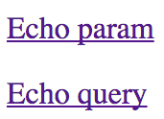
Now, let's take a look at the App component that renders two links. The first will build a string that uses a dynamic value as a URL parameter. The second will use URLSearchParams to build the query string portion of the URL:
import React from 'react';
import PropTypes from 'prop-types';
import { Link } from 'react-router-dom';

const App = ({ children }) => <section>{children}</section>;

App.propTypes = {
  children: PropTypes.node.isRequired
};

// Link parameter and query data...
const param = 'From Param';
const query = new URLSearchParams({ msg: 'From Query' });

App.defaultProps = {
  children: (
    <section>
      {/* This "<Link>" uses a paramter as part of
           the "to" property. */}
      <p>
        <Link to={`echo/${param}`}>Echo param</Link>
      </p>

      {/* This "<Link>" uses the "query" property
           to add query parameters to the link URL. */}
      <p>
        <Link to={`echo?${query.toString()}`} query={query}>
          Echo query
        </Link>
      </p>
    </section>
  )
};

export default App;
Here's what the two links look like when they're rendered:
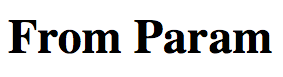
The param link takes you to /echo/From Param, which looks like this:
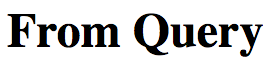
The query link takes you to /echo?echo=From+Query, which looks like this: