Let's finish the chapter by looking at a more involved higher-order component example. You'll implement a data store function that wraps a given component with a data source. This type of pattern is handy to know, because it's used by React libraries such as Redux. Here's the connect() function that's used to wrap components:
import React, { Component } from 'react';
import { fromJS } from 'immutable';

// The components that are connected to this store.
let components = fromJS([]);

// The state store itself, where application data is kept.
let store = fromJS({});

// Sets the state of the store, then sets the
// state of every connected component.
export function setState(state) {
  store = state;

  for (const component of components) {
    component.setState({
      data: store
    });
  }
}

// Returns the state of the store.
export function getState() {
  return store;
}

// Returns a higher-order component that's connected
// to the "store".
export function connect(ComposedComponent) {
  return class ConnectedComponent extends Component {
    state = { data: store };

    // When the component is mounted, add it to "components",
    // so that it will receive updates when the store state
    // changes.
    componentDidMount() {
      components = components.push(this);
    }

    // Deletes this component from "components" when it is
    // unmounted from the DOM.
    componentWillUnmount() {
      const index = components.findIndex(this);
      components = components.delete(index);
    }

    // Renders "ComposedComponent", using the "store" state
    // as properties.
    render() {
      return <ComposedComponent {...this.state.data.toJS()} />;
    }
  };
}
This module defines two internal immutable objects: components and store. The components list holds references to components that are listening to store changes. The store represents the entire application state.
The concept of a store stems from Flux, a set of architectural patterns used to build large-scale React applications. I'll touch on Flux ideas throughout this book, but Flux goes way beyond the scope of this book.
The important pieces of this module are the exported functions: setState(), getState(), and connect(). The getState() function simply returns a reference to the data store. The setState() function sets the state of the store, and then notifies all components that the state of the application has changed. The connect() function is the higher-order function that wraps the given component with a new one. When the component is mounted, it registers itself with the store so that it will receive updates when the store changes state. It renders the composed component by passing the store as properties.
Now, let's use this utility to build a simple filter and list. First, the list component:
import React from 'react';
import PropTypes from 'prop-types';

// Renders an item list...
const MyList = ({ filterValue, items }) => {
  const filter = new RegExp(filterValue, 'i');

  return (
    <ul>
      {items
        .filter(item => filter.test(item))
        .map(item => <li key={item}>{item}>/li>)}
    </ul>
  );
};

MyList.propTypes = {
  items: PropTypes.array.isRequired
};

export default MyList;
There are two pieces of state that are passed to this component as properties. The first is the filterValue string that comes from the filter text input. The second is the items array of values to filter. It is filtered by constructing a case-insensitive regular expression and using it with test() inside filter(). Then, only items that match the filterValue are part of the JSX output of this component. Next, let's look at MyInput:
import React from 'react';
import PropTypes from 'prop-types';
import { getState, setState } from './store';

// When the filter input value changes.
function onChange(e) {
  // Updates the state of the store.
  setState(getState().set('filterValue', e.target.value));
}

// Renders a simple input element to filter a list.
const MyInput = ({ value, placeholder }) => (
  <input
    autoFocus
    value={value}
    placeholder={placeholder}
    onChange={onChange}
  />
);

MyInput.propTypes = {
  value: PropTypes.string,
  placeholder: PropTypes.string
};

export default MyInput;
The MyInput component renders an <input> element. The goal of the onChange() handler is to filter the user list so that only items that contain the current input text are displayed. It does this by setting the filterValue state whenever the text input changes. This will cause the MyList component to re-render with the new filter value to filter items with.
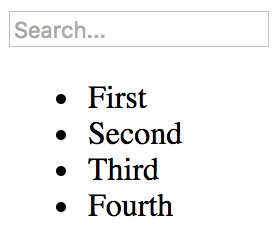
Here's what the rendered filter input and item list looks like: