
To insert a title in HTML, there is a tag called <h1> that goes all the way to <h6>. The number is determined by the importance of the title.
Let's put an <h1> element into our <body>:
<html> <!--This is our HTML main tag-->
 <head> <!--This is our head tag where we put our title and script and all infos relative to our page.-->
  <title>My Page Title</title>
 </head>
 <body> <!--This is where all our content will go-->
  <h1>John Doe</h1>

 </body>
</html>
We now have our first title. Let's add a paragraph. To add a paragraph, we can use the HTML tag <p>:
<h1>John Doe</h1>
  <p>I'm an amazing Designer</p>
You learned earlier that for each HTML tag, we have an opening <tagname> tag and a closing </tagname> tag. This is to basically tell you when your element is ending. You can also add another tag inside a tag. For example, if we want to make some text bold.
Let's use our <p> tag and add a <b> tag to our amazing word to make it bold:
<p>I'm an <b>amazing</b> Designer</p>
This is what you should have in your browser:
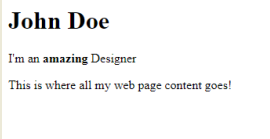
Amazing! You just put text in bold! Let's add some forms now.
With forms, no matter what type of information you want from your users, to get it from them you'll need to use the <input> tag.
There are many different types of inputs, but, for now, we'll cover email and submit.
The input tag is one of the exceptions that does not need a closing tag; let's add it to our paragraph:
<input type="email">
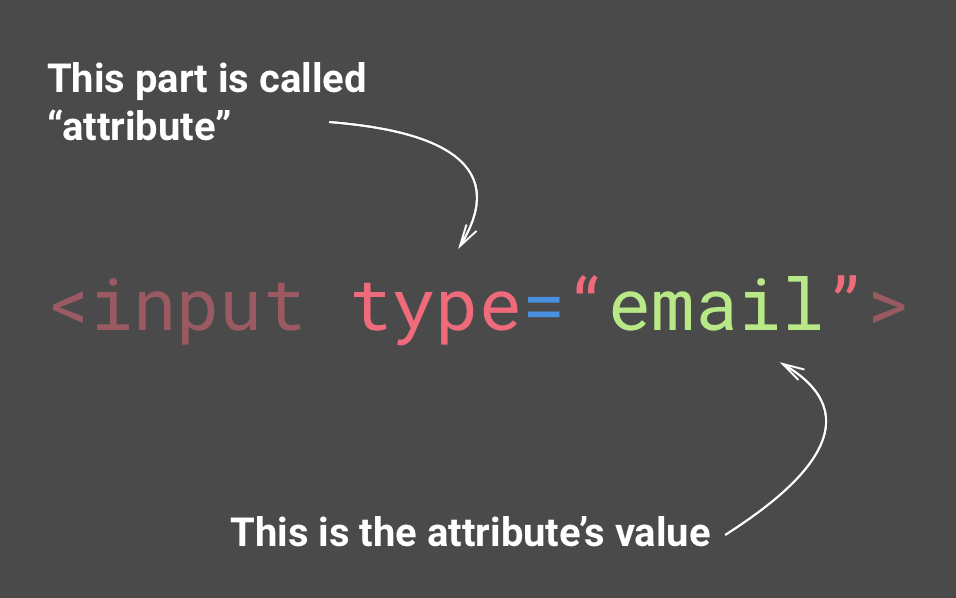
You can think of attributes as options for each tag
But the email input won't be any good without a Submit button! Let's add another input type, submit:
<input type="submit">
Let's see what we have now:
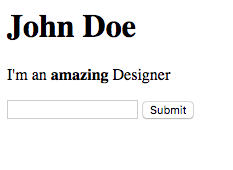
This is what you should have in your browser. Save your HTML document with Ctrl (or Cmd) + S and refresh your browser.
Awesome! But we may have a little problem. We don't actually say what users are supposed to type into the input email. Luckily, there is an attribute called placeholder that lets us add a default text to our input, so users know what to type:
<input type="email" placeholder="Your email">
Excellent! Now you can see our placeholder in our email's input.
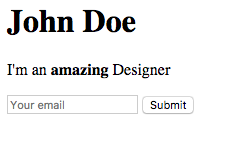
This is what you should have in your browser. Save your HTML document with Ctrl (or Cmd) + S and refresh your browser.