
Now that our website is online, we can still work on it, because the launch is not the end of the story. The only thing you need to cover is site maintenance. This means that you should keep track of your website's success and monitor your users' behavior. How do we do this? We use a very powerful tool called Google Analytics. With this software, you will be able to monitor statistics like the number of visits your website receives, the amount of time your visitors stay, the average number of page views for each visitor, and many other useful statistics:

Then, using this data, you can make adjustments to the website to make it better. I will now install Google Analytics on the website I just uploaded to show you how easy it is. You need to start off by creating an account for Google Analytics, but that's easy if you already have a Google account. Once you have your Google Analytics account created, you need to create an account to get a tracking code:
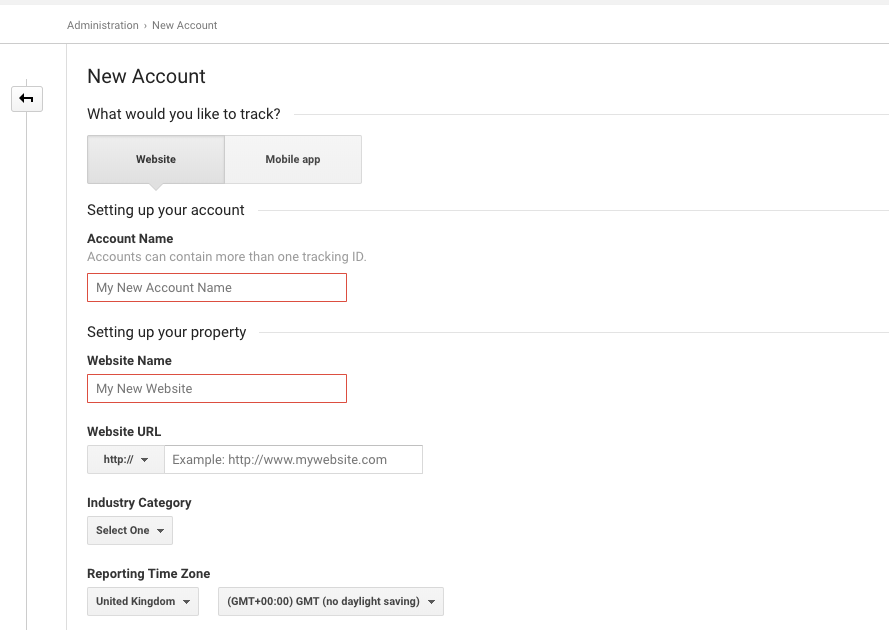
In our case, it's a website, and I will call this Racing Club. Then, we need the link this to our website. Type in all of the necessary information and hit Get Tracking ID:
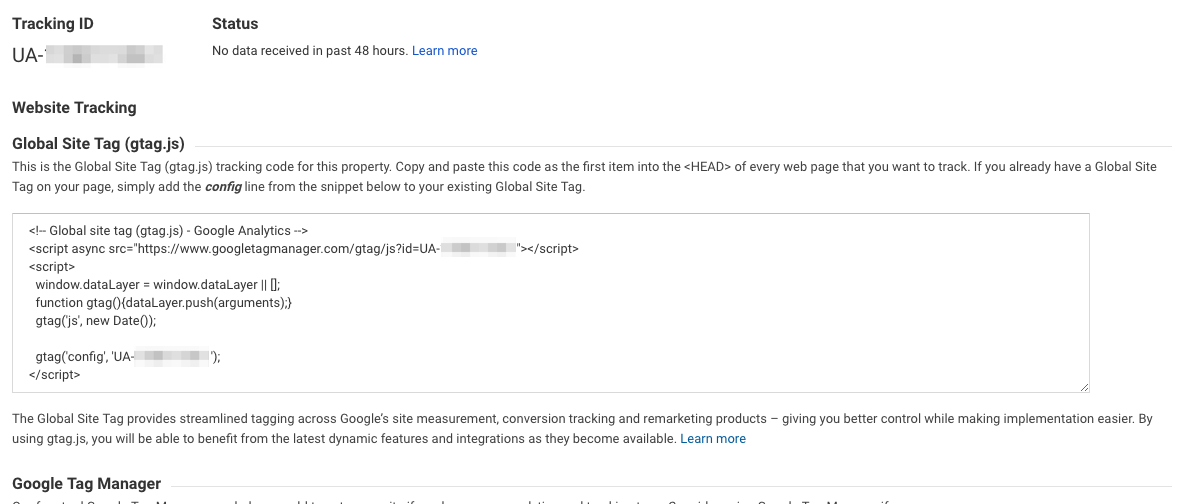
Google has now provided you with a code to paste into your website. It's a basic JavaScript code, so you can paste it after all the scripts.
In our HTML boilerplate, there is a spot left for our Google analytics code. Just replace the code with the code provided by Google:
<script src="js/vendor/modernizr-3.5.0.min.js"></script>
        <script src="https://code.jquery.com/jquery-3.2.1.min.js" integrity="sha256-hwg4gsxgFZhOsEEamdOYGBf13FyQuiTwlAQgxVSNgt4=" crossorigin="anonymous"></script>
        <script>window.jQuery || document.write('<script src="js/vendor/jquery-3.2.1.min.js"><\/script>')</script>
        <script src="js/vendor/jquery.waypoints.min.js"></script>
        <script src="js/vendor/instafeed.min.js"></script>
        <script src="js/plugins.js"></script>
        <script src="js/main.js"></script>

        <!-- Global site tag (gtag.js) - Google Analytics -->
        <script async src="https://www.googletagmanager.com/gtag/js?id=YOUR GOOGLE ANALYTICS CODE"></script>
        <script>
          window.dataLayer = window.dataLayer || [];
          function gtag(){dataLayer.push(arguments);}
          gtag('js', new Date());

          gtag('config', 'YOUR GOOGLE ANALYTICS CODE');
        </script>
Now the final step is to upload the updated file to our server with FileZilla. Just drag and drop the index.html (don't forget to save!) and you're done!
This was a very quick introduction to Google Analytics, but the tool is very powerful and can be set up to track everything on your website. This was quite a long journey, but we did it. You can now actually open a web page on the internet and see the website that we created together. Now you are able to do all of this on your own. Amazing, isn't it?