The box model consists of four properties:
- Content: The text, images, and so on
- Padding: A transparent area around the content, inside the box
- Margin: The space between the boxes
- Border: This goes around the padding and the content
Have a look at following diagram for a better understanding:
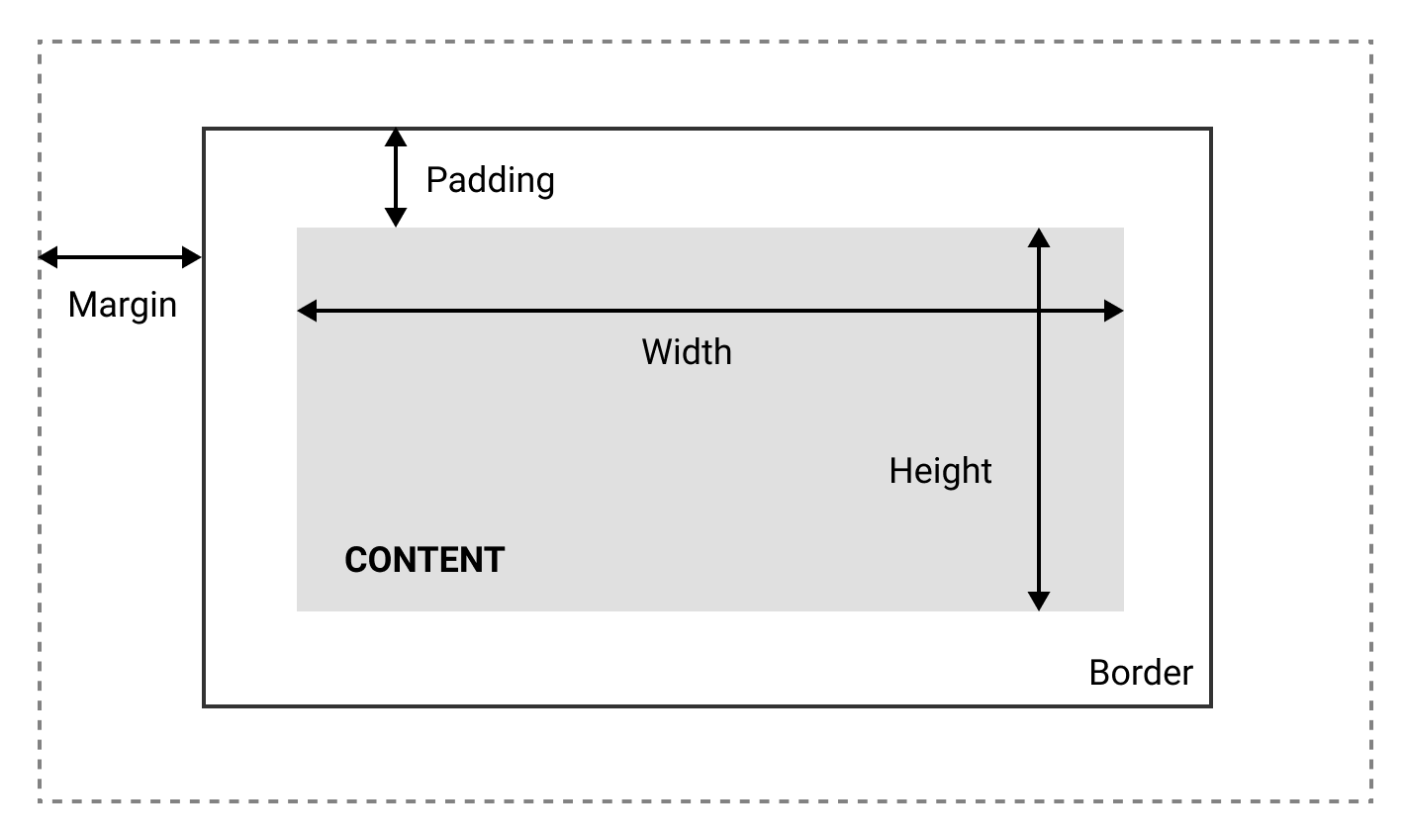
A CSS box model can be described as shown in the preceding diagram.
Box models can also let us set the height and the width of an element. By setting the width or the height of the content with the following:
Width: 200px;
The width of the content will be 200px.
Now, the annoying thing about the standard box-model is that you can only set the width and the height of the content, and not in the entire box itself, which means the padding, margin, and border will be added to the width and height we specified. Which is quite annoying:
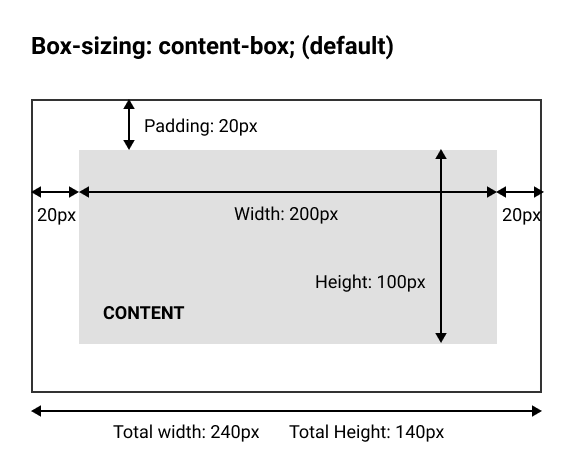
Box Sizing with the property content-box
Fortunately, we can counter this by using the box-sizing property:
box-sizing: border-box;
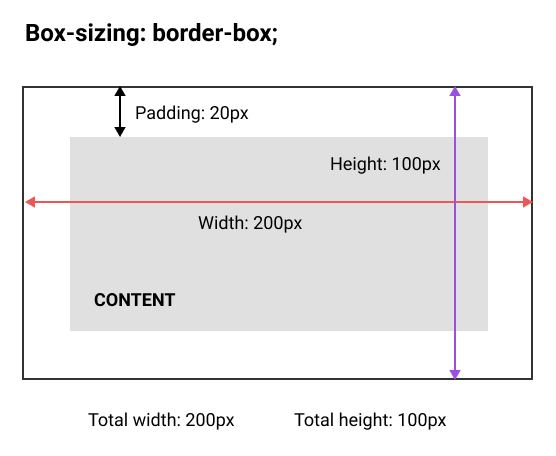
By setting box-sizing to border-box, we will now set the width and height of the entire box: