
This section is not very complex. Let's check out the design:
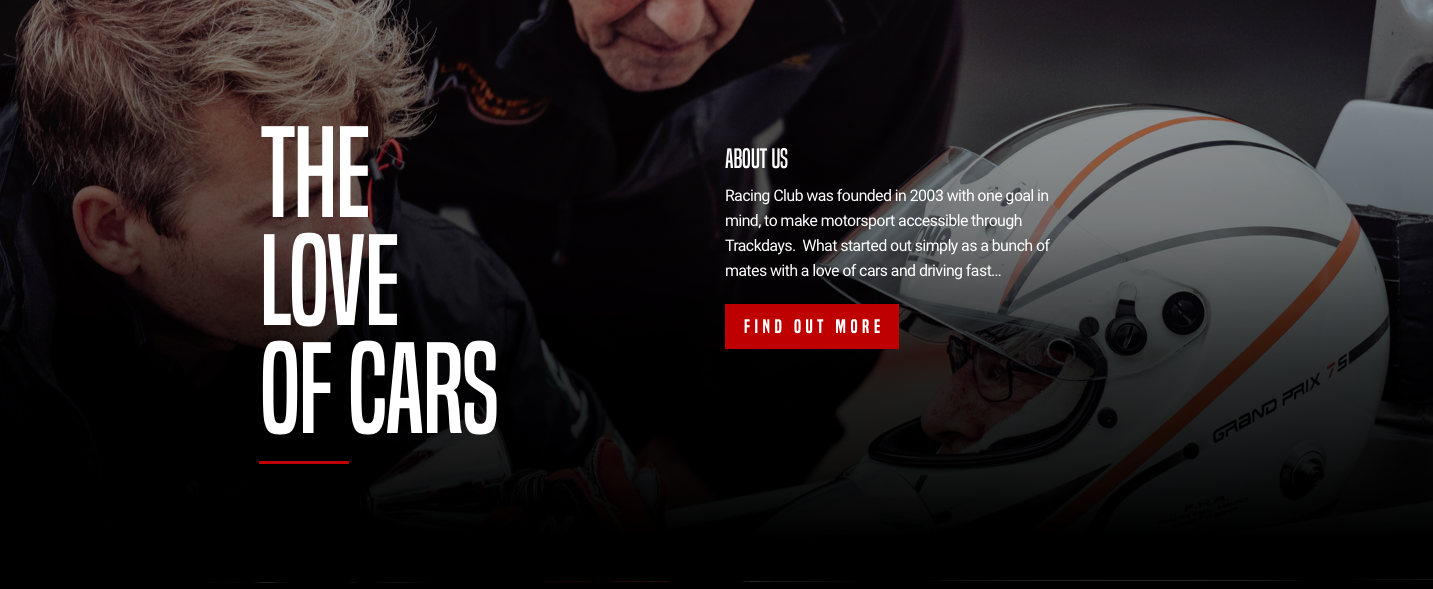
If we use our block analyzer, we can have something such as this:
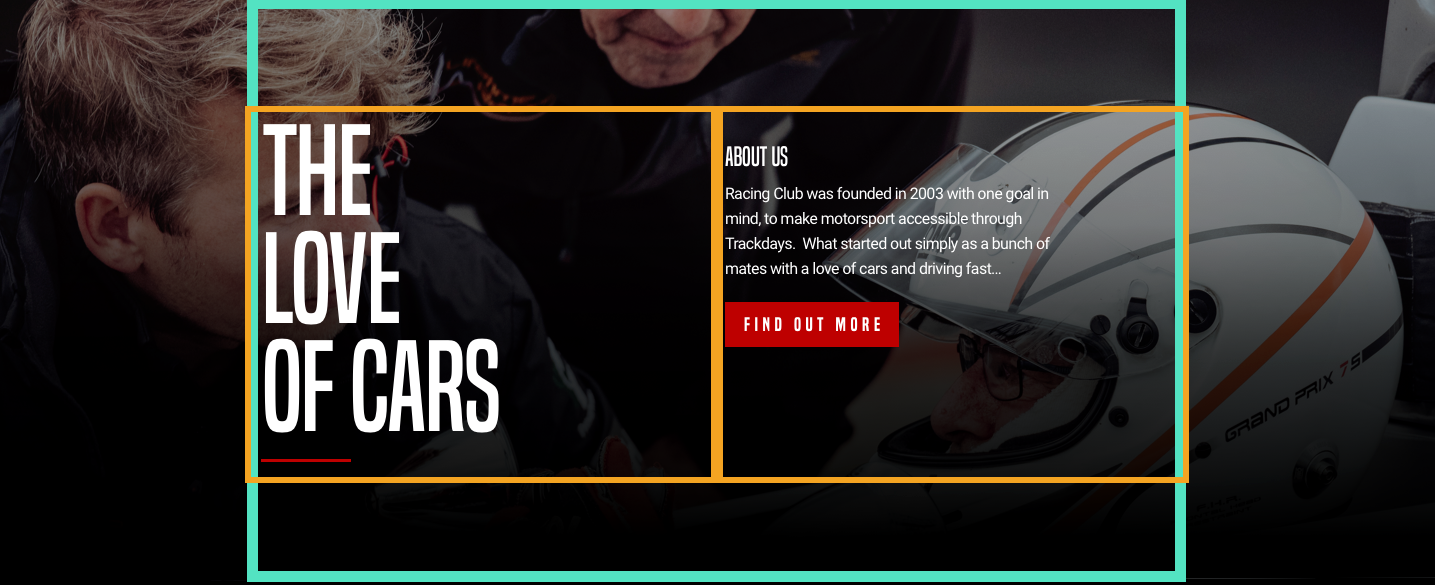
What we need to do:
- Make the content vertically centered
- Align the text on the left
- Have a background image covering the entire section
The best way to align elements vertically is, as we saw earlier, to use CSS flexbox.
Let's create our HTML. After our blog section, we're going to add our about-us section:
<section id="about-us">

</section>
Inside this section, as usual, we're going to add our container:
<section id="about-us">
          <div class="container">

          </div>
</section>
And inside our container, we'll create our two blocks that will contain our big title and our description:
<section id="about-us">
  <div class="container">
    <div class="about-us-title">
        <h3>The love of cars</h3>
    </div>
    <div class="about-us-desc">
      <h4>About us</h4>
      <p>Racing Club was founded in 2003 with one goal in mind, to make motorsport accessible through Trackdays. What started out simply as a bunch of mates with a love of cars and driving fast… </p>
      <button type="button" name="button" class="btn-primary">Learn more</button>
    </div>
  </div>
</section>
Let's save and jump into our CSS file:
- First, target our about section ID:
#about-us {

}
- Add the background image for our section:
#about-us {
  width: 100%;
  background-image: url(../img/about-us-bg.jpg);
  background-repeat: no-repeat;
  background-size: cover;
  padding: 120px 0;
  color: white;
}
We use the same CSS properties that we used previously in our hero section. Some padding is added, to remain similar to the design. We set the color at the parent level so we don't have to set the color in each child element.
- Set flexbox in the container:
#about-us .container {
  display: flex;
  align-items: top;
}
align-items: top; will align the text from the top, as in the design.
- We now have to set the width of the block inside the container; otherwise, the flexbox will not work:
.about-us-title {
  width: 50%;
}

.about-us-desc {
  width: 50%;
}
Let's save and check the design:
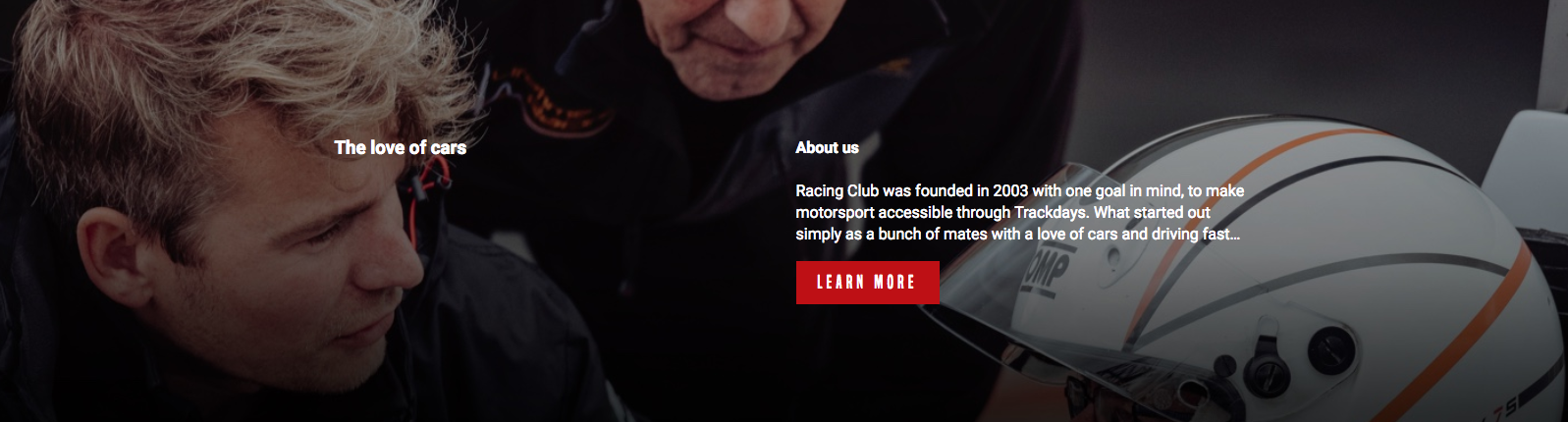
So far, so good; we're heading the right way. Let's add some styles for our title and description.
- Add styling to our heading:
.about-us-title h3 {
  font-family: 'built_titling', Helvetica, sans-serif;
  font-weight: 400;
  font-size: 120px;
  line-height: 1;
  letter-spacing: -1px;
  margin: 0;
}
margin: 0 had to be added by default, as every h title has a margin following the size of the text. Let's check again:
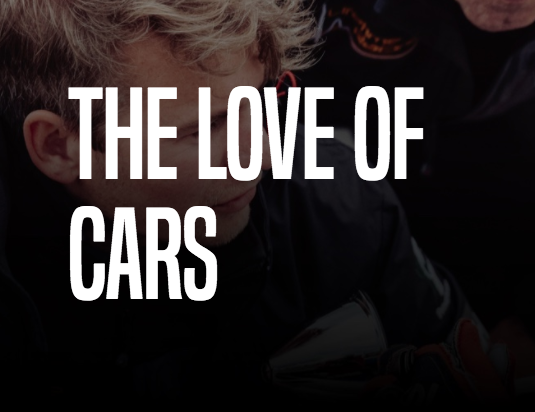
We're pretty close, but we still need to be more precise in our implementation:
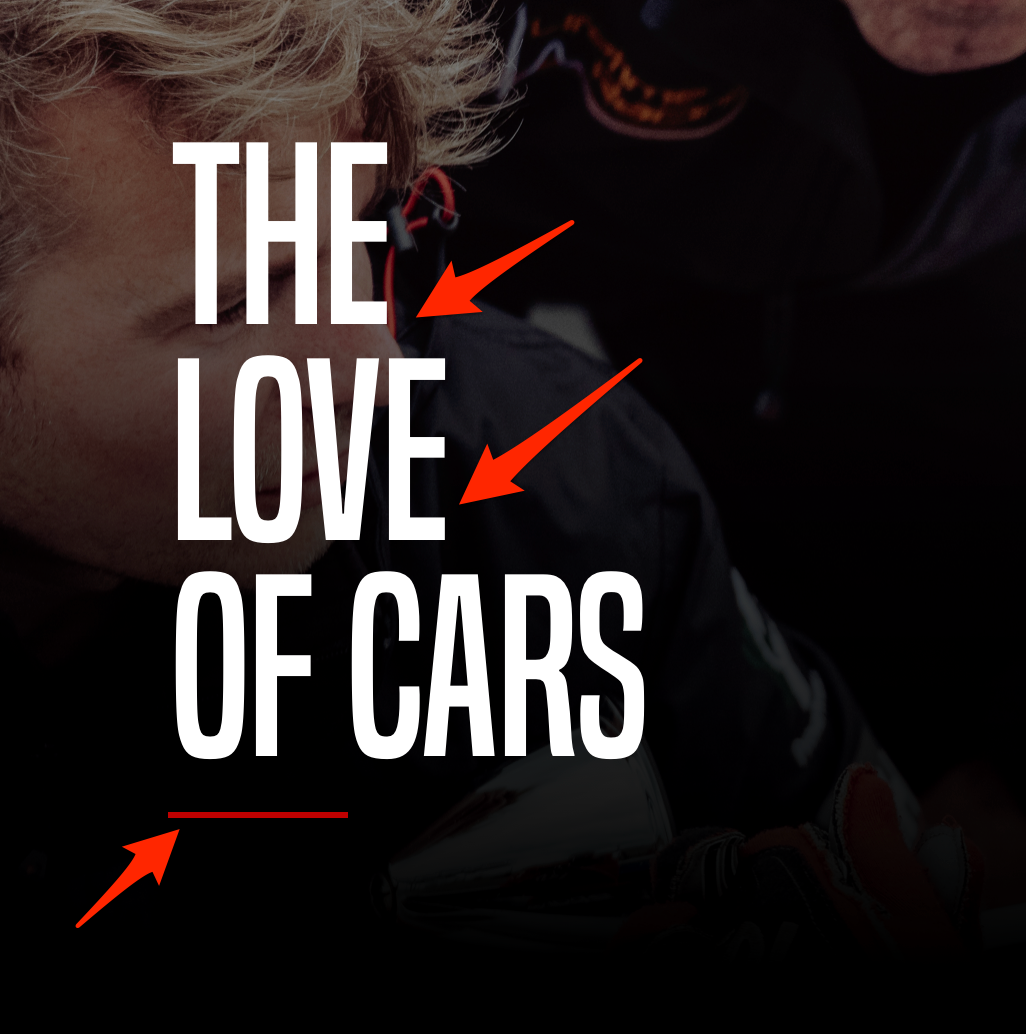
We can see in our design that we have a few line breaks and a red line at the bottom of the title.
To do that, we'll need to add some break lines with HTML. To add a break line with HTML, we can use the tag <br /> in any text block. So in our title, we'll add a <br /> tag after The and love:
<h3>The<br /> love<br /> of cars</h3>
Now, to add the red line, we can create a <div> and customize it to be the shape and colors we want. But it will add something useless in the HTML.
A better way to do it is to use the ::before/:: after selector in CSS. This selector can add some text before or after an HTML element.
It's primarily used to add extra text after a paragraph, but we'll use it to add this red line.
To do so, we have to select the h3 element and add ::after:
.about-us-title h3::after {

}
For every ::after or ::before selection, we need to add the CSS property content:
.about-us-title h3::after {
  content: "";
}
We'll leave the value blank as we don't want any text. Continue:
.about-us-title h3::after {
  content: "";
  display: block;
  background: #BF0000;
  width: 90px;
  height: 2px;
  margin-top: 30px;
}
What we did:
- We set the display as block as it's inline by default
- We added the red background and the dimension
- We added a margin to have some space between the text and the red line
We're almost set. We have a final touch to add to the title of our description:
.about-us-desc h4 {
  font-family: 'built_titling', Helvetica, sans-serif;
  font-weight: 400;
  font-size: 26px;
  line-height: 1;
  margin: 0;
}
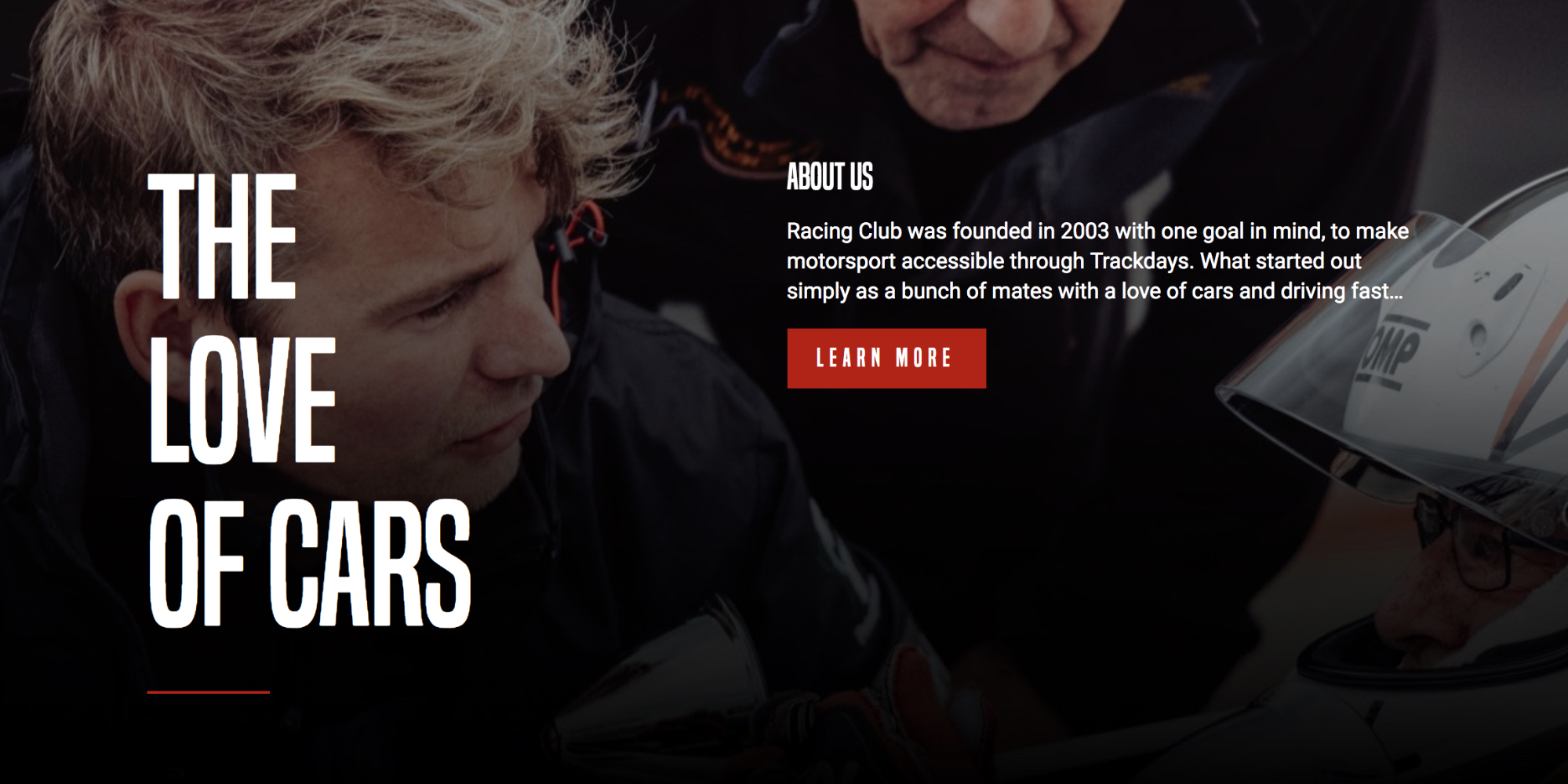
The final CSS code for the ABOUT US section is as follows:
/* ABOUT US SECTION */

#about-us {
  width: 100%;
  background-image: url(../img/about-us-bg.jpg);
  background-repeat: no-repeat;
  background-size: cover;
  padding: 120px 0;
  color: white;
}

#about-us .container {
  display: flex;
  align-items: top;
}

.about-us-title {
  width: 50%;
}

.about-us-title h3 {
  font-family: 'built_titling', Helvetica, sans-serif;
  font-weight: 400;
  font-size: 120px;
  line-height: 1;
  letter-spacing: -1px;
  margin: 0;
}

.about-us-title h3::after {
  content: "";
  display: block;
  background: #BF0000;
  width: 90px;
  height: 2px;
  margin-top: 30px;
}

.about-us-desc {
  width: 50%;
}

.about-us-desc h4 {
  font-family: 'built_titling', Helvetica, sans-serif;
  font-weight: 400;
  font-size: 26px;
  line-height: 1;
  margin: 0;
}

/* END ABOUT US SECTION */